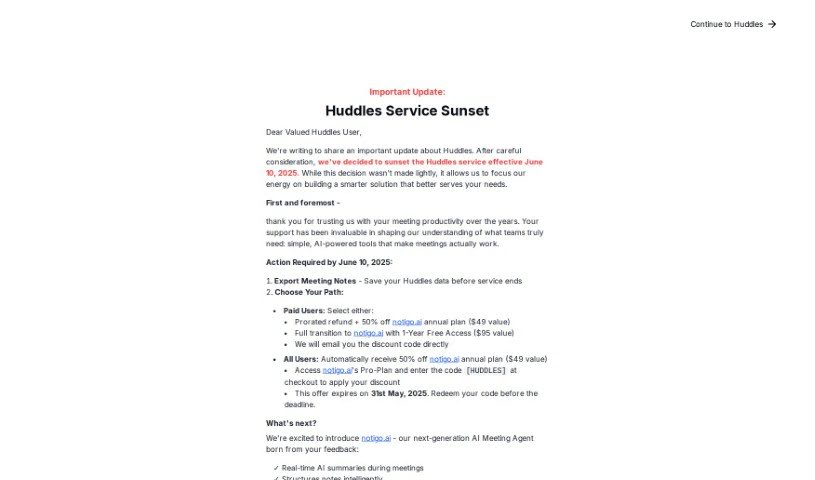
Screenshot of Huddles

Huddles

Discover what Huddles is and how to use it effectively in 2025. We'll explore its features and see how it stacks up against other AI note-takers.

Screenshot

What is Huddles?

Huddles is a platform built to make team meetings much better by really focusing on collaboration, making sure everyone gets a chance to speak, and driving towards clear, actionable results. You know how in regular meetings, some people talk a lot while others don’t? Huddles aims to fix that imbalance, which often makes meetings less productive. It offers tools like AI-powered real-time note-taking, ready-made meeting templates, support for different languages, and ways for everyone to work together. The goal is to make meetings more efficient and keep everyone involved. Huddles is all about creating a meeting culture where teamwork and genuine interaction are key, helping teams reach their goals more effectively.

Who created Huddles?

Fiona Berton founded Huddles. She’s spent almost 20 years facilitating all sorts of meetings for different companies. This experience really opened her eyes to how meetings could be improved, inspiring her to start Huddles. Her vision is to reshape how we work and conduct meetings, making them more productive and boosting employee satisfaction. The company’s mission is to encourage collaboration, ensure everyone participates equally, and achieve meaningful outcomes in meetings, ultimately leading to a more rewarding and productive work experience for everyone.

What is Huddles used for?

  • Get real-time summaries automatically.
  • Make meetings more efficient with AI help.
  • Use an AI meeting copilot.
  • Create agendas with AI.
  • Get AI transcriptions of meetings.
  • Have an AI take meeting notes.
  • Define AI meeting outcomes.
  • Use an AI tool for meeting summaries.
  • Save time on prep by building agendas with AI.
  • Keep your team engaged using collaborative features.

How to use Huddles?

Here’s a simple guide to using Huddles effectively:

  1. Get Started: First, sign up for an account on the Huddles platform. It’s pretty straightforward.
  2. Choose a Plan: Pick the pricing plan that best fits what you need – we have Free, Pro, and Business options.
  3. Utilize Core Features: Make the most of everything Huddles offers, like unlimited notepads, the AI agenda builder, and collaboration tools.
  4. Prepare for Meetings: Save yourself some time by using the AI agenda builder, so you can really focus on planning.
  5. During Meetings: Keep your team involved by using the collaborative features for taking notes and discussing ideas together.
  6. Post-Meeting Actions: Make sure things get done by tracking action items, easily reviewing your meeting notes in the meeting notebooks, and ensuring follow-through.
  7. Customization: Tailor Huddles to your team’s specific needs using meeting templates, multilingual support, and other adaptable options.
  8. Feedback and Improvement: Keep an eye on how Huddles is affecting your meetings and make adjustments based on the results and what your team tells you.

By following these steps, you can really simplify your meeting processes, boost efficiency, and improve how your team collaborates, all thanks to Huddles’ smart features and capabilities.

Related AI Tools

Discover more tools in similar categories that might interest you

Stay Updated with AI Tools

Get weekly updates on the latest AI tools, trends, and insights delivered to your inbox

Join 25,000+ AI enthusiasts. No spam, unsubscribe anytime.