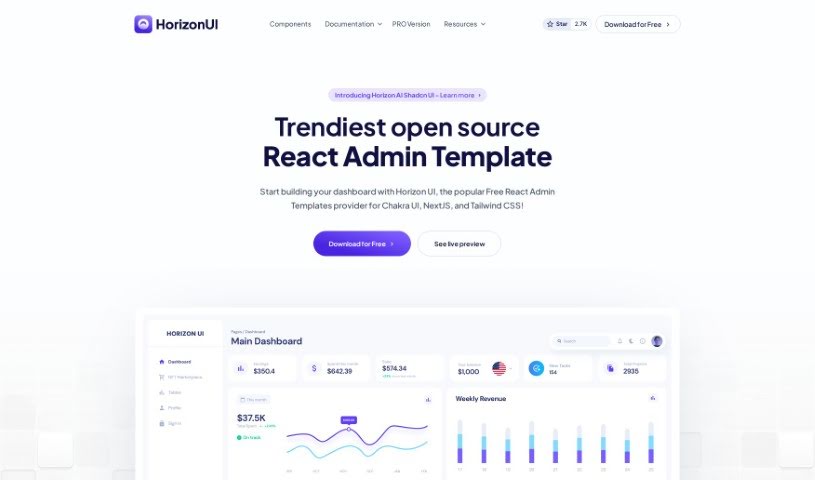
What is Horizon UI?
Horizon UI is a fantastic React admin template that really helps you turn your data into visually appealing dashboards. It’s got a modern, beautiful user interface that makes your data pop. You get over 70 dark and light frontend elements – think buttons, inputs, navbars, and cards – all ready to make your dashboard look great. Plus, you can really make it your own using the Horizon Configurator to tweak colors, contrast, and theme styles. People have been loving how Horizon UI blends user interface (UI) with user experience (UX) so well, saving them tons of time on web design and development. It’s even earned a lot of GitHub stars and was the #3 Product of the Day on Product Hunt, showing it’s a genuinely useful tool for speeding up development and building responsive admin templates efficiently.
Who created Horizon UI?
The team behind Horizon UI also developed the world’s first ChatGPT AI React Admin Template. This innovative template is perfect for building AI SaaS apps and comes packed with over 100 components, fully coded example pages, and lets you develop much faster than other AI templates out there. They’ve really focused on merging UI with UX, which has helped them gather over 4,150 GitHub stars and earn that #3 Product of the Day spot on Product Hunt.
What is Horizon UI used for?
Horizon UI is incredibly versatile. Here’s a breakdown of what you can do with it:
- Visualize Your Data: Easily transform raw data into beautiful, easy-to-understand dashboards.
- Personalize Your Look: Pick your favorite theme style to match your brand or personal preference.
- Color Customization: Effortlessly adjust dashboard colors and contrast presets to create a unique look.
- Seamless UI/UX Integration: Combine a great user interface with a smooth user experience using this React admin template.
- Rapid AI App Development: Build AI SaaS applications with outstanding speed, thanks to its specialized design.
- Save Development Time: Utilize the many pre-built components to avoid starting from scratch, significantly cutting down on work.
- Broad Integration: It plays well with different programming languages and frameworks, making integration a breeze.
- Trendy React Templates: Choose from a variety of popular and up-to-date React templates.
- Full-Stack Development: Develop full-stack applications with Horizon UI as your foundation.
- Explore the Ecosystem: Discover a wider range of Horizon UI tools and resources to enhance your projects.
- Modern & Beautiful UI: Create dashboards that are not only functional but also visually stunning.
- Extensive Component Library: Get access to a large collection of top-notch React components.
- Tailored Theme Styles: Customize theme styles precisely to your liking.
- Easy Color & Contrast Control: Effortlessly fine-tune dashboard colors and contrast presets.
- Streamlined Development: Save time by using the PRO version for your development processes.
- Expand Design Horizons: Explore diverse screens like NFT Pages, Car Interfaces, and Smart Home setups, broadening your web design capabilities.
- Rich Feature Set: Benefit from over 100 components and elements, plus 27+ fully coded example pages.
- 10X Faster Development: Experience significantly quicker development cycles compared to other AI templates.
- Pioneering AI Template: Leverage the world’s first ChatGPT AI Template for React.
- Continuous Improvement: Receive lifetime free updates and access to a growing components library.
- Versatile Element Pack: Use over 70+ individual dark/light frontend elements, including buttons, inputs, navbars, nav tabs, cards, and alerts.
- Flexible App Creation: Build React full-stack apps, integrating with APIs like NodeJS, Django, or Flask.
- Efficient Workflow: Reduce workdays by using diverse screens for various applications like NFT Pages, Car Interfaces, and Smart Homes.
- Avoid Reinventing the Wheel: Save time by using Horizon UI admin templates instead of starting every project from scratch.
- Ideal for Professionals: Perfect for developers and businesses looking for a responsive, trendy admin template.
- Fast AI SaaS Development: Create outstanding AI SaaS apps 10x faster with the ChatGPT AI React Admin Template.
- Future-Proof Updates: Get lifetime free updates and a constantly growing components library.
- Data Visualization: Provide a beautiful and modern UI for visualizing your data effectively.
- Responsive & Trendy: Utilize a template that’s both responsive and fashionable.
Who is Horizon UI for?
Horizon UI is primarily designed for:
- Developers: Whether you’re building a new app or enhancing an existing one, Horizon UI offers the tools and flexibility you need.
- Businesses: Companies looking to create professional, data-driven dashboards quickly and efficiently will find Horizon UI invaluable.
How to use Horizon UI?
Getting started with Horizon UI is straightforward. Just follow these steps:
- Explore the Templates: Start by browsing the Horizon UI React templates. They’re designed to help you bring your data to life and build modern, visually appealing dashboards. You’ll find a wide array of elements like buttons, inputs, navbars, and cards included.
- Choose Your Theme Styles: Customize your project by selecting your preferred theme mode, sidebar state, and other design elements. This helps make your dashboard truly unique and tailored to your liking.
- Customize Color Presets: Use the handy Horizon Configurator to easily customize and define your dashboard colors and contrast presets exactly how you want them.
- Access Pro Features: For even more power and to further speed up your development process, consider upgrading to the Pro version. It unlocks additional functionalities and features.
- Integration Options: Horizon UI is built for flexibility. It’s compatible with many programming languages and frameworks, including Chakra UI, React, TypeScript, NextJS, Tailwind CSS, and APIs like NodeJS, Django, and Flask. Pick the combination that best fits your project’s needs.
- Explore the Ecosystem: Dive into the broader Horizon UI ecosystem. You’ll find a range of complementary front-end and UI tools that can further assist you in your web design and development projects.
By following these steps, you’ll be well on your way to effectively using Horizon UI to create stunning, functional dashboards for all your projects.