HoneyHive (Web Development)
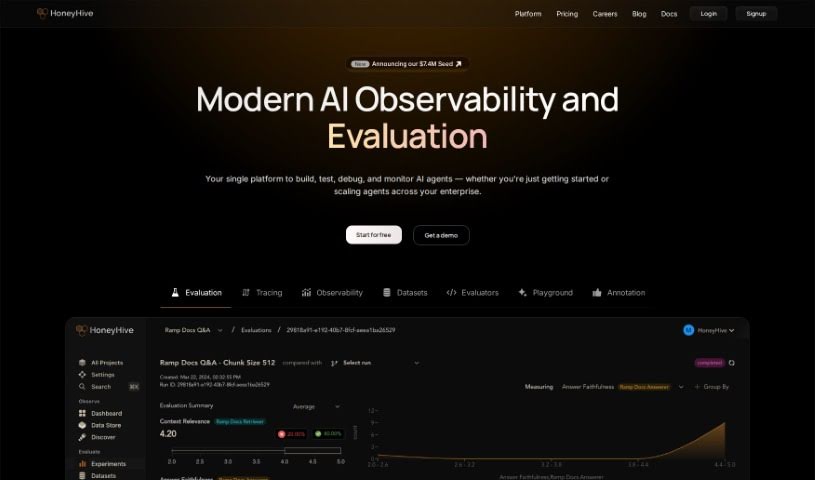
Screenshot of HoneyHive

HoneyHive

Discover what HoneyHive is and how it helps teams deploy, monitor, and evaluate LLMs in production.

Screenshot

What is HoneyHive?

HoneyHive is an AI developer platform that helps teams securely deploy and improve LLMs in production. It works with any model, framework, or environment, and includes tools for monitoring and evaluating LLM agents to ensure performance and quality. Features include offline model evaluation, monitoring, collaborative prompt engineering, debugging, evaluation metric tracking, and model version management.

HoneyHive emphasizes enterprise-grade security and scalability, with end-to-end encryption. It can be hosted on HoneyHive’s cloud or within your own Virtual Private Cloud (VPC), and dedicated customer support is available.

Who created HoneyHive?

HoneyHive launched on December 22, 2022, and was created by Mohak Shah. Its goal is to let teams safely deploy and enhance LLMs in production, providing monitoring, evaluation, and collaborative prompt engineering tools.

What is HoneyHive used for?

  • Curating Data: Filter and gather datasets directly from production logs.
  • Fine-tuning Models: Export curated datasets to fine-tune custom models.
  • Active Learning: Build pipelines that use active learning to improve models.
  • LLM Monitoring & Evaluation: Track LLM performance and evaluate quality.
  • Product Deployment: Deploy LLM-powered products with confidence.
  • Prompt Engineering: Collaborate with your team on prompts.
  • Debugging: Debug complex chains, agents, and RAG pipelines.
  • Model Management: Organize models with a registry and version management.
  • Stack Integration: Integrates with any LLM stack, with a pipeline-centric approach for managing chains, agents, and retrieval pipelines.

Who is HoneyHive for?

HoneyHive serves data scientists, AI developers, data engineers, machine learning engineers, data analysts, engineers in general, and domain experts.

Key capabilities

  1. Monitor metrics: Track application performance, usage, and security metrics to spot issues early.
  2. Evaluate live: Run live auto-evaluations to find and fix failures as they happen.
  3. Dashboard insights: Get an overview of essential metrics, and build custom charts from your data queries.
  4. Slice and dice data: Use filters and groups to dig deeper, and log hundreds of custom properties for detailed insights.
  5. Gather user feedback: Track end-user feedback in real time.
  6. Studio workspace: Collaborate on prompts, test different versions, and debug efficiently.
  7. Playground: Test new prompts and models together.

Related

Related AI Tools

Discover more tools in similar categories

New tools, in your inbox.

Weekly picks of the best AI tools we've researched and added — no spam, unsubscribe anytime.

Join 25,000+ AI enthusiasts. No spam, unsubscribe anytime.