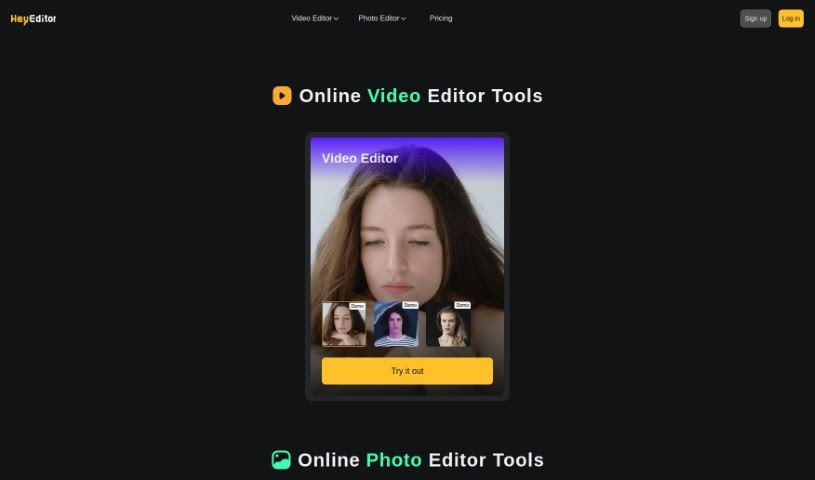
Screenshot of HeyEditor

HeyEditor

Discover what HeyEditor is and how to use its AI-powered video and photo editing tools effectively in 2025. We'll explore its features, compare it to other video editing tools, and show you how to get started.

Screenshot

What is HeyEditor?

HeyEditor is a really neat online platform that uses AI to make video and photo editing super easy. You can just upload your media and then do things like swap faces in videos, turn your photos into anime art, or boost their quality – all without needing to be a pro editor. It’s packed with professional-level tools, including a dedicated video editor, a photo editor, and some pretty cool AI features like Video Faceswap, Photo to Anime, and Photo Enhancer. Plus, they’re upfront about how they handle your data with clear terms of service and a privacy policy.

Who created HeyEditor?

GENZONE FUTURE INTELLENGIC LIMITED, a company based in Hong Kong, is behind HeyEditor. They’ve developed this platform to offer AI-powered video and photo editing tools that are accessible to everyone. Think faceswaps, turning photos into anime, and making pictures look better – they’ve got it all. The company really focuses on making sure users feel secure with their privacy and that anyone can use these advanced editing tools easily, thanks to a straightforward interface and clear policies.

What is HeyEditor used for?

  • You can create eye-catching videos by swapping faces using AI.
  • Easily transform your photos into a cool anime style just by uploading them.
  • Boost the quality of your pictures with smart AI enhancement tools.
  • Give the features a whirl with free demos before you decide to go PRO.
  • You can start editing right away with zero credits, and then upgrade to PRO for even more capabilities.
  • It’s a great way to test out the tools before you commit to the full service.
  • Seriously, try out the features with demos before you commit to the full service.

Who is HeyEditor for?

  • Anyone working with video, whether you’re a professional editor or just starting out.
  • People who edit photos, from hobbyists to pros.
  • Professionals specializing in AI photo editing.
  • Those focused on AI video editing.
  • Anyone editing media online.
  • Folks who want to improve image quality.
  • Experts in faceswap technology.
  • People who are excited about AI and its possibilities.
  • Digital media professionals across the board.
  • Business professionals looking to enhance their visual content.
  • Marketers aiming for more engaging campaigns.
  • Content creators of all kinds.
  • Social media influencers wanting to stand out.
  • Digital artists exploring new creative avenues.
  • Photographers looking to refine their work.
  • Graphic designers needing quick, powerful editing tools.

How to use HeyEditor?

Getting started with HeyEditor for your video and photo editing needs is pretty straightforward. Here’s a quick rundown:

  1. Upload Your Media: The first step is simple – just upload the photos or videos you want to work with directly to the HeyEditor platform.
  2. Pick Your Editing Tool: Once your media is uploaded, you can choose from their specialized tools:
    • Video Faceswap: Want to create fun videos with swapped faces? This AI tool makes it easy.
    • Photo to Anime: Give your photos a unique anime makeover with a quick upload.
    • Photo Enhancer: Need to sharpen up a picture or improve its clarity? The AI-driven tools here can help.
  3. Try Before You Buy (or Commit!): HeyEditor offers demos for its features, so you can get a feel for how they work before you decide to use the full service.
  4. Flexible Pricing Options: You can actually start editing with 0 credits, which is a nice way to begin. If you find you need more, you can always upgrade to PRO for access to a wider range of features.
  5. Respecting Your Privacy: HeyEditor is committed to keeping your information safe. They have clear terms of service and a privacy policy that explains everything.

With its user-friendly interface and professional-grade editing tools, HeyEditor really does make video and photo editing accessible to everyone, no matter your skill level. You can efficiently enhance your media content using these powerful AI tools.

Related AI Tools

Discover more tools in similar categories that might interest you

Stay Updated with AI Tools

Get weekly updates on the latest AI tools, trends, and insights delivered to your inbox

Join 25,000+ AI enthusiasts. No spam, unsubscribe anytime.