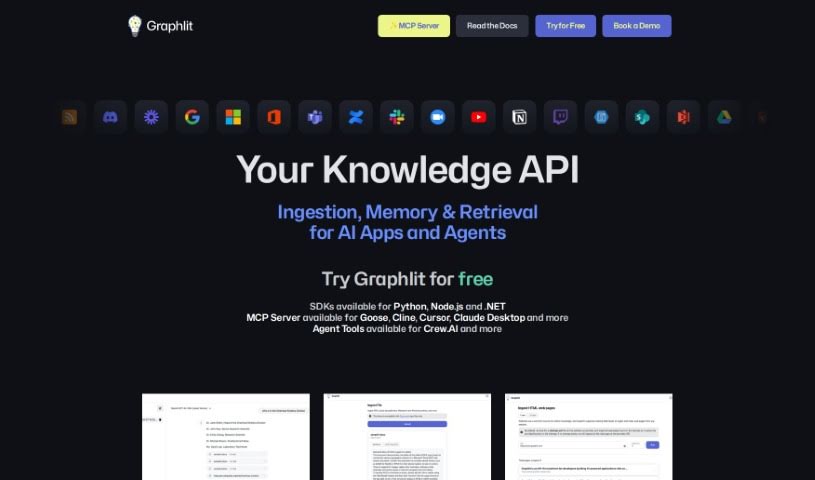
Screenshot of Graphlit

Graphlit

Discover Graphlit in 2025! Learn what it is, how to use its features effectively, and how it stacks up against other Software Development Tools.

Screenshot

What is Graphlit?

Graphlit is a platform built for developers who want to create AI-powered applications using unstructured data. It is an API-first system that handles all the complex backend work for you. It’s designed to be super flexible, serving industries like legal, sales, entertainment, healthcare, and engineering. Graphlit provides the cloud infrastructure you need, automates tricky data workflows, and takes care of everything from getting your data in (ingestion) to pulling out key information (knowledge extraction), making it easy to search semantically, and even connecting with other systems via webhooks.

What’s really neat is that it lets you build conversational knowledge graphs. You can use powerful tools like OpenAI’s GPT-3.5 and GPT-4. Plus, it handles all sorts of content, whether it’s multimedia, securely stores it, and uses vector-based methods for retrieving knowledge. This means you can pull information from PDFs, web pages, images, RSS feeds, podcasts, YouTube videos, and even Slack messages. Graphlit really focuses on making it straightforward for developers to work with content in many formats, build these smart knowledge graphs, and keep an eye on costs with its usage tracking.

Who created Graphlit?

Graphlit was launched on June 28, 2023, by its founder, whose identity isn’t publicly known. The core idea behind Graphlit is to be an API-first system, specifically built for developers who are creating AI applications that work with unstructured data. It provides cloud-native infrastructure, which means it automates a lot of the complicated data workflows. This includes handling data ingestion, extracting knowledge, setting up semantic search, and much more. It’s a versatile tool that supports a wide range of industries, from legal and sales to entertainment, healthcare, and engineering.

What is Graphlit used for?

Graphlit is incredibly versatile and can be used for a wide array of tasks when working with unstructured data and AI:

  • Data Ingestion: It can pull data from many places, including websites, cloud storage, SharePoint, podcasts, Jira, Notion, YouTube, email, and Slack.
  • Document & Image Processing: It extracts text and tables from documents and images using OCR and LLMs, making that information accessible.
  • Automated Workflows: You can create custom content workflows to automatically extract metadata, identify named entities, and structure data from your content.
  • Web Scraping & Data Enrichment: It handles web scraping and taking screenshots, plus it can enrich your data by pulling in information from external APIs like Wikipedia and Crunchbase.
  • RAG Ready Features: It’s built with Retrieval Augmented Generation (RAG) in mind, offering features for text extraction, chunking, creating vector embeddings, and managing conversation history.
  • Semantic Search: You can perform semantic searches, which means searching based on meaning, using vector-based search and filtering by metadata.
  • Content Creation: It helps with generating content like text and transcript summaries, social media posts, and even longer articles.
  • Multimedia Integration: It works with Large Multimodal Models (LMMs) like OpenAI’s GPT-4 Vision, allowing you to process images and audio.
  • Audio & Visual Processing: It can automatically transcribe audio and generate descriptions for images, even detecting visual objects.
  • Image Similarity Search: You can find similar images by searching through image embeddings.
  • AI Application Development: Ultimately, it empowers developers to build sophisticated AI applications that leverage unstructured data.
  • Knowledge Graph Creation: It facilitates the creation of knowledge graphs using Large Language Models (LLMs).
  • Multimedia Management: It securely stores various file formats, including documents, audio, and video.
  • Advanced Retrieval: It supports vector-based knowledge retrieval and media processing workflows.
  • Security Features: Your data is kept safe with encrypted storage and role-based access control (RBAC) for secure API access.
  • Workflow Automation: It automates complex data tasks like knowledge extraction, semantic search, setting up alerts, and webhook integrations.
  • Conversational AI: You can develop conversational knowledge graphs using the RAG pattern.
  • Data Transformation: It transforms complex data into searchable, contextualized knowledge graphs, using Schema.org’s entity data model.
  • Production-Ready: It’s a platform ready for production use, offering detailed usage tracking and API access.

Who is Graphlit for?

Graphlit is a valuable tool for professionals in several key industries:

  • Legal
  • Sales
  • Entertainment
  • Healthcare
  • Engineering

How to use Graphlit?

Getting started with Graphlit is pretty straightforward. Here’s a step-by-step guide:

  1. Sign Up and Choose Your Plan:
    • First, head over to the Graphlit website and create your account. You’ll then need to pick a plan that fits your needs. They offer tiers like Hobby, Starter, and Growth, each with different features and pricing.
  2. Bring Your Data In (Content Ingestion):
    • You can ingest data from a wide variety of sources. This includes websites, cloud storage services, SharePoint, podcasts, Jira, Notion, YouTube, your email, or even Slack messages.
    • You can import unstructured data in formats like documents, audio files, videos, or images.
    • It’s also possible to set up data feeds so that new content is ingested automatically on an ongoing basis.
  3. Process Your Data:
    • Graphlit can extract text and tables directly from documents and images, using OCR and Large Language Models (LLMs).
    • You can set up automated workflows for your content. This helps extract metadata, identify specific entities (like names or places), and structure the data.
    • The platform also supports web scraping and taking screenshots. Plus, you can enrich your data by connecting to external APIs like Wikipedia or Crunchbase.
  4. Extract Knowledge and Search Smarter:
    • Build conversational knowledge graphs using LLMs like GPT-4. This helps with intelligent text extraction and breaking down content into manageable chunks.
    • Use Semantic Search to find information based on its meaning, not just keywords. You can also filter results using metadata.
    • Generate summaries of text and transcripts, create social media posts, or even draft longer content automatically with the integrated LMMs.
  5. Manage Multimedia Content:
    • You can securely store all your content, whether it’s documents, audio files, videos, CAD drawings, or geospatial data.
    • The platform offers vector-based knowledge retrieval and media processing workflows, which are particularly useful for images.
  6. Security and Seamless Integration:
    • Your data is protected with encrypted storage. Access is managed securely through its API with role-based access control (RBAC).
    • Integrating Graphlit is easy because it offers a managed API. This means you don’t have to worry about deploying your own infrastructure.
  7. Keep Track and Get Help:
    • You can monitor your usage closely and manage costs effectively with detailed tracking.
    • Depending on your plan, you can get support through community channels like Discord or other available support options.
  8. Stay Up-to-Date:
    • To keep up with the latest features and developments, consider subscribing to their newsletter.

In essence, Graphlit is a really flexible platform that makes it easier for developers to work with unstructured data. It helps you build conversational knowledge graphs and use AI for all sorts of content processing and retrieval tasks.

Related AI Tools

Discover more tools in similar categories that might interest you

Stay Updated with AI Tools

Get weekly updates on the latest AI tools, trends, and insights delivered to your inbox

Join 25,000+ AI enthusiasts. No spam, unsubscribe anytime.