Grain Ai (Productivity)
Screenshot of Grain Ai

Grain Ai

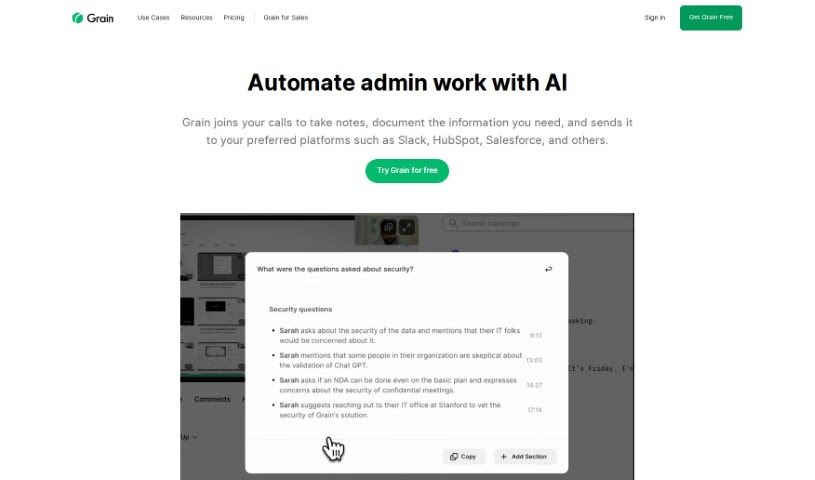
Grain AI is an automated note-taking tool for customer meetings, offering summaries, customizable templates, integrations, and shareable video clips.

Screenshot

What is Grain AI?

Grain AI is an automated note-taking tool for customer meetings. It joins your calls, captures key moments and insights, and produces meeting summaries so you don’t have to take notes manually. You can customize notes with templates, connect Grain to tools like Slack and Notion, and create short video clips of the most important parts of a discussion. The goal is to make sharing feedback and insights with your team easier.

Who Created Grain AI?

Max Stoiber is the Founder and CEO of Grain AI. The tool was built specifically for customer meetings, automating data entry and providing meeting summaries that can be shared with platforms like Slack, HubSpot, and Salesforce.

What Can You Use Grain AI For?

  • Automatic meeting summaries
  • Extracting key moments and data from conversations
  • Customizable note templates
  • Integrations with Salesforce, Slack, HubSpot, and other platforms
  • Sharing feedback and insights with your team
  • Saving time on post-meeting notes
  • User research and sales workflows

Who Should Use Grain AI?

Grain AI is aimed at sales teams, product and user research professionals, Customer Success teams, hiring and recruiting specialists, and remote teams.

How Do I Use Grain AI?

  1. Sign Up: Create your Grain AI account.
  2. Customize Your Notes: Use Notes Templates to set how Grain takes notes during meetings.
  3. Let AI Take Notes: Have Grain AI join your calls to capture notes in real time and pull out important details.
  4. Connect Your Tools: Link Grain with platforms like Slack, HubSpot, and Salesforce to automate workflows and data entry.
  5. Ask Questions: Use prompts to ask specific questions about a meeting and get answers based on what was discussed.
  6. Share and Collaborate: Share meeting summaries and key moments with your team via Slack and Notion.
  7. Use Key Moments: Mark important points during conversations and create shareable video clips to condense meeting insights.

Related

Related AI Tools

Discover more tools in similar categories

New tools, in your inbox.

Weekly picks of the best AI tools we've researched and added — no spam, unsubscribe anytime.

Join 25,000+ AI enthusiasts. No spam, unsubscribe anytime.