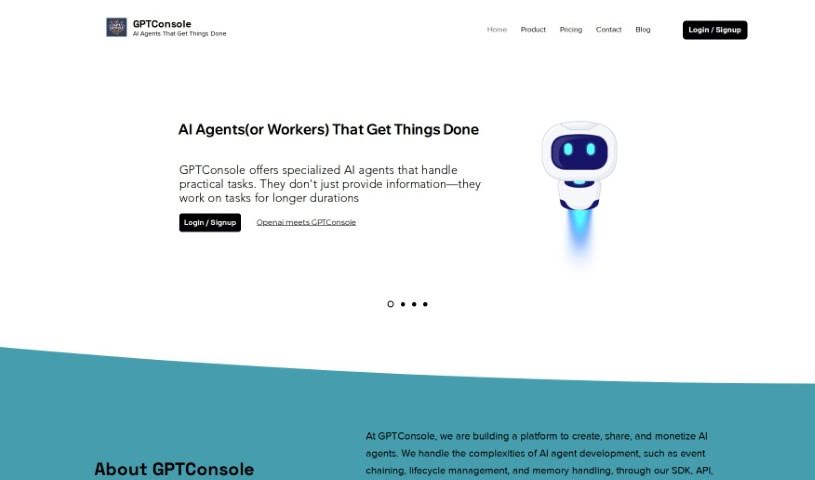
Screenshot of GPTConsole

GPTConsole

Discover what GPTConsole is and how to use it effectively in 2025. We'll explore its features and see how it stacks up against other Software Development Tools.

Screenshot

What is GPTConsole?

GPTConsole is a really solid platform built to help developers create web and mobile apps without a fuss. It makes the whole app development process much simpler by giving you a bunch of advanced tools and features. One cool thing GPTConsole can do is automate web tasks using prompts, thanks to the NPM package it offers. This means you can easily automate things like filling out forms, interacting with webpages, and pulling out data. The platform is super user-friendly; you can install the NPM package right on your own computer, making it accessible for developers at any skill level. Plus, GPTConsole really focuses on search engine optimization (SEO), so the apps you build with it are more likely to rank well in search results, which is great for visibility and getting more web traffic. You also get a lot of freedom to customize your applications – from picking templates to connecting APIs and databases. All in all, GPTConsole is a comprehensive and supportive tool, whether you’re just starting out or you’re a seasoned pro.

Who created GPTConsole?

GPTConsole was actually started by a team of developers, for developers. They designed it to simplify the app development process with a variety of tools and features, including seamless web automation capabilities via NPM packages. It’s built for developers of all skill levels, offering user-friendly interfaces and plenty of documentation. The company also puts a strong emphasis on SEO optimization, customization, and providing quality support to ensure users have a smooth experience. Ultimately, GPTConsole aims to help developers build amazing web and mobile applications efficiently.

What is GPTConsole used for?

  • Boosting your search engine optimization (SEO)
  • Automating web tasks using prompts
  • Handling web processes like filling out forms, interacting with webpages, and extracting data
  • Ensuring your applications built with GPTConsole are SEO-optimized
  • Customizing your applications to fit your exact needs
  • Providing extensive documentation and a user-friendly interface
  • Giving you access to a wide range of templates, APIs, and databases
  • Offering dedicated customer support to help you out
  • Making the application development process smoother
  • Helping you create exceptional web and mobile applications
  • Empowering you to automate tasks with ease
  • Automating various web processes, such as filling out forms, interacting with webpages, or extracting data
  • Structuring your apps with SEO in mind for better search engine visibility
  • Offering plenty of customization options to tailor applications
  • Providing excellent customer support for any assistance you might need during development
  • Creating web applications, AI applications, and landing pages with the Pixie AI agent
  • Accessing AI agents directly from your command line using a CLI tool
  • Trusted by over 5,000 developers worldwide
  • Offering a range of pricing options to fit different budgets and needs
  • Generating production-ready apps quickly and efficiently
  • Performing web automation through prompts
  • Automating various web processes like filling out forms, interacting with webpages, or extracting data
  • Providing customization options for tailoring applications to specific requirements
  • Offering excellent support to users
  • Streamlining the application development process
  • Creating exceptional web and mobile applications
  • Generating production-ready apps
  • Building features for existing applications
  • Creating AI applications, dashboards, and landing pages
  • Automating various web processes such as filling out forms, interacting with webpages, or extracting data
  • Creating production-ready web and mobile applications
  • Developing specialized AI agents for handling practical tasks
  • Building web applications like Dashboards, AI applications, and Landing Pages
  • Learning your codebase and answering questions for developers
  • Reviewing pull requests and providing answers
  • Automating various web processes such as filling out forms, interacting with webpages, or extracting data
  • Creating unique and powerful web and mobile applications
  • Accessing AI agents directly from the command line
  • Generating production-ready apps quickly and efficiently
  • Empowering your development journey with AI technology
  • Reinterpreting app development through AI agents

Who is GPTConsole for?

  • Web Developers
  • Mobile App Developers
  • Software Engineers
  • Data Analysts
  • SEO Specialists
  • UX/UI Designers
  • Product Managers
  • Quality Assurance Testers
  • Technical Support Specialists

How to use GPTConsole?

Here’s how you can get started with GPTConsole:

  1. Access GPTConsole: Head over to the GPTConsole website and log in. If you’re new, just sign up for an account to begin.
  2. Choose Your Model and Settings: Pick the language model you want to use and adjust settings like temperature, max tokens, and top p value to your liking.
  3. Enter Your Text: Type in the prompt or context you want the AI model to work with. Giving it clear, concise information will help it generate the best results.
  4. Start Generating: Hit the generate button to have the AI model start creating text based on what you’ve provided.
  5. Review the Output: Take a look at the generated text to make sure it’s relevant, makes sense, and is accurate. Feel free to edit it to make it even better.
  6. Download or Copy: Once you’re happy with the text, you can either download it or copy it straight from the console.
  7. Save or Share: Save the content for later or share it with others whenever you need to.
  8. Tweak Your Settings: Don’t be afraid to experiment with different parameters and models to really fine-tune the text generation and get exactly what you’re looking for.
  9. Give Feedback: Share your thoughts on the generated text. This helps the system learn and improve its performance over time.

By following these steps, you can effectively use GPTConsole to create high-quality text content that’s just right for your needs.

Related AI Tools

Discover more tools in similar categories that might interest you

Stay Updated with AI Tools

Get weekly updates on the latest AI tools, trends, and insights delivered to your inbox

Join 25,000+ AI enthusiasts. No spam, unsubscribe anytime.