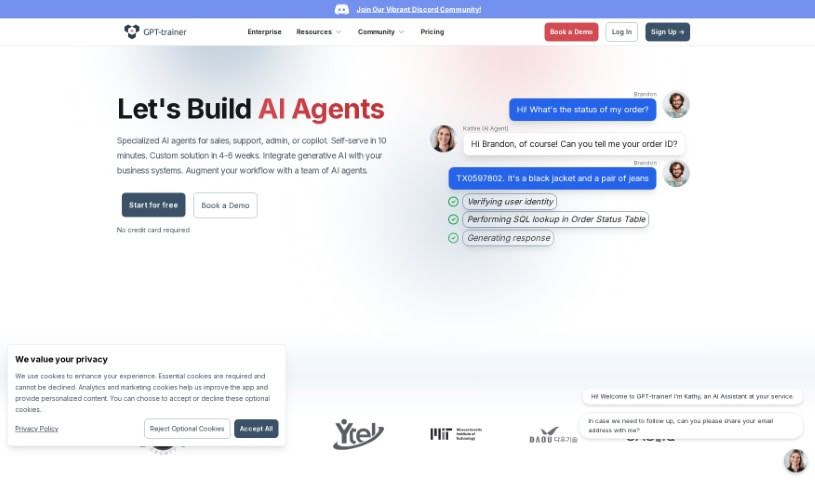
Discover what GPT-Trainer is and how to use it effectively in 2025. We'll explore its features and see how it stacks up against other Software Development Tools.

GPT-Trainer is a platform that lets you build your own AI assistant for your website, and the best part? You don’t need to know any code to do it! Think of it as a way to give your website visitors personalized information right when they need it. It’s super versatile, too – you can use it for things like handling customer questions, assisting with HR tasks, translating languages, and so much more. A big plus is how much you can customize it; you train the AI using your own data, making sure it gives exactly the kind of tailored interactions you want. Plus, the platform offers detailed analytics so you can see how visitors are interacting with your chatbot, and it integrates smoothly with popular platforms, making the whole experience easy for everyone.
People who’ve used GPT-Trainer often rave about how accurate and reliable it is. They say it’s truly changed how they handle things like complex processes, communicating when people aren’t online at the same time, and making customer service much more efficient.
GPT-Trainer was actually developed by Petal, a resource that MIT Libraries trusts. Essentially, it’s a no-code way to create and add AI assistants, much like ChatGPT, directly onto your website. Petal really focuses on making sure the AI is accurate, your data stays private, and that it all integrates smoothly. This makes it a great fit for all sorts of business needs, from customer support and HR to translation and beyond. You can really make it your own by training the AI with your specific information, ensuring it always provides up-to-date and relevant answers. Petal also has a board of expert advisors who help make sure the service is top-notch and truly makes a difference.
GPT-Trainer is a fantastic tool for anyone looking to enhance their website’s interactivity and information delivery. Specifically, it’s ideal for:
Getting started with GPT-Trainer is pretty straightforward. Here’s a simple breakdown of the steps:
By following these steps, you can really make the most of GPT-Trainer. You’ll be able to build and fine-tune your AI assistant for all sorts of tasks – like customer support, HR, or language translation – making sure it’s perfectly tailored to your specific needs and audience.
Discover more tools in similar categories that might interest you
Get weekly updates on the latest AI tools, trends, and insights delivered to your inbox
Join 25,000+ AI enthusiasts. No spam, unsubscribe anytime.