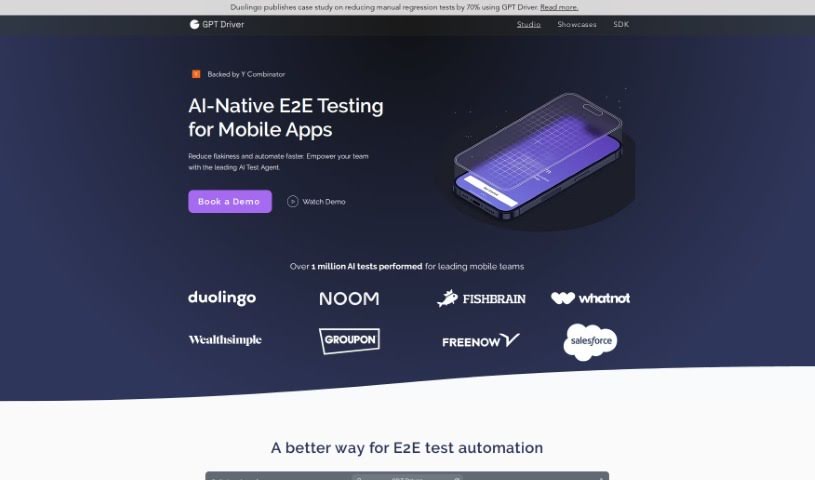
Screenshot of Gpt Driver

Gpt Driver

Discover GPT Driver, an AI-powered tool for mobile app testing in 2025. Learn about its features, how it works, and how it stacks up against other testing tools.

Screenshot

What Exactly is GPT Driver?

GPT Driver is a smart solution designed to automate mobile app testing, brought to you by MobileBoost. It is an AI assistant that takes your simple instructions and turns them into complete, end-to-end tests for your mobile apps. The goal here is to make testing faster, more accurate, and more budget-friendly. It uses special GPT models that can ‘see’ your app’s interface, meaning it can automatically adjust tests even if the app’s layout or text changes. This makes it super versatile for all sorts of mobile apps. Plus, you get detailed reports to see exactly how everything performed. The best part? You don’t need to write any code to use it, and it fits right into your existing development workflow, including CI/CD pipelines.

Who’s Behind GPT Driver?

MobileBoost is the company that developed GPT Driver, this AI-powered tool for automating mobile app testing. They officially launched it on June 14, 2024. Some of the key people involved include Inga Jonsdottir, who leads the Front-End Platform Engineering at Wealthsimple, and notable investors like Greylock, DST, and ICONIQ. This tool really stands out because it’s designed to simplify the whole testing process, boost productivity, and make app testing more accurate across different devices, all while keeping costs down significantly.

What Can You Do with GPT Driver?

Here’s a look at what GPT Driver is used for:

  • Turning simple prompts into automated tests
  • Automatically adjusting to changes in your app’s layout or text
  • Using GPT models that understand visual elements
  • Ensuring it works smoothly across various devices
  • Not needing any code changes to get started
  • Providing thorough testing reports
  • Working with different file types like IPA, APK, and web files
  • Connecting with project management tools such as JIRA and ClickUp
  • Triggering tests automatically through your CI/CD pipeline
  • Sending test reports directly to Email and Slack
  • Making mobile app testing more accurate overall
  • Converting straightforward prompts into comprehensive end-to-end tests for mobile applications
  • Automating app testing by leveraging visual-assisted GPT models
  • Handling alterations in app layout, screen flow, and text content
  • Supporting the entire end-to-end testing process
  • Integrating seamlessly with your CI/CD pipeline
  • Handling IPA, APK, and web file formats with ease
  • Publishing local builds using a simple command-line interface
  • Connecting with popular project management tools like JIRA or ClickUp
  • Delivering detailed insights and comprehensive reports on testing activities

Who Benefits Most from GPT Driver?

This tool is particularly helpful for:

  • Engineering Managers
  • Those working on Front-End Platforms, like at Wealthsimple
  • Mobile Development Teams

How Do I Start Using GPT Driver?

Ready to automate your mobile app testing with GPT Driver? Here’s a simple guide to get you going:

  1. Get Set Up: Head over to the GPT Driver website. You can log in using these details: email: [email protected], password: Test1234!.
  2. Start Testing: For a practical example, try adding a recipe for 4 servings to your cart. Then, just check to make sure it shows up correctly in your cart.
  3. Explore Its Power: Dive into what the tool can do! Check out its visual-assisted GPT models, how it automatically adjusts test cases, and its support for different file types like IPA, APK, and web files.
  4. Connect Your Tools: Make things smoother by integrating GPT Driver with your project management software, such as JIRA or ClickUp.
  5. Fit into Your Workflow: Easily incorporate GPT Driver into your existing CI/CD pipeline. You can trigger tests directly through it.
  6. Stay Informed: Keep track of your testing progress with detailed reports delivered straight to your email and Slack.
  7. Boost Your Efficiency: See how GPT Driver helps you automate more QA tasks, handle app changes gracefully, and generally improve testing efficiency across all your devices.

By following these steps, you’ll be well on your way to automating and improving your mobile app testing process with GPT Driver.

Related AI Tools

Discover more tools in similar categories that might interest you

Stay Updated with AI Tools

Get weekly updates on the latest AI tools, trends, and insights delivered to your inbox

Join 25,000+ AI enthusiasts. No spam, unsubscribe anytime.