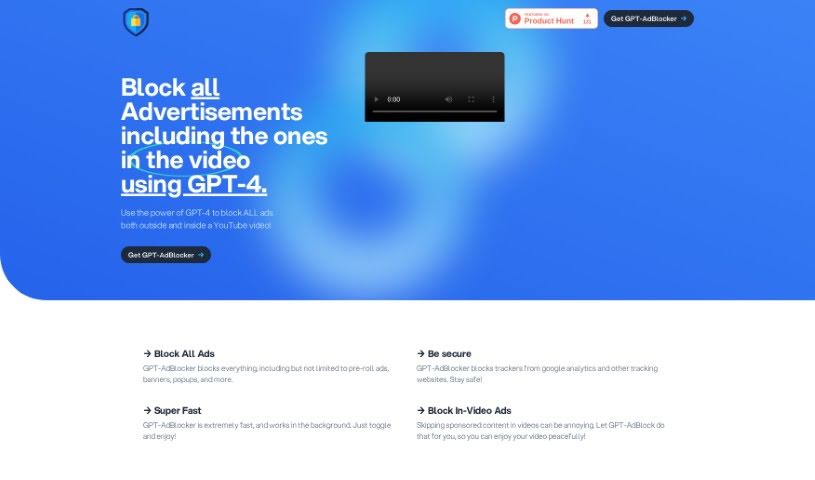
Screenshot of GPT-AdBlocker

GPT-AdBlocker

Discover GPT-AdBlocker, a powerful AI-driven browser extension that blocks ads and trackers on YouTube and other sites. Learn its features, how it works, and who it's for in 2025.

Screenshot

What is GPT-AdBlocker?

GPT-AdBlocker is a browser extension designed to effectively block all sorts of ads and sponsorships you see in YouTube videos. It uses AI technology, specifically the GPT-4 model, to get the job done. This means it can block those annoying pre-roll ads, banners, pop-ups, ads that play right in the video, and even trackers from sites like Google Analytics. But it’s not just for YouTube! You can use it on pretty much any website to get an ad-free browsing experience. It works quietly in the background, so it blocks ads quickly without slowing you down or getting in your way.

If you’re thinking about installing GPT-AdBlocker, it’s pretty straightforward. Just head over to the Chrome Web Store, search for “GPT-AdBlocker,” and add it to your browser. The extension is built with manifest version 3, which is great because it means it’s designed to last and will work with future Chrome updates. This is a big deal, especially since older versions, like manifest version 2, are being phased out. Plus, GPT-AdBlocker lets you tailor your ad-blocking experience. You can easily turn specific blocking features on or off, like in-video ad-blocking, depending on what you prefer.

All in all, GPT-AdBlocker is a solid, efficient tool that uses AI to make your browsing much better. It’s great at blocking all kinds of ads across different platforms, giving you a cleaner, more focused online experience.

Who created GPT-AdBlocker?

An unknown creator developed GPT-AdBlocker, launching it on April 8, 2023. This extension leverages AI technology, particularly the GPT-4 model, to effectively block various advertisements. This includes pre-roll ads, banners, pop-ups, and ads that appear within YouTube videos, as well as on other websites. Currently, GPT-AdBlocker is available exclusively for the Chrome browser, though there are plans to expand its availability to other browsers in the future.

What is GPT-AdBlocker used for?

  • It blocks all ads, from pre-roll and banners to pop-ups and more.
  • It stops trackers from Google Analytics and similar tracking websites, boosting your privacy.
  • It offers fast and efficient ad-blocking thanks to its AI technology.
  • It blocks ads that play within videos, ensuring you can watch without interruption.
  • It’s built with manifest version 3, offering future-proof security and compatibility.
  • The installation process is designed to be user-friendly.
  • You can customize your ad-blocking preferences, choosing which features to enable or disable.
  • It’s available for Chrome now, with plans to support other browsers soon.
  • It reliably blocks various ad types using the GPT-4 AI model.
  • You have the option to turn off specific ad-blocking functionalities if you wish.

Who is GPT-AdBlocker for?

  • People who create content on YouTube.
  • Those working in digital marketing.
  • Individuals who develop websites.
  • Anyone who uses the internet regularly.

How to use GPT-AdBlocker?

Here’s how you can get started with GPT-AdBlocker:

  1. Installation:
    • You can either click the provided link or go directly to the Chrome Web Store. Once there, search for “GPT-AdBlocker.”
    • After finding it, just click to add the extension to your browser.
  2. Blocking Ads:
    • GPT-AdBlocker is designed to block all sorts of ads. This includes pre-roll ads, banners, pop-ups, and those that appear right in the middle of videos.
    • It also helps protect your privacy by blocking trackers from sites like Google Analytics.
  3. Features:
    • It uses GPT-4 AI to accurately block ads, especially in YouTube videos.
    • It’s capable of blocking in-video ads, pop-ups, banners, and many other types.
    • It operates super fast in the background, so your browsing experience remains smooth and uninterrupted.
  4. Customization:
    • You have the flexibility to choose whether to enable or disable in-video ad-blocking and regular ad-blocking separately, based on your needs.
  5. Future-Proofing:
    • GPT-AdBlocker uses manifest version 3. This ensures it’s built for the long haul and will stay compatible with future Chrome updates, keeping you secure.
  6. Availability:
    • Right now, the extension is only available for Chrome. However, there are plans to make it available on other browsers in the future.
  7. Error Handling:
    • While GPT-AdBlocker is quite accurate, sometimes minor errors might pop up. These are usually addressed in ongoing updates.
  8. Downloads:
    • You can download GPT-AdBlocker from the Chrome Web Store. Just search for it and follow the simple installation steps.

Remember, GPT-AdBlocker is here to make your browsing experience better by blocking ads efficiently and helping maintain your privacy. It also offers some handy customization options to suit your preferences.

Related AI Tools

Discover more tools in similar categories that might interest you

Stay Updated with AI Tools

Get weekly updates on the latest AI tools, trends, and insights delivered to your inbox

Join 25,000+ AI enthusiasts. No spam, unsubscribe anytime.