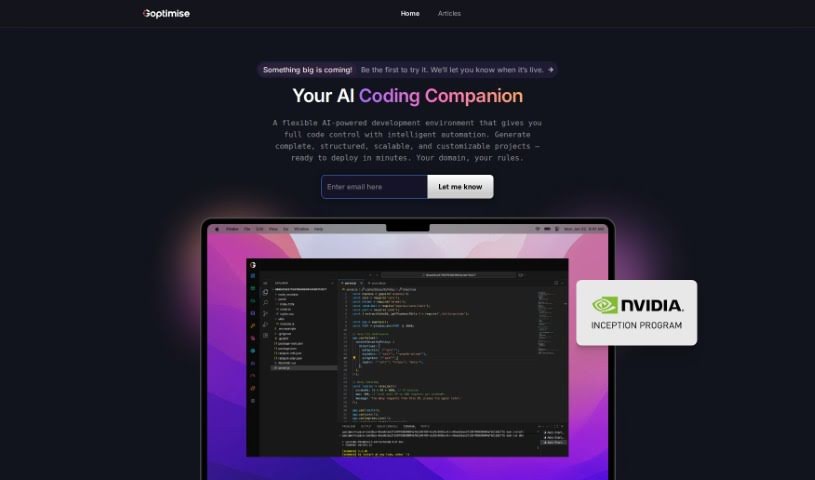
What is Goptimise?
Goptimise is a platform designed to make API design and development much simpler. It offers a range of features and functionalities to help you out:
- Your Own Space: Every user gets their own dedicated infrastructure, so you have a private environment to work in.
- Easy API Building: For core API development, you’ll find a Visual Builder and a Workflow Tree, which make designing your APIs feel really intuitive.
- AI Does the Heavy Lifting: The platform can automatically create and manage your database schemas, endpoints, and functions. It’s like having an AI assistant for your development tasks.
- Quick CRUD Endpoints: You can easily create endpoints for all your database operations, saving you a lot of time.
- Helpful Templates: It automatically sets up things like sign-in/sign-up functions and other common needs.
- What’s Coming Soon: They’re actively developing more features. Plans include advanced ways to handle and secure data, a full security suite, integration with ClickUp for project management, and essential connections with tools like SMTP, Stripe, ChatGPT, and Sendgrid.
- External Databases: You can connect to external databases like MySQL and Postgres.
- More Integrations: Look forward to integrations with communication tools such as Slack, Twilio SMS, and Discord, plus advanced security and AI features using OAuth providers like Apple, Discord, and Okta.
The platform also provides dedicated infrastructure, with choices for different regions. You can opt for shared or dedicated resources, and there are varying limits on usage and records, along with integration support.
If you’d like to dive deeper into Goptimise, you can check out the full document.
Who created Goptimise?
Goptimise was developed by an individual, though their specific name isn’t mentioned in the provided document. The company behind it focuses on several key areas: dedicated infrastructure, core API development, AI-driven creation, generating CRUD endpoints, using templates, handling data manipulation and security, offering a comprehensive security suite, integrating with project management tools like ClickUp, and connecting with various essential services. They’re also working on making their infrastructure geo-specific and plan to offer multi-region availability soon. You can choose between shared and dedicated infrastructure options, with different RAM/CPU configurations, limits on records and rates, and various support levels, including one-on-one calls and implementation assistance.
What is Goptimise used for?
- Designing APIs intuitively using the Visual Builder & Workflow Tree.
- Automatically generating and managing database schemas, endpoints, and functions.
- Quickly creating endpoints for all your database operations.
- Automatically setting up sign-in/signup functions and more.
- Handling advanced data manipulation and security.
- Adding custom logic for complex data tasks.
- Implementing UUID, encryption, and advanced authentication methods.
- Connecting with ClickUp for project tracking and management.
- Boosting functionality with tools like SMTP, Stripe, ChatGPT, and Sendgrid.
- Setting up OAuth with Apple, Discord, and Okta.
- Integrating with external databases such as MySQL and Postgres.
- Connecting with communication tools like Slack, Twilio SMS, and Discord.
Who is Goptimise for?
Goptimise is a great tool for a wide range of professionals involved in software development and data management:
- API Developers
- Database Administrators
- Project Managers
- Software Developers
- Security Specialists
- AI Professionals
- Developers (general)
- Data Analysts
- Product Managers
- QA Analysts
- CTOs
- Business Analysts
- Data Scientists
- Those managing database schemas
- Those managing endpoints
- Security Professionals
How to use Goptimise?
Here’s a step-by-step guide to using Goptimise effectively:
- Get Your Own Space: Each user receives their own dedicated instance(s), which helps ensure optimal performance.
- Build APIs Visually: Use the Visual Builder and Workflow Tree to design your APIs in a way that feels natural and intuitive.
- Let AI Help: The platform can automatically generate and manage database schemas, endpoints, and functions, making the process much more efficient.
- Create Endpoints Fast: You can easily generate endpoints for all your database operations, which really helps streamline your workflow.
- Use Ready-Made Templates: Quickly set up sign-in/signup functions and other common features using the automated templates.
- Advanced Data Handling & Security (Coming May 2024): You’ll be able to implement custom logic for complex data operations. Plus, you can ensure robust security by using UUID, encryption, and advanced authentication methods.
- Connect for Project Management: Link up with ClickUp to effectively track and manage your projects.
- Essential Integrations (Coming June 2024): Boost your functionality by connecting with tools like SMTP, Stripe, ChatGPT, and Sendgrid. You’ll also be able to integrate with external databases such as MySQL and Postgres.
- Broaden Your Connections: Integrate with communication tools like Slack, Twilio SMS, and Discord. You can also implement OAuth with platforms like Apple, Discord, and Okta for better security and AI integration.
By following these steps, you can really make the most of Goptimise’s features for better API development, data handling, security, and integrations.