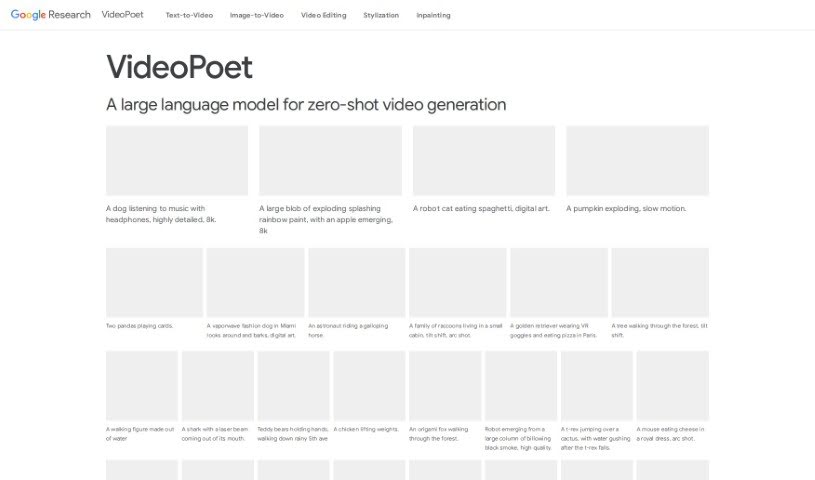
Screenshot of Google Videopoet

Google Videopoet

Discover Google VideoPoet in 2025! Learn what this advanced video generation tool is, how to use its features effectively, and how it stacks up against other video editing tools.

Screenshot

What is Google VideoPoet?

VideoPoet is a really smart way Google has developed to turn large language models, the kind that are great with text, into powerful video generators. It’s built on a foundation of pre-trained MAGVIT V2 video and SoundStream audio tokenizers. These tokenizers essentially break down images, videos, and audio clips into small, discrete codes that language models can understand and work with. VideoPoet then uses its autoregressive language model to predict the next piece of video or audio in a sequence, creating new content. It’s designed for multimodal learning, meaning it can handle different types of information – text, images, and video – all at once. This allows it to do cool things like generate videos from text, create images from text, and even edit existing videos while keeping them consistent over time. What’s really neat is its ability to produce a wide range of high-quality motion and support videos in various formats, plus generate audio that matches what’s happening visually.

Who created Google VideoPoet?

Google VideoPoet was brought to life by a dedicated team at Google, including Dan Kondratyuk, Lijun Yu, Xiuye Gu, José Lezama, Jonathan Huang, Rachel Hornung, Hartwig Adam, Hassan Akbari, Yair Alon, Vighnesh Birodkar, Yong Cheng, Ming-Chang Chiu, Josh Dillon, Irfan Essa, Agrim Gupta, Meera Hahn, and Anja Hauth. The platform officially launched on December 22, 2023.

What is Google VideoPoet used for?

VideoPoet is a versatile tool with a range of applications:

  • Video Inpainting: Filling in missing parts of a video.
  • High-quality video generation: Creating polished video content.
  • Generates square and portrait videos: Perfect for social media.
  • Supports audio generation: Adds sound to your visuals.
  • Desirable temporal consistency: Ensures smooth, natural transitions over time.
  • Text-to-Video capability: Turns your written descriptions into videos.
  • Image-to-Video capability: Animates still images.
  • Video Outpainting: Extending the boundaries of existing videos.
  • Video Stylization: Applying artistic styles to your footage.
  • Video-to-Audio capability: Creating audio that fits a video.
  • High-quality video generator: Overall, it’s a powerful tool for creating excellent video.

Who is Google VideoPoet for?

This tool is ideal for a variety of creative and professional roles:

  • Content creators
  • Digital marketers
  • Video editors
  • Social media managers
  • Animators
  • Graphic designers
  • Film producers
  • Advertising specialists
  • Educators
  • Videographers

How to use Google VideoPoet?

Ready to dive in? Here’s how you can start using Google VideoPoet:

  1. Applying Visual Styles and Effects:

    • First, think about the styles and effects you want for your text-to-video creation. You can start with a basic prompt, like describing an astronaut riding a horse in a forest. Then, you can add specific styles – maybe you want it to look photorealistic, like digital art, or even like an animated oil painting. It’s fun to see how different styles change the video, so definitely check out the results based on your prompts.
  2. Generating High-Motion Variable Length Videos:

    • VideoPoet is capable of creating videos of different lengths that feature dynamic, high-motion effects, all based on your text prompts. Don’t hesitate to try out various prompts to see the diverse and engaging videos VideoPoet can transform them into.
  3. Video-to-Audio Matching:

    • One of VideoPoet’s neat tricks is its ability to match audio to a video without needing any text instructions. Go ahead and unmute the videos; you’ll hear how the audio complements the visuals in a really seamless way.
  4. Exploring Stylization:

    • If you want to see even more creative results, head over to the Stylization page. You can see how inputs like a pink and blue confetti geyser with candy-coated trees are transformed into unique visual presentations. It’s a great way to discover new creative avenues.

By following these steps, you’ll be well on your way to using Google VideoPoet to create visually stunning and dynamic videos, complete with matching audio. You can explore all sorts of visual styles and really let your creativity shine in your video production projects.

Related AI Tools

Discover more tools in similar categories that might interest you

Stay Updated with AI Tools

Get weekly updates on the latest AI tools, trends, and insights delivered to your inbox

Join 25,000+ AI enthusiasts. No spam, unsubscribe anytime.