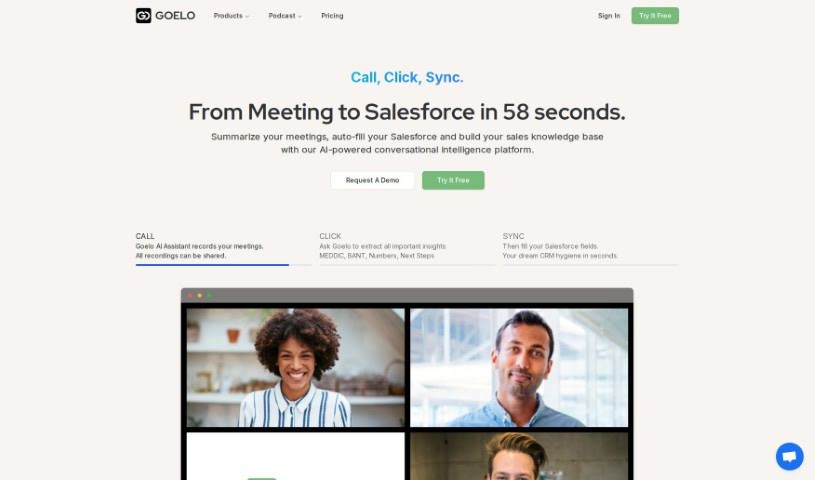
Screenshot of Goelo

Goelo

Discover what Goelo is and how to use it effectively in 2025. We'll explore its features and see how it stacks up against other AI Note Takers.

Screenshot

What is Goelo?

Goelo Notetaker is an AI-powered tool designed to help you get the most out of your video meetings. It lets you record meetings, transcribe what’s said, and create summaries quickly. With Goelo, sharing recordings and summaries with your team or clients is a breeze, saving you time and boosting collaboration. The tool even provides AI-generated meeting summaries, so you can review an hour-long meeting in just five minutes! You can also add comments and reactions to recordings, which is great for giving feedback and helping your team improve. Goelo builds a real-time knowledge base that speeds up onboarding and makes it easier to share best practices. It supports many languages and works smoothly with popular video conferencing platforms and other tools, ensuring a seamless workflow. Basically, Goelo Notetaker makes capturing and summarizing meetings simple, encourages teamwork, and improves how your team shares knowledge.

Who created Goelo?

About Goelo:

Goelo was created to make capturing and summarizing meetings much simpler. It’s all about promoting collaboration and improving how teams share knowledge. Launched on June 9, 2023, by its founder, Goelo offers the Goelo Notetaker, an AI-powered tool. This tool lets you record meetings, transcribe conversations, and generate summaries in just minutes. You can easily share these recordings and summaries with your teams or clients, keeping conversations going. The platform supports multiple languages and integrates smoothly with popular video conferencing tools like Zoom and Google Meet, plus other apps like HubSpot and Salesforce, making your workflow feel really seamless.

What is Goelo used for?

  • It supports multiple languages.
  • It automates note-taking during meetings.
  • It creates AI-generated meeting summaries.
  • It encourages collaboration among team members.
  • It allows you to provide feedback on meeting recordings.
  • It builds a real-time knowledge base from your recordings.
  • It speeds up the onboarding process for new hires.
  • It helps your team share best practices more easily.
  • It integrates seamlessly with popular video conferencing platforms.
  • It enhances knowledge sharing within teams.

Who is Goelo for?

  • Sales teams
  • Small teams
  • Businesses of all sizes
  • Enterprise users

How to use Goelo?

Goelo Notetaker is an AI tool designed to make your video meetings more valuable. Here’s a simple, step-by-step guide to using Goelo effectively:

  1. Record Your Meetings: When you join a video meeting where you want to use Goelo, just start the tool. It’ll automatically record the meeting for you.
  2. Get Transcripts & Summaries: Goelo transcribes the conversations as they happen and then uses AI to create quick summaries. These summaries are super helpful for catching the main points.
  3. Share and Collaborate: You can easily share the meeting recordings and summaries with your team or clients. This really helps keep discussions going and encourages teamwork.
  4. Save Time: Goelo saves you a lot of time with its AI-generated meeting summaries. You can review long meetings in just a few minutes, focusing only on what’s important.
  5. Give Feedback and Improve: Make the most of the feature that lets you add comments and reactions to specific parts of the recording. This is a great way to give feedback and help your team perform better.
  6. Build a Knowledge Base: Use Goelo’s real-time knowledge base to keep all your meeting recordings in one place. This central spot makes onboarding new people much faster and helps everyone share best practices.
  7. Language Support: Goelo works in many languages, including English, Spanish, German, French, Italian, Polish, and Portuguese. This makes it accessible for a wide range of users.
  8. Integrate with Your Tools: Goelo integrates smoothly with popular video conferencing platforms like Zoom and Google Meet. It also works well with other apps like HubSpot and Salesforce, creating a smoother workflow.
  9. Simplify Your Process: Goelo Notetaker makes capturing, summarizing, and sharing meeting content much simpler. It promotes collaboration, knowledge sharing, and overall efficiency for your teams.

By following these steps, you can really make the most of Goelo Notetaker to improve your meeting experiences, boost collaboration, and streamline how information is shared within your teams.

Related AI Tools

Discover more tools in similar categories that might interest you

Stay Updated with AI Tools

Get weekly updates on the latest AI tools, trends, and insights delivered to your inbox

Join 25,000+ AI enthusiasts. No spam, unsubscribe anytime.