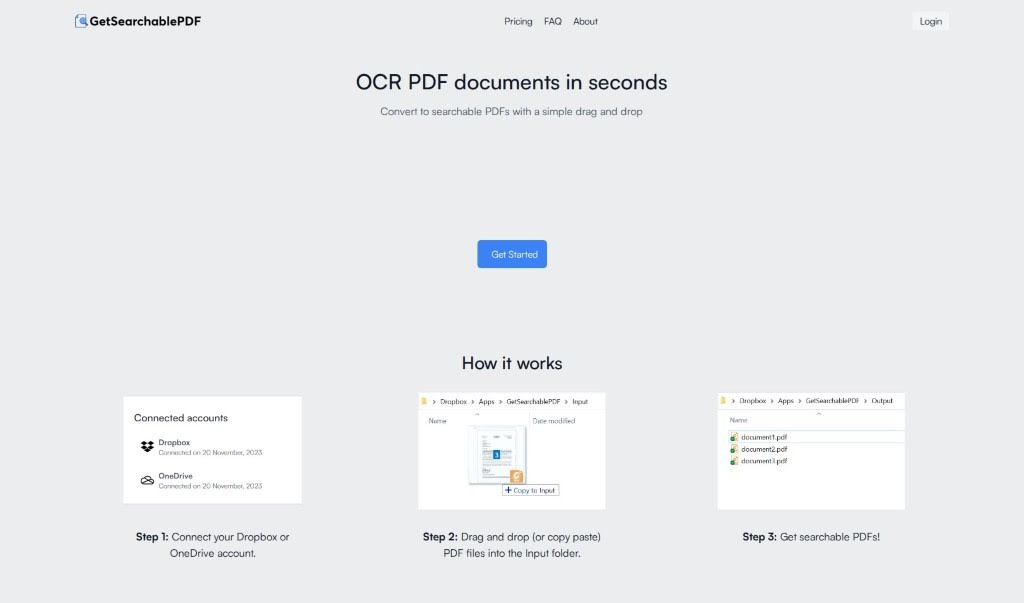
Screenshot of GetsearchablePDF

GetsearchablePDF

Discover what GetsearchablePDF is and how to use it effectively in 2025. We'll explore its features and how it stacks up against other documentation tools.

Screenshot

What is GetsearchablePDF?

GetSearchablePDF is a really neat tool that helps you turn PDF documents into searchable files, and it does it quickly and easily. It uses advanced OCR (Optical Character Recognition) technology to convert scanned PDFs, screenshots, and even handwritten notes into PDFs that you can actually search and edit. It’s pretty straightforward: you connect it to your cloud storage like Dropbox or OneDrive, upload your documents, and then you get your searchable PDFs back in no time. What’s great is their focus on security – they promise not to keep your files for longer than 10 minutes after processing. They also have clear pricing, with options from $9 for 100 credits all the way up to $70 for 2500 credits. If you’re new, you can even try it out with a free 10-credit trial.

Who created GetsearchablePDF?

GetSearchablePDF was developed by a team or individual who can be reached at [email protected]. They’ve created a truly innovative tool designed to efficiently convert PDF documents into searchable files using OCR technology. The service really emphasizes accuracy, security, and making things easy for users by integrating with popular cloud services like Dropbox and OneDrive. You’ll find their pricing is quite flexible, starting at $9 for 100 credits and going up to $70 for 2500 credits, and yes, there’s a free trial available. Beyond the tool itself, they also offer consulting for various document processing needs, including data extraction and OCR projects.

What is GetsearchablePDF used for?

Here’s what you can do with GetsearchablePDF:

  • Turn scanned PDFs into searchable ones.
  • Make screenshots searchable.
  • Convert your handwritten notes so you can search them.
  • Use accurate OCR technology for precise text conversion.
  • Keep your documents private, as they’re automatically deleted after processing.
  • Connect easily with cloud storage like Dropbox or OneDrive.
  • Choose pricing plans that fit what you need.
  • Read and convert handwriting into searchable text.
  • Get a free trial with 10 credits when you first sign up.
  • Pick from different subscription plans based on how many credits you need.

How to use GetsearchablePDF?

GetSearchablePDF is a really user-friendly tool for turning your PDFs into searchable documents. Here’s a simple step-by-step guide to get the most out of it:

  1. Connect Your Cloud Storage: First, link your Dropbox or OneDrive account to GetSearchablePDF. It’s a quick process.
  2. Upload Your PDFs: Just drag and drop your PDF files into the designated Input folder within the tool. Easy peasy.
  3. Get Your Searchable PDFs: Then, just relax and let the tool do its work. Once it’s finished processing, you’ll get back the searchable versions of your PDFs.
  4. Key Features: You can count on accurate OCR, secure processing (files are deleted after 10 minutes), support for handwriting, and smooth integration with cloud storage.
  5. Pricing Options: They offer various subscription plans. You can start with 100 credits for $9, or get 2500 credits for $70. New users also get a free trial with 10 credits to test it out.
  6. Got Questions?: If you have common questions about how they store files, how credits work, free trials, upgrading, or even on-premises solutions, you can always reach out to their support team for answers.

Basically, GetSearchablePDF is a super convenient solution if you need to make your PDFs searchable with great accuracy and without any hassle.

Related AI Tools

Discover more tools in similar categories that might interest you

Stay Updated with AI Tools

Get weekly updates on the latest AI tools, trends, and insights delivered to your inbox

Join 25,000+ AI enthusiasts. No spam, unsubscribe anytime.