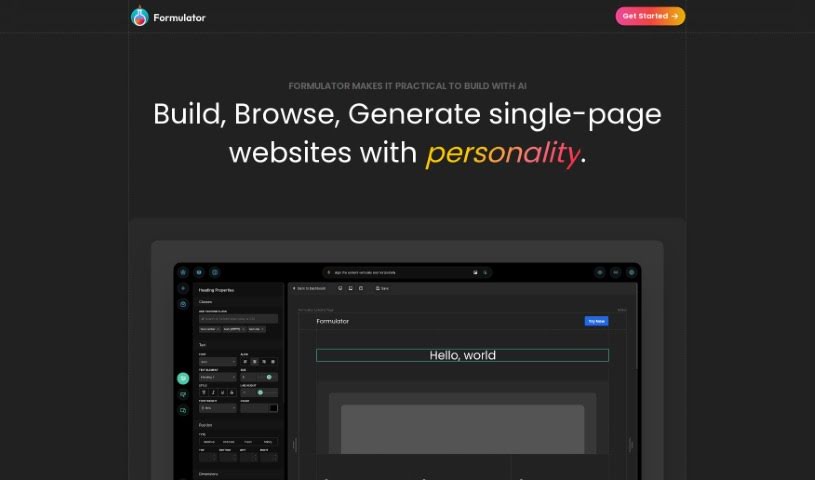
Screenshot of Formulator

Formulator

Discover what Formulator is and how to use it effectively in 2025. Explore its features and see how it stacks up against other website builders.

Screenshot

What is Formulator?

Formulator.app is a platform that helps you build user interface (UI) components, making the process of creating web applications much faster. It’s got this neat drag-and-drop interface, so you can actually build components without needing to write any code at all. Plus, it uses AI to whip up components really quickly just from your descriptions. You can also dive into a huge library packed with ready-made components and UI kits, which you can easily tweak to fit your needs. When you’re done, you can export the HTML and CSS code for your components without any hassle, making it super simple to plug them into your current projects.

Who created Formulator?

Formulator was actually created by a founder who prefers to stay anonymous. It first launched on October 3, 2023. The whole idea behind the platform is to make building web applications easier. It does this by offering a drag-and-drop interface, which means you can create components without writing a single line of code. It also uses AI technology to generate components really fast based on what you describe. Formulator also boasts a big library filled with pre-built components and UI kits that you can customize. They’re really focused on giving you flexibility and making sure everything integrates smoothly with your existing code.

What is Formulator used for?

  • It helps you speed up how you build web applications.
  • You can create components without coding, just by dragging and dropping.
  • Need a component fast? Just describe it, and the AI can generate it for you.
  • You can then customize these AI-generated components using the built-in tools.
  • There’s a massive library with pre-built components and UI kits ready to go.
  • It really lets you customize things your way, without being stuck with rigid templates.
  • You can integrate it all seamlessly with your existing codebases.
  • Exporting your components’ HTML and CSS code is free and unlimited, making adaptation and integration a breeze.
  • They’re also adding handy standalone tools, like a gradient generator and a Google Maps style generator, to make your experience even better and boost your productivity.
  • Basically, it’s all about making UI component development for web apps more efficient and flexible.
  • Building UI components is made easy with simple tools and that drag-and-drop interface.
  • You can even generate entire pages and components with a little help from AI.
  • And remember, code exports for HTML and CSS are completely free and unlimited.
  • You get access to a library full of components and templates that are ready for customization.
  • You can customize components using either the builder tools or the Generator AI.
  • Just search for the components and kits you need, then drag and drop them to start customizing.
  • It offers true customization flexibility, meaning you’re not tied to specific frameworks or style sets.
  • Integration with your existing codebases is designed to be seamless.
  • You can export your components’ HTML and CSS code to integrate into your current projects.
  • They’ve introduced standalone tools like a gradient generator and a Google Maps style generator.
  • You can customize components using the AI assistant.
  • Exporting your components’ HTML and CSS code is easy for integration into existing projects.
  • The library gives you access to pre-built components and templates that are ready for customization.
  • You can search for and use specific components and UI kits.
  • Tailor components to exactly what you need, without being limited by templates.
  • Standalone tools like the gradient generator and Google Maps style generator are there to improve your user experience and productivity.

Who is Formulator for?

  • Web Developers
  • UI/UX Designers
  • Developers in general
  • App developers
  • Frontend developers

How to use Formulator?

Here’s a simple rundown of how to get started with Formulator:

  1. Builder Tools: Jump into the user-friendly builder tools. You can create UI components using a simple drag-and-drop interface. Plus, you can make changes and adjust settings on the fly, no coding needed!
  2. Generator AI: Make the most of the AI-powered Generator tool to build and customize components super fast. Just tell it what you need, and the AI will create it. Then, you can use the builder tools to fine-tune it even further.
  3. Code Export: You can export your components’ HTML and CSS code for free. This makes it incredibly easy to integrate them smoothly into your existing projects.
  4. Library: Check out the Templates & Components Library. It’s packed with pre-built components and templates. Just drag and drop them onto your canvas, and then customize them using either the builder tools or the Generator AI.
  5. Customization: Really dig into customizing the components you generate. Formulator focuses on giving you flexibility, so you can tailor components precisely to your needs without being stuck with rigid templates.
  6. Integration: Seamlessly integrate your customized components into your projects. There are no restrictions on hosting, packages, or licensing policies to worry about.
  7. Future Tools: Keep an eye out for more standalone tools coming soon, like a gradient generator and a Google Maps style generator. They’re designed to make your experience even better and boost your productivity.

By following these steps, you can really use Formulator’s tools and features to make developing UI components for web applications a much smoother process.

Related AI Tools

Discover more tools in similar categories that might interest you

Stay Updated with AI Tools

Get weekly updates on the latest AI tools, trends, and insights delivered to your inbox

Join 25,000+ AI enthusiasts. No spam, unsubscribe anytime.