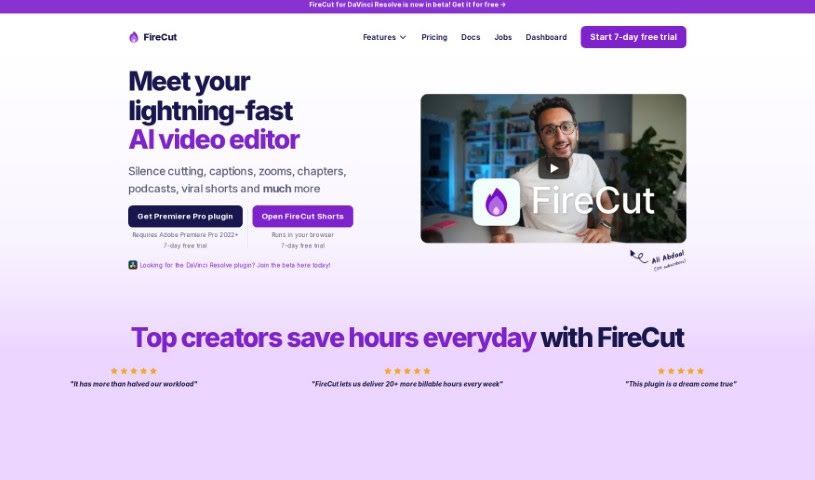
What is FireCut?
FireCut is a smart plugin for Adobe Premiere Pro (version 2022 and newer) that uses AI to make video editing much faster. It is a helpful assistant that handles time-consuming tasks for you. It can automatically cut out silences, add captions, create dynamic zoom cuts, and a lot more. By bringing AI right into your editing process, FireCut makes things quicker, smoother, and less of a chore. It works on both Windows and Mac, and users have reported saving a ton of time – some even say they cut over 3 hours off each podcast episode they edit!
Who created FireCut?
FireCut was developed by a team at Cessna Creative. The founder, Muslim Kasumov, led the creation of this AI-powered plugin for Adobe Premiere Pro. Their goal was to simplify common editing tasks like removing silences, generating captions, and more. Essentially, Firecut is all about changing how video editing is done by using AI to boost efficiency and save content creators valuable time.
What is FireCut used for?
FireCut offers a range of features to simplify your video editing:
- Effortless Captions: Easily add stylish, engaging captions to your videos. It can transcribe speech from over 50 languages, making your content more accessible.
- Podcast Editing: Streamline your podcast production with automatic camera switching that intelligently follows the conversation.
- AI-Generated Chapters: Let the AI automatically detect key moments in your videos and create chapters, even generating intro slides for them.
- Zoom Cuts: Add a professional touch and visual interest with fully automated zoom cuts that the AI places at just the right moments.
- Automated Silence Cutting: Clean up hours of footage in a single click. The AI detects and removes silent parts, saving you significant editing time.
Essentially, FireCut helps you:
- Simplify the editing process, especially for podcasts.
- Improve video accessibility with automatic captions.
- Engage your audience more effectively.
Who is FireCut for?
FireCut is a great tool for anyone involved in creating or editing video content, including:
- Content creators
- Podcast Editors
- Video editors
- Podcast Producers
- Podcasters
How to use FireCut?
Ready to speed up your video editing with FireCut, the AI plugin for Adobe Premiere Pro? Here’s how to get started:
- Installation: First, download and install FireCut. Make sure your system is running Adobe Premiere Pro 2022 or a later version on either Windows or MacOS.
- Explore the Features: Once installed, you can dive into its capabilities:
- Silence Cutting: Use the AI to quickly remove silences from your footage.
- Effortless Captions: Transcribe speech from more than 50 languages and generate eye-catching captions instantly.
- Podcast Editing: Make podcast production easier with automatic camera switching that syncs with your audio content.
- AI-Generated Chapters: Let the AI identify and create chapters for your videos, complete with intro slides.
- Zoom Cuts: Add depth and visual interest to your videos using automated zoom cuts placed by AI at optimal points.
- Start a Trial: Head over to the FireCut website to kick off a 7-day free trial. This is a fantastic way to test out how the automation features can save you time.
- See What Users Say: Check out the testimonials – people consistently praise how efficient and time-saving the tool is.
- Join the Community: You can connect with other users and get support through the FireCut Discord community. Plus, they regularly add new features, so there’s always something new to explore.
- Pricing Options: FireCut offers monthly or yearly plans. These plans come with different features, like support for multiple languages in captions and all the AI editing tools. Remember, users report saving over 3 hours per podcast episode, which really adds up!
By following these steps, you can easily integrate FireCut into your workflow to make video editing much more efficient. Give it a try and see the productivity boost that so many other creators are already experiencing!