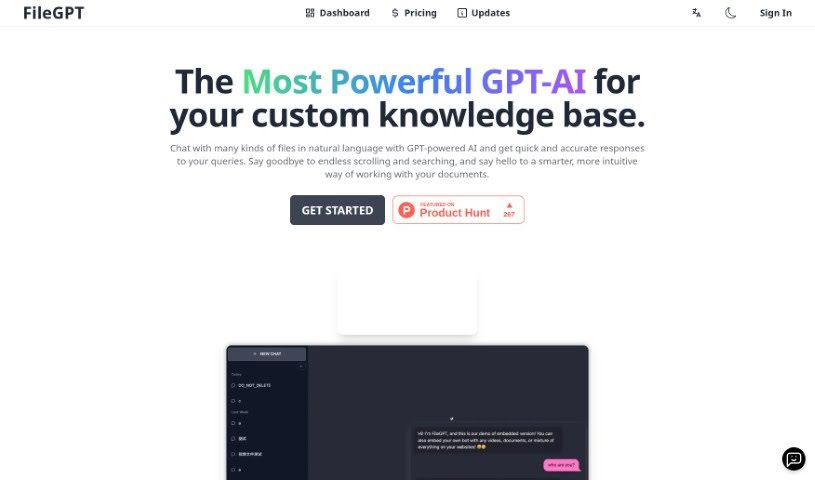
What is FileGPT?
FileGPT is a really neat AI tool that lets you chat with all sorts of files using everyday language. It’s built on advanced GPT technology, which means it can give you quick, accurate answers about your documents, spreadsheets, presentations, and more. Basically, you can just ask FileGPT questions or tell it what you need in plain English, and it understands. It pulls out the right information from your files, and importantly, it keeps your data safe and private by doing all the processing right there on your own computer. Plus, you can tweak it to your liking, like personalizing how it looks or teaching it specific terms for your industry, making it super versatile for just about anyone.
Who created FileGPT?
Jacob Thompson is the person behind FileGPT, as mentioned in the details. The company he’s with is all about creating this innovative AI tool that lets you have natural conversations with different kinds of files, all thanks to advanced GPT technology. It’s designed so you can chat with your files easily, and it includes features to make the experience better and keep your data secure and private.
What is FileGPT used for?
- Chatting with files: You can talk to all sorts of files conversationally.
- Easy questions: Just ask questions or make requests in plain English to get the info you need, no hassle.
- Finding insights: Quickly pinpoint specific numbers, spot trends, or pull out key insights from your files.
- Keeping data safe: Your files stay secure because all the processing happens locally on your device.
- Personalized experience: You can customize features to make the tool work better for you.
- Handling complexity: It can manage tricky questions that involve multiple files or different data sources.
- For everyone: It’s great for students, researchers, and professionals across many industries.
- Tailored understanding: You can personalize the interface and even train FileGPT to understand terms specific to your field.
- Better navigation: It makes finding and navigating through your files much smoother.
- Saving time: Cut down on the time and effort you spend searching for files and data.
Who is FileGPT for?
- History Majors
- Program Managers
- Data Professionals
How to use FileGPT?
Using FileGPT is pretty straightforward. Just follow these simple steps:
- Sign Up and Get Started: First, sign up for a free trial of FileGPT. This gives you access to all its features. You can then interact with a wide range of file types, including PDFs, Word documents (DOCs), plain text files (TXT), audio files, YouTube videos, and even web pages.
- Ask Away: Jump into the conversational interface. Just ask your questions or make your requests in plain English. FileGPT uses its advanced GPT technology to understand what you’re asking and give you accurate answers.
- Effortless Interaction: You’ll find interacting with files is a breeze. FileGPT is designed to grasp the context of your questions and pull out the relevant information from your files. It can even handle complex requests that involve more than one file or different data sources without a problem.
- Security and Privacy First: FileGPT prioritizes your data’s security. It processes your information locally on your device, meaning you don’t have to upload your files to external servers. This keeps your sensitive information confidential.
- Customize Your Experience: Make FileGPT truly yours by personalizing the interface. You can even tell it which file types you use most often or train it to understand specific industry terms. These customization options really boost the tool’s usability for everyone.
- Check Out the Plans: Take a look at FileGPT’s pricing options. They offer various subscription plans designed to fit different individual or business needs, with different features to match diverse requirements.
- Enjoy Seamless Interaction: Forget about tedious manual file searches. With FileGPT, you can embrace the future of easy, conversational access to your data.
By following these steps, you can use FileGPT effectively to make your file interactions smoother and boost your productivity.