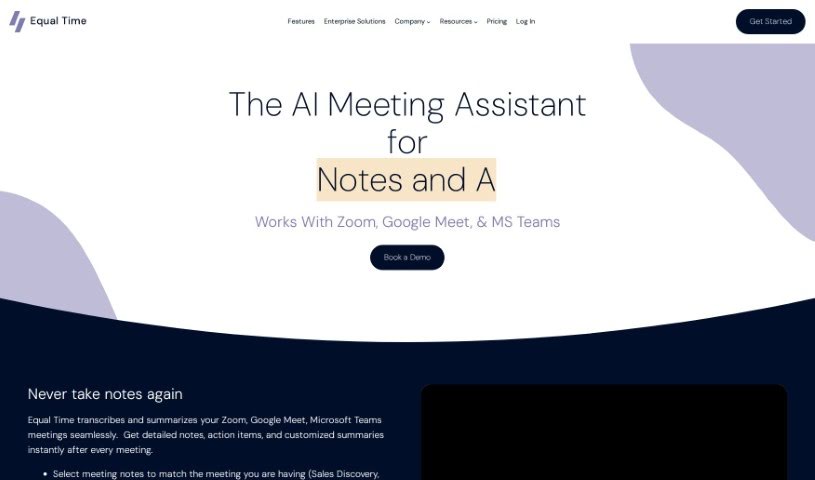
Screenshot of Equal Time

Equal Time

Discover what Equal Time is and how to use it effectively in 2025. Explore its features and see how it stacks up against other AI note-taking tools.

Screenshot

What Exactly is Equal Time?

Equal Time is a smart virtual meeting assistant designed to make your meetings on platforms like Zoom, Google Meet, and Microsoft Teams more inclusive and productive. It helps ensure everyone gets a chance to speak by keeping an eye on speaking time and offering real-time feedback on who’s participating. Plus, it generates AI-powered meeting notes, complete with transcripts and action items. This tool is a great fit for anyone focused on diversity, inclusion, and equity, whether you’re a DEI leader, manager, teacher, coach, HR pro, or part of an engineering team.

Who’s Behind Equal Time?

Equal Time was started in 2021 by two women with impressive backgrounds. Rachel Dowling, the CEO, previously led product development as VP at TrustYou. Kim LaRocca, the CTO, was a Senior Engineering Manager at NYPR. Together, they’ve developed advanced technology specifically to track how people interact in virtual meetings and to encourage more balanced discussions. Their goal is to create meeting environments where everyone feels welcome and to support women in advancing their careers through better leadership coaching.

What Can You Do with Equal Time?

  • Make sure your meetings are effective and inclusive for everyone involved.
  • Keep track of speaking time during meetings to encourage fair engagement.
  • Get transcripts, notes, and action items for every participant after the meeting.
  • Receive AI-generated meeting notes that include summaries and analysis.
  • Help DEI leaders create more inclusive environments and boost representation for underrepresented groups.
  • Assist managers in running more productive team meetings.
  • Support teachers by automatically tracking attendance and participation.
  • Enable coaches and counselors to guide discussions fairly.
  • Help HR professionals ensure fairness in hiring and employee engagement.
  • Allow engineering teams to make sure every voice is heard during meetings.
  • Promote balanced discussions among all participants.
  • Get a real-time look at who has spoken and for how long.
  • Provide AI-generated meeting notes with transcripts, summaries, topic analysis, and action items.
  • Help managers lead more effective team meetings.
  • Assist coaches and counselors in moderating discussions fairly.
  • Support HR professionals in ensuring equity in hiring and employee engagement.
  • Help engineering teams ensure all voices are heard in daily standups and product meetings.
  • Monitor speaking time to promote equitable engagement among participants.
  • Provide a real-time view of who has spoken, for how long, and who still needs to contribute.
  • Support a wide range of users, including DEI leaders, managers, teachers, coaches, counselors, HR professionals, and engineering teams.
  • Help DEI leaders foster inclusive experiences and increase representation for underrepresented groups.
  • Support managers in running more effective team meetings.
  • Automate attendance and participation tracking for teachers.
  • Moderate discussions fairly for coaches and counselors.
  • Ensure all voices are heard in daily standups and product meetings for engineering teams.

Who is Equal Time Designed For?

  • DEI Leaders
  • Learning and Development Professionals
  • Managers
  • Coaches
  • Teachers
  • Engineering Teams
  • L&D Specialists

How Do I Use Equal Time?

To get the most out of Equal Time in your meetings, just follow these simple steps:

  1. Getting Started:
    • First, sign up for Equal Time. Then, connect it to your favorite meeting platform, whether that’s Zoom, Google Meet, or Microsoft Teams.
  2. Using the Features:
    • Let Equal Time handle the note-taking for you – you’ll get full transcripts, meeting summaries, and clear action items.
    • Keep an eye on speaking time ratios to make sure everyone’s participation is balanced.
    • After each meeting, you’ll receive AI-generated notes with detailed summaries and helpful analysis.
  3. Boosting Inclusivity:
    • Track how different genders participate to ensure representation and inclusion.
    • Encourage more thoughtful and inclusive conversations by using Equal Time to help balance discussions.
  4. Who Benefits Most:
    • DEI Leaders can measure gender-based inclusion metrics.
    • Learning and Development professionals can use the AI-driven recommendations.
    • Managers can lead more effective team meetings.
    • Coaches can moderate discussions equitably.
    • Teachers can automate attendance and participation tracking.
  5. Need More Help?
    • Use Equal Time to gather insights that will help you effectively promote diversity, equity, and inclusion initiatives within your organization.
    • Visit the Equal Time website for more resources and support from the team.

By following these steps, you’ll be well on your way to making your virtual and hybrid meetings more inclusive and effective.

Related AI Tools

Discover more tools in similar categories that might interest you

Stay Updated with AI Tools

Get weekly updates on the latest AI tools, trends, and insights delivered to your inbox

Join 25,000+ AI enthusiasts. No spam, unsubscribe anytime.