Eden AI (Web Development)
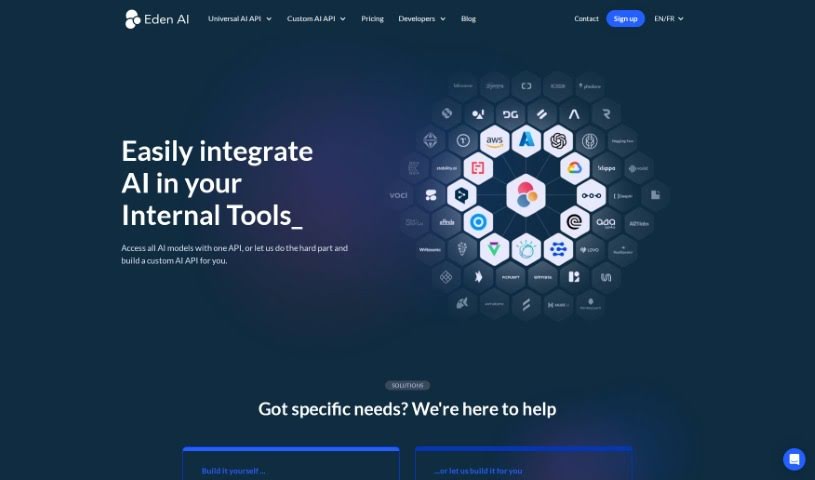
Screenshot of Eden AI

Eden AI

Discover what Eden AI is, its machine learning, language, and vision tools, and how it helps businesses automate tasks and improve decisions.

Screenshot

What is Eden AI?

Eden AI is a tech company specializing in artificial intelligence. It builds smart AI algorithms and software designed to tackle business challenges, focusing on advanced machine learning models, natural language processing tools, and computer vision systems. Its solutions serve a variety of industries, helping businesses streamline operations, make better decisions, and improve performance.

Who created Eden AI?

Sophia Lee led the development team that created Eden AI. The company officially launched on June 28, 2022, with a mission to build advanced, easy-to-use AI solutions that boost productivity and efficiency for organizations worldwide.

What is Eden AI used for?

Eden AI supports a wide range of tasks, including:

  • Automating various business tasks
  • Creating speech transcription applications
  • Developing voice command applications
  • Detecting languages automatically
  • Identifying different speech patterns
  • Translating speech in real-time
  • Supporting custom speech-to-text setups
  • Performing speech diarization (identifying who spoke when)
  • Handling voicemails automatically
  • Building voice-enabled chatbots
  • Generating audio from text, with various voice options

Who is Eden AI for?

Eden AI is designed for professionals such as:

  • Data Scientists
  • Software Engineers
  • Business Analysts
  • Marketing Strategists
  • Product Managers
  • Operations Managers
  • Research Scientists
  • Financial Analysts
  • Healthcare Professionals
  • Customer Service Representatives

How to use Eden AI?

  1. Sign Up or Log In: Create an account on the Eden AI platform, or log in if you already have one.
  2. Explore Your Dashboard: The dashboard is your central hub for everything Eden AI offers.
  3. Pick a Tool: Choose from AI tools for natural language processing, image recognition, sentiment analysis, and more.
  4. Add Your Data: Provide the data for your chosen tool — text to analyze, images for recognition, or other relevant information.
  5. Customize Settings: Adjust the tool’s settings and parameters to fit your needs.
  6. Run the Analysis: Start the analysis and let the tool process your data based on your choices.
  7. Check the Results: Review the insights, recommendations, or classifications the tool produces.
  8. Download or Export: Download the results or export them into different formats for use elsewhere.
  9. Refine and Explore: Provide feedback on results to improve future analyses, and explore Eden AI’s advanced features for deeper data analysis.

Related

Related AI Tools

Discover more tools in similar categories

New tools, in your inbox.

Weekly picks of the best AI tools we've researched and added — no spam, unsubscribe anytime.

Join 25,000+ AI enthusiasts. No spam, unsubscribe anytime.