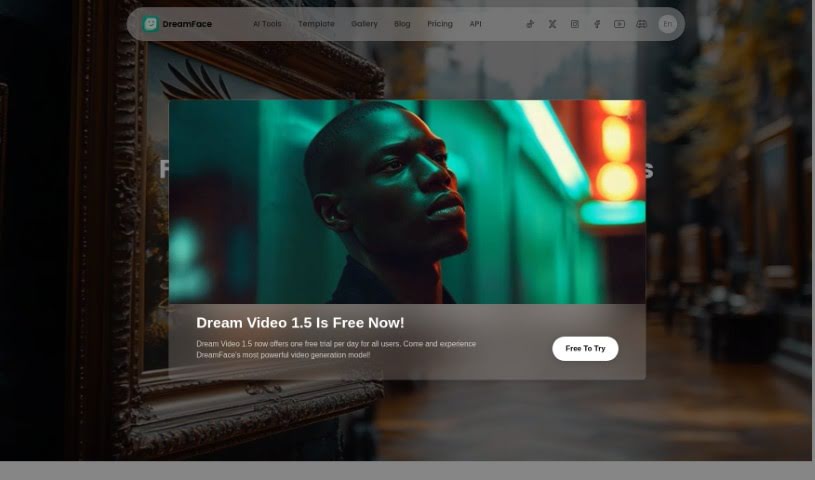
Screenshot of DreamFace

DreamFace

Discover what DreamFace is and how to use it effectively in 2025. We'll explore its features and see how it stacks up against other video creation tools.

Screenshot

What is DreamFace?

DreamFace is a really neat AI-powered creative studio that lets you make fun, high-quality videos. You can use AI avatars and voices to create custom videos for all sorts of things – think social media posts, presentations, or even educational content. It’s super easy; you can generate these videos with just a few clicks.

Beyond video creation, DreamFace also lets you animate facial expressions, add cool effects and filters to your photos, and even tweak facial features like eyes, lips, and skin. The whole idea is to take those static photos and bring them to life as dynamic visual content. It does this by using AI to detect and track facial landmarks, which allows for really precise modifications. You’ve got plenty of options to personalize your photos, and the app is available for both Android and iOS devices.

New Port LLC, based out of Rolling Meadows, Illinois, is the company behind DreamFace. They’ve put a focus on protecting your data and privacy, which you can read more about in their terms of use and privacy policy. If you have any questions or need support, you can always reach out to their development team via email. Basically, it’s a user-friendly app designed to enhance and animate facial features, helping you create truly unique visual content.

Who created DreamFace?

DreamFace was developed by New Port LLC, a company located in Rolling Meadows, Illinois. They first launched the app on March 26, 2023. It’s designed to be a user-friendly app for animating photos, using AI technology to really bring out and animate facial features. The goal is to make it simple for anyone to turn their static photos into lively visual content. You can easily add fun effects, filters, and animate expressions, all while personalizing your photos with the tools provided.

What is DreamFace used for?

  • Animating facial expressions in photos
  • Adding fun effects and filters to photos
  • Modifying facial attributes like eyes, lips, and skin
  • Transforming static photos into dynamic and engaging visual content
  • Personalizing photos with a range of customization options
  • Enhancing and animating facial features using AI technology
  • Creating unique and captivating visual content

Who is DreamFace for?

  • Photographers
  • Content creators
  • Social media managers
  • Educators

How to use DreamFace?

DreamFace is a user-friendly AI-powered creative studio that makes it simple to create custom videos and animate photos. Here’s a straightforward way to get started:

  1. Download and Install: First things first, you’ll need to get the app. It’s available on the Google Play Store for Android devices and on the App Store for iOS devices.
  2. Explore the Features: Once it’s installed, take a moment to look around. Get familiar with what DreamFace can do, like animating facial expressions, adding fun effects and filters to photos, and tweaking facial attributes such as eyes, lips, and skin.
  3. Start Creating: Ready to make something? Pick a photo you already have or snap a new one right in the app. Then, you can start applying effects, animating expressions, and customizing it just the way you like using the tools available.
  4. Leverage the AI: DreamFace’s AI is pretty smart. It can automatically detect and track facial landmarks, which means it can make precise modifications to your photos. This is how you easily transform static pictures into dynamic, engaging visual content.
  5. Make It Yours: DreamFace offers a lot of customization options. Use them to really personalize your photos, making each one unique and captivating.
  6. Need Help? Contact Support: If you run into any questions or need assistance, don’t hesitate to reach out to the development team via email at [email protected]. They’re there to help with any questions you might have about the app.
  7. Understand the Policies: It’s always a good idea to check out the terms of use and privacy policy from the developer. This helps ensure your data is protected and your privacy is maintained while you’re using the app.

By following these steps, you can easily use DreamFace to create fun, high-quality videos and uniquely animated photos. It’s all about making content creation simple and creative. Have fun exploring what AI can do with your photos!

Related AI Tools

Discover more tools in similar categories that might interest you

Stay Updated with AI Tools

Get weekly updates on the latest AI tools, trends, and insights delivered to your inbox

Join 25,000+ AI enthusiasts. No spam, unsubscribe anytime.