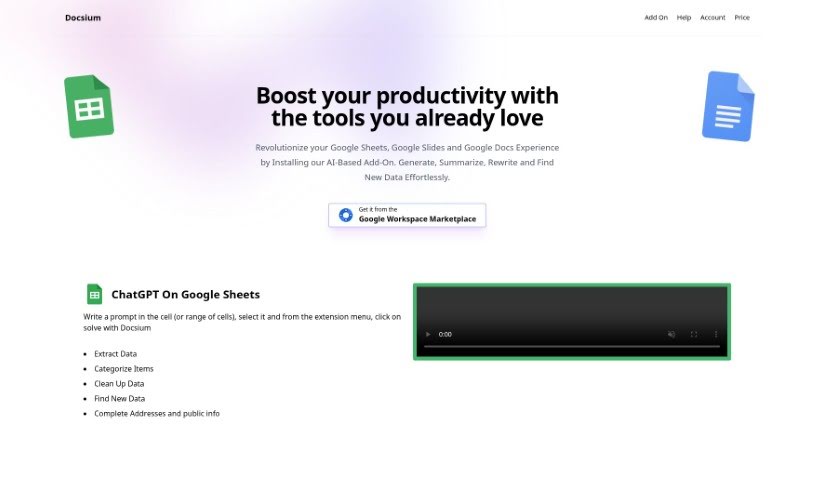
Screenshot of Docsium

Docsium

Discover Docsium, an AI add-on for Google Workspace in 2025. Learn its features for data generation, summarization, and content creation, and see how it stacks up against other Excel tools.

Screenshot

What is Docsium?

Docsium is a handy AI add-on for Google Sheets, Google Docs, and Google Slides. It uses GPT-3 technology to help you get more done. It is a smart assistant that can generate data, summarize long texts, rewrite content, and even find information for you.

When you’re working in Google Sheets, Docsium makes data tasks much simpler. You can easily pull out specific data, sort items into categories, clean up messy data, find new information, or even fill in addresses and public details. All you do is type your request in a cell, select it, and then choose ‘solve with Docsium’ from the extension menu. It’s pretty straightforward.

Similarly, in Google Docs, Docsium can help you write blog posts, quickly create bullet points, draft meeting notes, or condense existing content. And for Google Slides, you can type prompts right onto a slide to generate fresh text, automatically create slide titles, build bullet points, summarize information, and format your text.

Docsium offers some great advantages, like being super easy to install and helping you manage your data more smoothly. It also really boosts your content creation efforts and overall productivity, especially since it works right within Google Sheets, Docs, and Slides.

However, it’s good to know about a few limitations too. For starters, it’s only for Google Workspace. You can’t turn off features you don’t want, and sometimes formatting can be a bit off. There are also potential privacy concerns, and you’re relying on a plugin that needs an internet connection. Plus, like any AI, GPT-3 can sometimes make mistakes or have limitations. It also doesn’t have a version history, and updates can happen automatically without warning.

Who created Docsium?

Docsium was launched on April 7, 2023, by an unnamed founder. This AI-powered add-on is designed for Google Sheets, Google Docs, and Google Slides, aiming to boost productivity with features like data generation, summarization, rewriting, and data finding. It makes good use of GPT-3 technology and offers a range of capabilities across these Google Workspace applications. Essentially, the tool is built to make data management smoother and content creation more efficient, all within the Google ecosystem.

What is Docsium used for?

Docsium is a versatile tool that can help with a variety of tasks:

  • Summarizing content to get the main points quickly.
  • Automatically generating titles for your slides.
  • Creating clear bullet points from information.
  • Formatting text to make it look just right.
  • Writing entire blog posts from scratch.
  • Drafting meeting notes efficiently.
  • Assisting you as you write bullet points.
  • Using the power of GPT-3 to handle text tasks.
  • Offering an intuitive user interface that’s easy to navigate.
  • Allowing you to write prompts directly on your slides for quick results.
  • Producing unique text copy for various needs.

Who is Docsium for?

Docsium is a great tool for anyone who works regularly with Google Workspace and wants to improve their efficiency. This includes:

  • Content creators who need to produce a lot of material.
  • Researchers who need to process and summarize information.
  • Data Analysts looking to streamline data management.
  • Students who need help with assignments and presentations.
  • Professionals across various fields who rely on Google Workspace for their daily tasks.

How to use Docsium?

Using Docsium effectively is pretty straightforward. Just follow these simple steps:

  1. Installation: First, you’ll want to install Docsium. It’s available on the Google Workspace Marketplace and only takes a few clicks to get set up.
  2. Accessing Features in Sheets: Once installed, head over to Google Sheets. Type your request or prompt into a cell, or a range of cells if needed. Then, select the cell(s) and choose ‘solve with Docsium’ from the extension menu. This is how you’ll generate data, summarize information, rewrite text, find data, or even complete addresses and public details.
  3. Productivity Features in Docs: In Google Docs, Docsium is ready to help you write blog posts, create bullet points, draft meeting notes, or summarize content. Just select the text you want to work with, or type your prompt, and use the extension menu to activate Docsium.
  4. Google Slides Functions: Docsium also enhances your Google Slides experience. You can write prompts directly on a slide to generate unique text, automatically create slide titles, build bullet points, summarize content, or format your text as needed.
  5. Leveraging GPT-3 Technology: At its core, Docsium uses GPT-3 technology. This means it can understand your prompts and efficiently generate, summarize, and rewrite text for you.
  6. Trying it Out with Free Credits: Docsium offers free credits, so you can try out the tool and see how it works for your specific needs before committing.

By following these steps, you can really make the most of Docsium’s capabilities to boost your productivity and improve your content creation across Google Sheets, Google Docs, and Google Slides.

Related AI Tools

Discover more tools in similar categories that might interest you

Stay Updated with AI Tools

Get weekly updates on the latest AI tools, trends, and insights delivered to your inbox

Join 25,000+ AI enthusiasts. No spam, unsubscribe anytime.