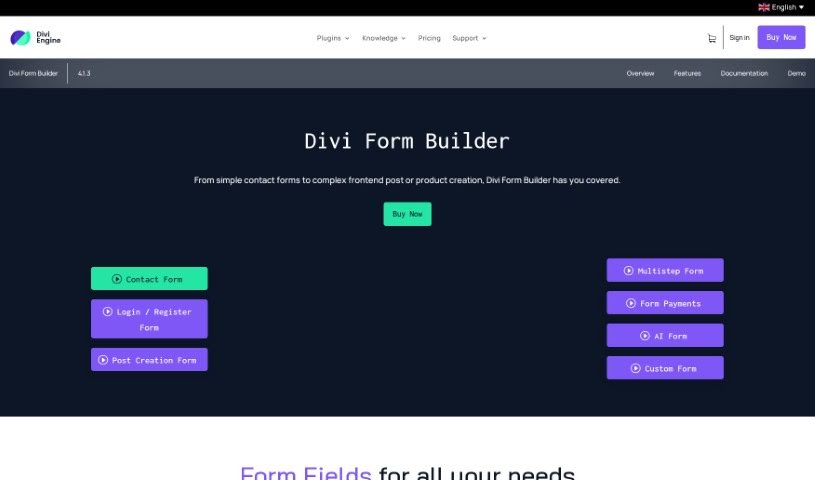
Screenshot of Divi Engine Divi Form Builder

Divi Engine Divi Form Builder

Discover what the Divi Engine Divi Form Builder is and how to use it effectively in 2025. We'll explore its features and see how it stacks up against other website builders.

Screenshot

What is Divi Engine Divi Form Builder?

The Divi Form Builder from Divi Engine is a really neat tool that lets you build beautiful, complex forms for your website. The best part? You don’t need to know any code to use it! It fits right into the Divi Builder, making your website more interactive and user-friendly. Here are some of the cool things it offers:

  • Features: You get a lot with Divi Form AI, like AI personas you can customize, different styles for preloader animations, options to set spending limits for forms, a handy multistep form feature, contact forms you can tailor to your needs, date and time pickers, and the ability to upload files, plus much more.
  • Works with OpenAI’s GPT API: Divi Form AI uses OpenAI’s GPT API. This means it can generate content right on your pages, leading to really dynamic interactions on your website.
  • Easy to Use Interface: The Divi Form Builder has a super intuitive interface. It’s built with Divi users in mind, so creating forms feels natural and straightforward, even if you’re not a coder.
  • Create Posts from the Frontend: You can also use the Divi Form Builder to create posts directly from the frontend of your website. This means you don’t have to go into the WordPress admin area to add new content.
  • Keeps Spam Out: The builder includes strong spam protection to keep your data safe and secure.
  • Pricing: How much it costs depends on the license you choose and how many sites you need it for. For an annual license, prices start at £20 for one site and go up to £110 for unlimited sites. If you prefer a lifetime license, it’s £95 for one site or £380 for unlimited sites.
  • Lifetime License Option: You can get a lifetime license for the Divi Form Builder. It costs £95 for a single site and £380 if you want to use it on unlimited sites.
  • Works with Other Plugins: Divi Form Builder can connect with plugins like Bloom. While they don’t give all the details on their website, it’s likely compatible with other plugins too.

Basically, the Divi Form Builder is a powerful tool that makes creating forms much simpler. It helps make your website more engaging and offers a bunch of features to make the whole form-building process smooth and easy for anyone who owns a website.

Who created Divi Engine Divi Form Builder?

Divi Engine is the company behind the Divi Form Builder. They launched it on June 23, 2023. Divi Engine is known for being a top creator of Divi Plugins, offering various tools to help people build better websites.

What is Divi Engine Divi Form Builder used for?

  • Making contact forms that you can customize completely.
  • Creating elegant and detailed forms for your website.
  • Building interactive and modern website experiences.
  • Customizing AI personas and writing your own prompts.
  • Setting limits on how much users can spend through forms.
  • Integrating smoothly with the Divi Builder, so you’re already familiar with the interface.
  • Allowing users to create posts from the frontend.
  • Boosting user engagement by using visual radio buttons and checkbox images.
  • Making your CRM and newsletter connections easier with Bloom integration.
  • Automating your tasks across different web apps using Zapier integration.
  • Handling complex calculations in forms, which is great for things like order forms or bookings.
  • Making things easier and improving the user experience with multistep forms.
  • Letting users create their own content from the frontend, which is great for community sites.
  • Engaging users with visual radio buttons and checkbox images.
  • Connecting and automating tasks with Zapier.
  • Changing the way forms are built with Divi Form AI.
  • Customizing AI personas to fit your needs.
  • Building custom prompts for the AI.
  • Using the multistep form feature.
  • Customizing contact forms.
  • Adding the ability to upload files.
  • Building elegant and detailed forms for websites.
  • Expanding what your forms can do with stylish file uploads.
  • Creating posts directly from the frontend of your site.
  • Improving data collection and user interaction with a wide range of options.
  • Customizing form inputs for more personal interactions.
  • Providing spam protection to keep your data secure.
  • Creating complex forms without needing to code.
  • Integrating with the Divi Builder for a smooth user experience.
  • Setting spending limits for each form.
  • Offering comprehensive spam protection.
  • Using highly customizable form inputs.
  • Streamlining your CRM and newsletter integrations with Bloom.
  • Enhancing user engagement with customizable AI personas.
  • Providing interactive website experiences with multiple preloader styles.
  • Enabling spend limits for forms.
  • Customizing AI prompts for user interaction.
  • Enhancing user engagement with frontend content editing.

Who is Divi Engine Divi Form Builder for?

  • Website developers
  • Digital marketers
  • Content creators
  • Business owners
  • Developers
  • Designers
  • Bloggers
  • E-commerce Managers
  • Community Managers
  • Web Developers
  • E-commerce store owners
  • Small Business Owners
  • Freelancers

How to use Divi Engine Divi Form Builder?

Here’s how you can get the most out of Divi Form Builder:

  1. Connect with Bloom for CRM and Newsletters: You can link Divi Form Builder with Bloom. This helps you connect your forms to newsletter services and CRM platforms, ensuring data flows smoothly and boosting user engagement.
  2. Let Users Create Content: Use the ‘Frontend Post Creation’ feature to let your users build posts, pages, or other custom content right on your website. It’s a great way to encourage community interaction and add more variety to your content.
  3. Handle Calculations Easily: Add ‘Calculable Fields’ to your forms. These allow for dynamic calculations, which are perfect for order forms, bookings, or registrations. It makes things more interactive and efficient for your users.
  4. Automate with Zapier: Connect with Zapier to automate tasks across different web applications. This can help streamline things like updating your CRM, running marketing campaigns, or sending email notifications.
  5. Make Forms Easier with Multistep: Use ‘Multistep Forms’ to guide users through longer or more complex forms. Breaking them down into steps can really improve completion rates and make the whole experience better for them.

By following these steps, you can use the many features of Divi Form Builder to create forms that are interactive, efficient, and really engaging for your website visitors.

Related AI Tools

Discover more tools in similar categories that might interest you

Stay Updated with AI Tools

Get weekly updates on the latest AI tools, trends, and insights delivered to your inbox

Join 25,000+ AI enthusiasts. No spam, unsubscribe anytime.