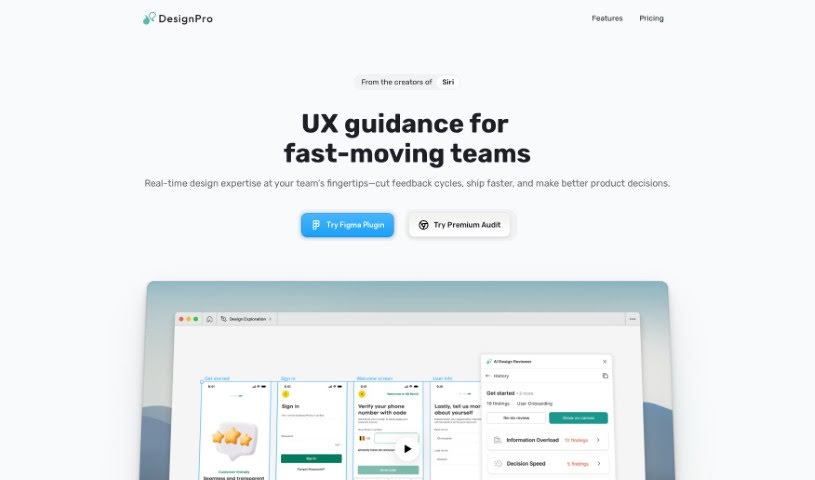
Screenshot of Designpro

Designpro

Discover what Designpro is and how to use it effectively in 2025. We'll explore its features and see how it stacks up against other Web Design Tools.

Screenshot

What is Designpro?

DesignPro is an AI tool built to make design reviews much better. It gives super-fast feedback and suggestions right inside tools like Figma. It is a helpful assistant that can offer specific copy ideas, spot UI bugs and other issues, and even help tweak your website designs to encourage more people to take action. The AI behind DesignPro has learned from the best, using frameworks from Nielson Norman and IDEO. This means your design team can easily put best practices into play. What does this mean for you? You’ll get feedback much faster, see your tasks laid out clearly, generate transcriptions automatically, and even send tasks straight to project management tools like Jira or Notion. Basically, DesignPro makes collaboration smoother, saving you both time and money.

Who created Designpro?

Danis, who leads design at Grab, created DesignPro. He launched it on June 8, 2023, with a clear goal: to boost design efficiency using AI for feedback and task management. DesignPro offers features like quick feedback loops, visual task tracking, and seamless integration with popular design and project management software. The aim is to simplify teamwork and lead to better design results.

What is Designpro used for?

  • Get tailored copy suggestions: Improve clarity and guide users to convert better with specific wording for websites and app microcopy.
  • Catch UI bugs and issues: Quickly spot mistakes and ensure your designs follow best-practice guidelines.
  • Boost conversions: Make your website designs more effective with clear Call-to-Action buttons and user interface elements.
  • Pre-review designs: Catch errors before formal reviews, so you’re always prepared.
  • Help junior designers: Ensure junior team members work consistently and produce high-quality results.
  • Speed up feedback: Enhance designs by getting feedback faster, saving you time and money.
  • Turn critiques into tasks: Consolidate design critiques and product reviews into clear, actionable tasks.
  • Generate transcripts: Save time by automatically creating transcripts from platforms like Loom or Zoom for easier analysis.
  • Visualize task management: See all your tasks in one place for easy review, prioritization, and assignment.
  • Export tasks: Send tasks directly to project management platforms like Jira, Kanban, or Notion.

Who is Designpro for?

  • Designers
  • Product Managers
  • Marketers

How to use Designpro?

DesignPro is a fantastic tool that really helps make design reviews more efficient by giving you useful feedback and clear, actionable insights. Here’s a simple guide to using it:

  1. Install it:
    • First, install the Figma Plugin to connect DesignPro directly with your design software.
  2. Improve Your Copy:
    • Get specific suggestions for website and app microcopy. This helps make things clearer and guides users more effectively.
  3. Polish Your UI:
    • Quickly find UI bugs and other issues. This makes sure your designs stick to best practices.
  4. Drive More Conversions:
    • Make your websites better by adding clear Call-to-Action buttons and user interface elements that encourage people to convert.
  5. Use Best Practices:
    • DesignPro’s AI has learned from top design teams. This means your team can easily follow best practice principles.
  6. Do Pre-Reviews:
    • Run pre-reviews to fix any errors or mistakes before you present your designs formally.
  7. Ensure Consistent Quality:
    • Help junior designers deliver consistently high-quality results by using DesignPro as a guide.
  8. Enhance Collaboration:
    • Work better with stakeholders and customers. You can consolidate design critiques into actionable tasks right within your design software.
  9. Manage Your Tasks:
    • See and manage all your tasks in one inbox. It’s easy to review, prioritize, and assign them.
  10. Export Tasks:
    • Send your tasks to popular project management platforms like Jira, Kanban, or Notion to keep your workflow smooth.
  11. Add Expert Reviewers:
    • Bring in expert reviewers from leading companies to get valuable feedback when you need it.
  12. Streamline Feedback and Iterations:
    • Save time and money in your design process. You can consolidate reviews and make iterations much faster.
  13. Choose Your Plan:
    • Pick between the Starter and Pro plans, which offer different features and credits for expert reviews.

Overall, DesignPro is a really valuable tool for designers and product teams. It helps make design feedback more efficient and simplifies task management, which ultimately makes the whole design process better.

Related AI Tools

Discover more tools in similar categories that might interest you

Stay Updated with AI Tools

Get weekly updates on the latest AI tools, trends, and insights delivered to your inbox

Join 25,000+ AI enthusiasts. No spam, unsubscribe anytime.