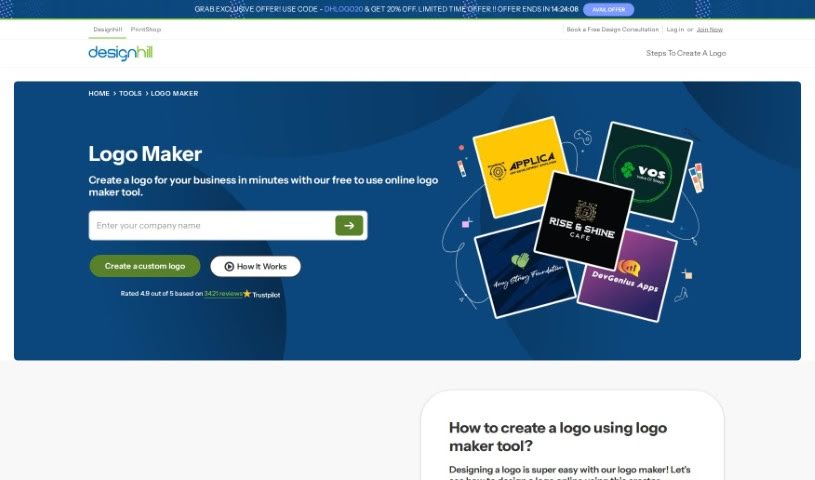
Screenshot of Designhill Logo Maker

Designhill Logo Maker

Discover what Designhill's Logo Maker is all about and how you can use it effectively in 2025. We'll walk through its features and see how it stacks up against other logo generators.

Screenshot

What is Designhill Logo Maker?

A Logo Maker, like the one Designhill offers, is your personal AI-powered design assistant. It’s built to help anyone, whether you’re just starting a business or already running one, create a custom logo without needing to be a design pro. You simply tell it a bit about your business – like your industry, the name, and maybe a tagline – and the tool gets to work, generating a bunch of different logo ideas for you. It’s got a huge library of templates and styles, so whether you’re a seasoned designer or just dipping your toes into branding, you’ll find something that fits. Plus, you can tweak things like the layout, fonts, and colors right there on the platform. The whole point is to make logo creation straightforward and convenient, even offering different file formats so your new logo looks great everywhere you use it.

Who created Designhill Logo Maker?

Md Yousuf is the creative mind behind this Logo Maker tool. Designhill, the company that brought it to life, is a platform that millions of business owners (over 10 million, actually!) trust for their logo design and overall brand identity needs.

Who is Designhill Logo Maker for?

This tool is a great fit for a whole range of people and businesses:

  • Graphic Designers
  • Entrepreneurs
  • Small business owners
  • Freelancers
  • Marketing professionals
  • Event Planners
  • Store owners
  • Content creators
  • Social Media Managers
  • Website Developers
  • Non-profit organization directors
  • Consultants
  • Artists
  • Writers
  • Photographers

How to use Designhill Logo Maker?

Creating your logo with Designhill’s tool is pretty simple. Here’s a quick rundown:

  1. Start with your business name. This is the first step to getting your logo creation underway.
  2. Pick your styles. Browse through the template library and choose the logo styles that catch your eye. You can also select colors, icons, and symbols that feel right.
  3. Provide your brand details. Enter your industry, business name, and tagline. This info is super important because it helps the generator create logos that truly fit your brand.
  4. Explore the options. Take your time looking through all the templates and styles available. Find the ones that really speak to your brand’s identity.
  5. Make it yours. Use the editor to personalize the layout, fonts, and colors. Getting it just right for your taste is a big part of the process.
  6. Finalize and download. Once you’re happy with how your logo looks, choose the package that works for you and download it in a file format that suits your needs.
  7. Put it to work! Use your new logo everywhere – on your website, social media, business cards – to help people recognize your brand and make it stand out.

Following these steps should help you craft a really unique and professional-looking logo for your business.

Related AI Tools

Discover more tools in similar categories that might interest you

Stay Updated with AI Tools

Get weekly updates on the latest AI tools, trends, and insights delivered to your inbox

Join 25,000+ AI enthusiasts. No spam, unsubscribe anytime.