Descript (Video Generation)
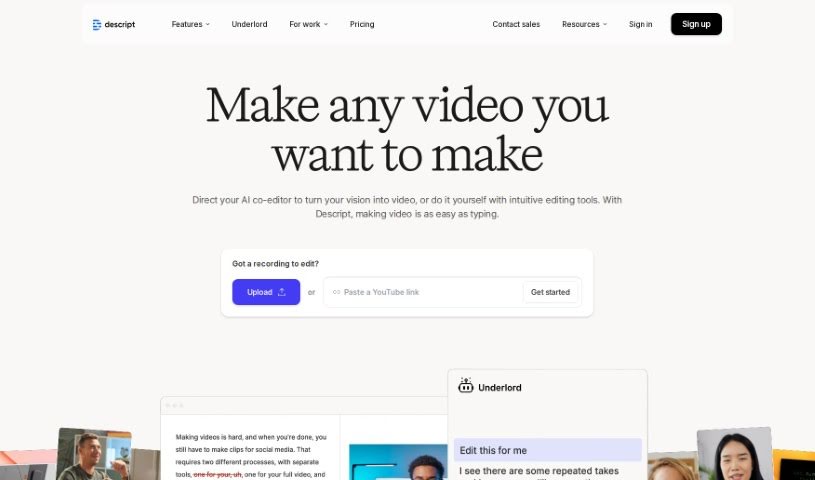
Screenshot of Descript

Descript

Discover what Descript is and how it simplifies video editing with AI-powered transcription, screen recording, and podcast tools.

Screenshot

What is Descript?

Descript is a user-friendly video editing platform that uses AI to simplify the editing process. It offers AI-powered editing assistance, audio and video transcription, screen recording, and multi-track audio editing. Descript is designed for creating video content for YouTube, social media, websites, and podcasts. Its straightforward interface lets you edit videos, add effects, transitions, and subtitles with a few clicks.

Who created Descript?

Descript was co-founded by Andrew Mason, who also serves as CEO. The company has around 100 employees and has raised $100 million in funding from investors including the OpenAI Startup Fund and Andreessen Horowitz. Its mission is to make video editing accessible to a wide range of users, from individual creators to businesses.

What is Descript used for?

  • Transcribing audio and video
  • Editing videos
  • Recording your screen
  • Creating podcasts
  • Making short clips
  • Recording remotely with others
  • Adding captions and subtitles
  • Generating AI speech
  • Promoting products or services
  • Writing YouTube descriptions

Who is Descript for?

  • Professional video editors
  • Podcasters
  • Video and content creators across platforms
  • Businesses using video for marketing, sales, and internal training or collaboration

How to use Descript?

  1. Sign up on the Descript website and choose a plan: Free, Hobbyist, Creator, or Business.
  2. Start editing:
    • Video editing: Use Descript’s AI features to simplify the editing process.
    • Podcasting: Record, transcribe, edit, polish, and publish podcasts in one place.
    • Clips: Use AI to find engaging moments in longer content and turn them into clips.
  3. Collaborate with teammates using built-in collaboration features.
  4. Use AI tools available in advanced plans, such as Filler Word Removal, Studio Sound for clearer audio, and Translate Captions. The AI editing assistant “Underlord” can also help with edits.
  5. Get support: The Descript website offers tips, updates, and community resources. Larger teams and enterprises can inquire about custom solutions.

Related

Related AI Tools

Discover more tools in similar categories

New tools, in your inbox.

Weekly picks of the best AI tools we've researched and added — no spam, unsubscribe anytime.

Join 25,000+ AI enthusiasts. No spam, unsubscribe anytime.