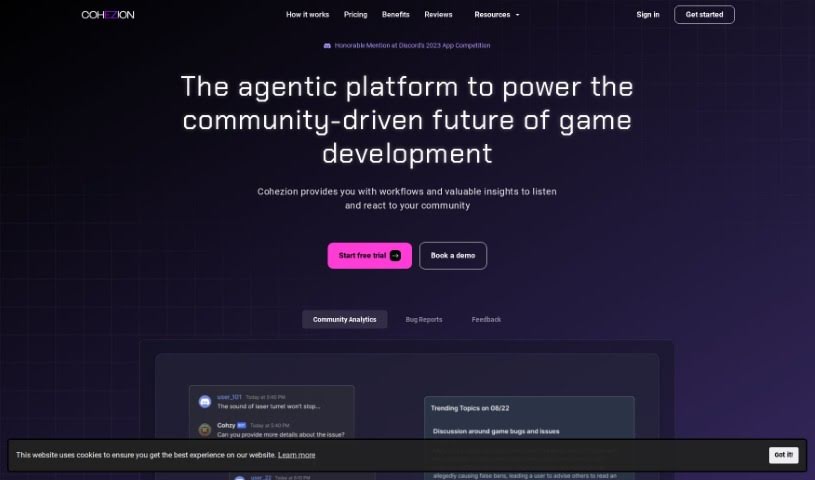
Screenshot of COHEZION

COHEZION

Discover COHEZION, an AI tool designed to boost connections between game developers and players. Learn about its features, how it works, and how it stacks up against other game development tools in 2025.

Screenshot

What is COHEZION?

COHEZION is an AI-powered tool built to really strengthen the bond between game developers and the players who love their games. It is a bridge that makes communication and understanding flow much more smoothly. It offers a suite of helpful features, including:

  • Bug Reporting: This makes tracking down and fixing bugs super efficient.
  • Communication: It allows for direct, open conversations between game studios and their player base.
  • Continuous Feedback Loop: This feature encourages a constant exchange of ideas, so players feel heard and developers get fresh perspectives.
  • AI Community Copilot: This acts as a smart assistant, offering support for decision-making based on community input.
  • Community Analytics: Studios can use this to really get a handle on what players are thinking and feeling, which is invaluable for improving how they make games.

Who created COHEZION?

COHEZION was founded by a single visionary, and the company officially launched on August 12, 2023. At its heart, COHEZION is an AI-driven platform designed to foster a stronger, more collaborative relationship between game developers and gamers. It’s packed with features like Bug Reporting, direct Communication channels, a Continuous Feedback Loop for sharing ideas, an AI Community Copilot to help guide decisions, and Community Analytics to really understand player sentiment. All of this works together to improve how games are developed and make the gaming experience itself much better for everyone involved.

What is COHEZION used for?

COHEZION is a versatile tool that helps game developers in many ways. Here’s a look at what it’s used for:

  • It provides a dashboard for analyzing bug reports.
  • It can automatically generate patch notes (currently in early access).
  • It offers customer success onboarding and support, with about 2 hours of support per month.
  • It makes collecting feedback easy and helps share product roadmaps and changelogs.
  • It uses AI to guide feedback and suggestions, often through Discord.
  • It integrates with popular project management tools like JIRA, Favro, and Trello.
  • It can automatically generate roadmaps based on feedback and feature requests.
  • It analyzes daily trends from Discord conversations.
  • It allows for freeform searching of conversations to uncover key insights.
  • It offers Community Analytics to help understand player feedback and gain valuable insights.

Who is COHEZION for?

COHEZION is designed for two main groups:

  • Game developers
  • Gamers

How to use COHEZION?

To get the most out of Cohezion, here’s a simple step-by-step guide:

  1. Sign Up: First things first, head over to the official Cohezion website and sign up for an account. You’ll just need to fill in some basic information.
  2. Login: Once your account is set up, log in using your username and password to get into the Cohezion platform.
  3. Dashboard: After logging in, you’ll land on the dashboard. This is your main command center, where you can see all your ongoing tasks, active projects, and how your team is collaborating.
  4. Create a Project: Ready to start something new? Just click the “Create New Project” button. You’ll need to give your project a name, outline its goals, and assign team members to it.
  5. Task Management: Inside each project, you can break down the work into specific tasks. For each task, you can add details like a description, a deadline, its priority level, and who’s responsible for it.
  6. Communication: Keep your team connected using the built-in messaging features. You can send direct messages, set up group chats, and easily share files.
  7. Document Sharing: Cohezion makes sharing documents a breeze. Upload any files that are relevant to your project to keep everyone on the same page.
  8. Track Progress: Keep an eye on how tasks and projects are moving along right from your dashboard. Remember to update task statuses as they get completed.
  9. Notifications: Make sure you don’t miss anything important! You’ll get notifications for project updates, new task assignments, and messages.
  10. Feedback and Review: Encourage your team to share their thoughts on tasks, projects, and the overall experience. This feedback is key to improving how you all work together.

By following these steps, you’ll be able to use Cohezion effectively for managing projects and collaborating with your team, which should lead to a smoother workflow and help you successfully complete your projects.

Related AI Tools

Discover more tools in similar categories that might interest you

Stay Updated with AI Tools

Get weekly updates on the latest AI tools, trends, and insights delivered to your inbox

Join 25,000+ AI enthusiasts. No spam, unsubscribe anytime.