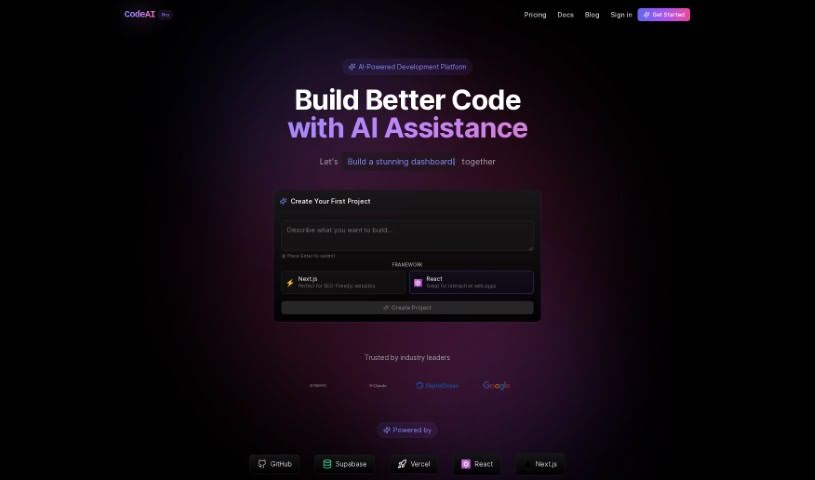
Screenshot of CodeAI

CodeAI

Discover what CodeAI is and how to make the most of it in 2025. We'll dive into its features, compare it to other code generators, and show you exactly how to integrate it into your workflow.

Screenshot

What is CodeAI?

CodeAI is your AI coding buddy, built right into VS Code. It’s designed to make the coding process smoother and more efficient for developers, no matter their experience level. Whether you’re just starting out or you’re a seasoned pro, CodeAI offers AI-powered help with generating code, creating unit tests, and even writing documentation. The goal here isn’t to replace developers, but to boost their productivity and efficiency. Plus, it works with many programming languages and keeps your data safe with end-to-end encryption.

Who created CodeAI?

CodeAI first launched on August 28, 2023. It was created by a team passionate about using AI to improve the coding experience for developers. As a VS Code extension, CodeAI focuses on key features like generating code snippets, automating unit tests, and simplifying documentation. Its main aim is to help developers of all skill levels work more efficiently by providing smart assistance throughout the coding process, all while prioritizing data privacy and security with end-to-end encryption.

What is CodeAI used for?

Here’s a quick rundown of what CodeAI can do for you:

  • Generate code using AI
  • Automatically create unit tests
  • Easily generate documentation
  • Get in-depth explanations for your code
  • Works with any programming language (it’s language-agnostic!)
  • Helps you be more productive and efficient
  • Runs locally for better safety and privacy
  • Handles projects of all sizes, big or small
  • Supports a wide range of programming languages

Who is CodeAI for?

CodeAI is a great tool for:

  • Individual Developers
  • Freelancers
  • Small development teams

How to use CodeAI?

Ready to get the most out of CodeAI? Just follow these simple steps:

  1. Pick Your Plan: First, choose the plan that best fits your needs. Options like ‘Newbie,’ ‘Solo,’ or ‘Pro’ are available, depending on your coding volume and budget.
  2. Install the Extension: Download the CodeAI extension directly for Visual Studio Code (VS Code). This is how you’ll access its AI-powered coding assistance.
  3. Start Using the Features: Dive into what CodeAI offers! You can get code suggestions, generate tests, create documentation, and use auto-complete to speed up your development.
  4. Supported Languages: Don’t worry about language compatibility; CodeAI is designed to be language-agnostic. It works seamlessly with languages like JavaScript, Python, TypeScript, Go, Rust, and C++.
  5. Working on Projects: Whether you’re working on a small script or a massive project, CodeAI can handle it. It ensures efficiency in code generation no matter the project’s scale.
  6. Trustworthy Assistance: You can count on CodeAI’s smart algorithms for secure and reliable code generation. Many users have shared positive testimonials about their experience.
  7. Share Your Thoughts: Have a suggestion or found a bug? You can share your ideas via the suggestion box or reach out to customer support if you run into any issues.
  8. Safety and Privacy First: CodeAI runs locally right on your development machine. This means your sensitive information stays secure and private, as the tool doesn’t store any of your data.

By following these steps, you’ll be well on your way to using CodeAI to make your coding experience better and your development workflow much smoother.

Related AI Tools

Discover more tools in similar categories that might interest you

Stay Updated with AI Tools

Get weekly updates on the latest AI tools, trends, and insights delivered to your inbox

Join 25,000+ AI enthusiasts. No spam, unsubscribe anytime.