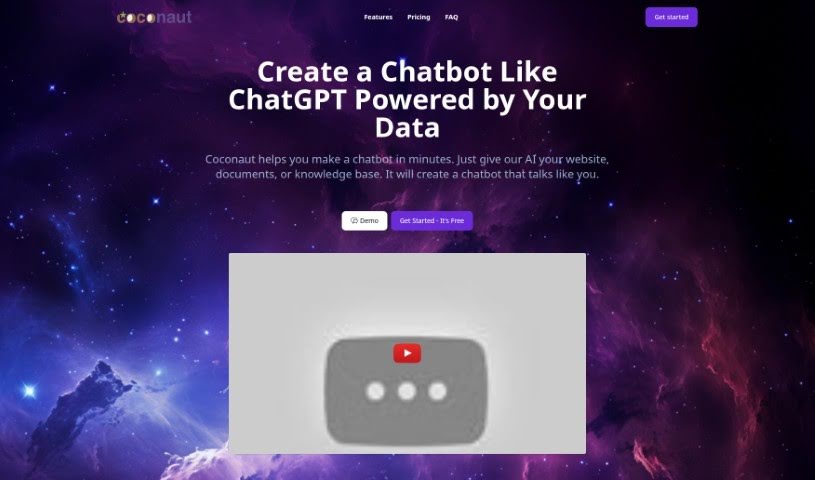
Screenshot of Coconaut

Coconaut

Discover what Coconaut is and learn how to use it effectively in 2025. We'll explore its key features, compare it to other Software Development Tools, and guide you through its setup.

Screenshot

What is Coconaut?

Coconaut is a platform designed to help you build chatbots really fast, using information you already have. Think of your website, any documents you’ve got, or your existing knowledge bases – Coconaut can use all of that. The chatbots you create with it will sound just like the data you fed them, making them feel really authentic to your brand. People seem to like Coconaut a lot because it’s secure, super easy to use, and you can specifically train your chatbot on your own unique datasets. It’s built to fit right into your website, and it runs on ChatGPT. Plus, you get to tweak things like the chatbot’s prompts and even choose which AI model it uses.

Coconaut also offers a few different pricing plans, so you can pick one that fits what your company needs. They start at just $19 a month for the Starter plan. If you need more, the Premium and Unlimited plans come with extra perks, like a higher monthly message limit and the option to get rid of that “Powered By” branding. You can also use the more advanced GPT-4 model, though it will cost a bit more because it requires more computing power than GPT-3.5 Turbo.

Who created Coconaut?

Coconaut was actually created in Albuquerque, New Mexico. The main idea behind it is to make it really simple and quick for anyone to build their own chatbots, with a helping hand from AI. You just give Coconaut your website, some documents, or your knowledge base, and it generates a chatbot that speaks in your brand’s voice. They’ve made their pricing quite accessible, with plans kicking off at $19 a month. These plans include features like training on GPT-3.5 Turbo, and you can even remove the branding if you opt for their higher-tier plans.

What is Coconaut used for?

Here’s a rundown of what you can do with Coconaut:

  • Build a chatbot using your own data: This includes your website content, documents, or even spreadsheets.
  • Designed for security and ease: The platform was built with both security and user-friendliness in mind.
  • Personalized training: Your chatbot gets trained specifically on your data.
  • Website integration: It’s made to be easily integrated right into your website.
  • Powered by ChatGPT: It uses the capabilities of ChatGPT.
  • Customization: You can give your chatbot a specific name, set personality traits, and provide instructions on how it should respond.
  • Multilingual support: It can handle conversations in over 50 different languages.
  • Boost customer engagement: It’s great for optimizing how you interact with your customers.
  • For leading businesses: Many businesses use it to improve how they engage with their customers.

Who is Coconaut for?

Coconaut is a versatile tool that can benefit a wide range of professionals and businesses, including:

  • Companies of all sizes
  • Customer Support Representatives
  • Sales Representatives
  • HR Professionals
  • Marketers
  • Trainers
  • Developers
  • Product Managers
  • Content Managers
  • Entrepreneurs
  • Consultants

How to use Coconaut?

Getting started with Coconaut is pretty straightforward. Just follow these simple steps:

  1. Pick a plan: First, you’ll need to sign up. You can choose from the Starter, Pro, Premium, or Unlimited plan, depending on what you need and what fits your budget.
  2. Train your chatbot: This is where you give your chatbot its knowledge. Use your own data – like your website content or documents – to train it. This ensures it communicates in a way that sounds like you.
  3. Set up the details: Now, you can customize your chatbot. Give it a name, define its personality traits, and provide specific instructions on how it should handle questions.
  4. Add it to your website: Integrating the chatbot onto your website is easy. This allows for smooth interactions with your visitors.
  5. Keep an eye on credits: Depending on your plan, you’ll have a certain number of monthly message credits. Just a heads-up: using the more advanced GPT-4 model will use up credits faster because it’s more computationally intensive than GPT-3.5 Turbo.
  6. Get support if you need it: If you have any questions or run into any issues, don’t hesitate to reach out to the Coconaut support team. They’re there to help.
  7. Upgrade to remove branding: If you’d prefer not to have the “Powered by Coconaut” branding on your chatbot, you can upgrade to a Premium or Unlimited plan.

By following these steps, you can effectively use Coconaut to create and customize a chatbot that perfectly matches your needs and preferences.

Related AI Tools

Discover more tools in similar categories that might interest you

Stay Updated with AI Tools

Get weekly updates on the latest AI tools, trends, and insights delivered to your inbox

Join 25,000+ AI enthusiasts. No spam, unsubscribe anytime.