What is Circleback?
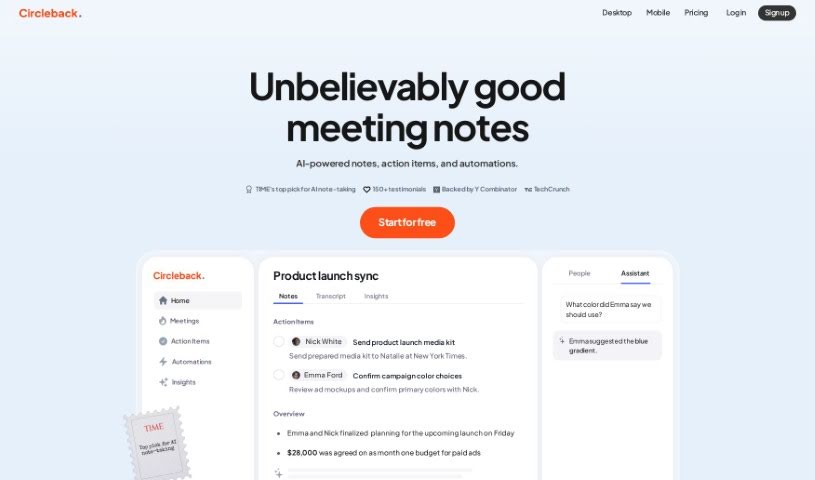
Circleback is a smart platform that records and transcribes your meetings, whether they’re online or in person. After the meeting wraps up, it automatically gives you detailed summaries, lists out action items, and provides comprehensive notes. It’s designed to work smoothly with your calendar apps and popular meeting tools like Zoom, Google Meet, Microsoft Teams, and WebEx, transcribing conversations in over 100 languages. You’ll find features like automated note-taking, AI-powered search to find exactly what you need, and powerful automations that can connect with tools you already use, such as Slack, Notion, HubSpot, and Salesforce. Circleback also takes data security seriously, encrypting your information both while it’s being sent and when it’s stored. Plus, you’re in control of who can access and share your meeting data. You can easily share notes with your team, create links for others to view, or send meeting summaries directly to attendees via email.
Who created Circleback?
Circleback.ai was actually started by Matthew McClure. He’s also the Founder and VP of Developer Experience at Mux. The company itself focuses on providing AI-driven notes, action items, and transcriptions for meetings. They’ve built it to integrate with a bunch of apps you might already use, like Slack, Notion, and Salesforce, and they can handle meeting transcriptions in more than 100 languages.
What is Circleback used for?
Circleback is pretty versatile! Here’s a rundown of what it can do:
- Unlimited AI Notes & Transcriptions: Get AI-driven notes, action items, and transcriptions for all your meetings, without limits.
- Easy Calendar Integration: It connects with your calendar and can even join meetings automatically.
- Your AI Meeting Copilot: Think of it as a meeting assistant that can answer questions about what happened in your meetings or even help with custom writing tasks.
- Search Across All Meetings: Find information quickly with AI-powered search that scans all your past meetings.
- Smart Workflow Automations: Set up automations to spot key insights from meetings and easily connect with platforms like Slack, Notion, HubSpot, Salesforce, Attio, Linear, and many others.
- Direct Data Integration: Use webhook integration to send meeting data straight to your CRM or other destinations, either directly or through services like Zapier and Make.
- Import Your Recordings: You can also import audio and video files from past conversations.
- Handle In-Person Meetings: Easily add details for in-person meetings right from your phone or laptop.
- Save & Replay: Keep and rewatch your meeting recordings whenever you need to.
- Automatic Sharing: Notes and action items get shared automatically via email.
- Record & Transcribe: It handles both online and in-person meetings, recording and transcribing them.
- Action Items & Summaries: Get clear action items and detailed summaries after each meeting.
- Automated Actions: It can automatically write notes, identify action items, and even act on insights discovered during meetings.
- Review & Email Summaries: You can review your notes and get automatic email summaries.
- AI-Powered Search: Use smart search to find specific information from any of your meetings.
- Multilingual Notes: Generate AI-written notes in many languages, with accurate transcriptions.
- Speaker Identification: Know who said what with clear transcripts and notes.
- Insight-Driven Workflows: Create workflows to spot and act on meeting insights.
- Integrate with Your Tools: Connect seamlessly with apps like Slack, Notion, HubSpot, Salesforce, and more.
- Secure & Private: Your data is encrypted in transit and at rest, and you control access and sharing.
- AI Assistant: It acts as a copilot, answering questions and performing custom writing tasks related to your meetings.
- Workflow Automations (again!): Identify insights and integrate with tools like Slack, Notion, HubSpot, Salesforce, Attio, and Linear.
- Webhook Integration (again!): Send meeting data to CRMs or other places, directly or via Zapier/Make.
- In-Person Meeting Input: Add in-person meetings from your phone or laptop.
- Transcribe Everything: Handles both online and in-person meetings.
- Summaries & Action Items: Generates action items and detailed post-meeting summaries.
- Insight Workflows: Creates workflows to find insights from meetings.
- Platform Integrations: Connects with Slack, Notion, HubSpot, Salesforce, Attio, and Linear.
- Automatic Email Sharing: Shares notes and action items via email automatically.
- Calendar Auto-Join: Joins meetings automatically from Google Calendar and Microsoft Outlook Calendar.
- In-Person Meeting Input (again!): Add in-person meetings from your phone or laptop.
- Save & Replay: Saves and replays meeting recordings.
Who is Circleback for?
Circleback is designed for a wide range of professionals who deal with meetings regularly. This includes:
- Founders and CEOs
- VP of Developer Experience
- AI Engineers
- Client Success Coaches
- Directors of US Market
- Executive Coaches
- Group Partners
- Lead Technical Product Marketing Managers
- Founders (in general)
- Global VPs of Sales
- Senior Executive Assistants to CEOs
- Business Efficiency Consultants
- Chief Digital Architects
- Developers
- Directors of Marketing
- Sales Teams
- Tech-Savvy Assistants
Essentially, anyone who wants to make their meetings more productive and their follow-up more efficient will find Circleback useful.
How to use Circleback?
Using Circleback.ai is pretty straightforward. Just follow these steps:
- Connect Your Calendar: First, link Circleback to your calendar. This lets it automatically join your scheduled meetings. If you have a meeting that isn’t scheduled or an in-person one, you can just paste a link, and Circleback will join. It works with popular platforms like Zoom, Google Meet, Microsoft Teams, WebEx, and even Slack huddles.
- Record Your Meetings: You can record meetings directly from your phone or laptop. If you have audio or video files from in-person discussions, you can import those too.
- Let the AI Help: Circleback acts as your personal meeting assistant. It generates AI-driven notes, action items, and transcriptions for you, usually within minutes after the meeting ends.
- Share Your Notes: Once you have your notes, you can share them with your team directly through Circleback. You can also create shareable links for people outside your team or simply email the meeting notes and action items to everyone who attended.
- Automate Your Workflows: Set up custom workflows to easily spot important insights from your meetings. Then, integrate these insights with tools you already use, like Slack, Notion, HubSpot, Salesforce, and others.
- Multilingual Support: Don’t worry about language barriers; Circleback can handle meetings in over 100 different languages.
- Stay Secure: Your data is kept safe with encryption both while it’s being transferred and when it’s stored. Circleback is committed to your privacy and will never sell your information.
- Integrate with Your Favorite Apps: Make meeting management even smoother by connecting Circleback with all the apps you love to use.
Basically, Circleback.ai makes taking notes during meetings much simpler, offers powerful ways to automate tasks, and provides a secure place to manage all your meeting data effectively.