What is Chopcast?
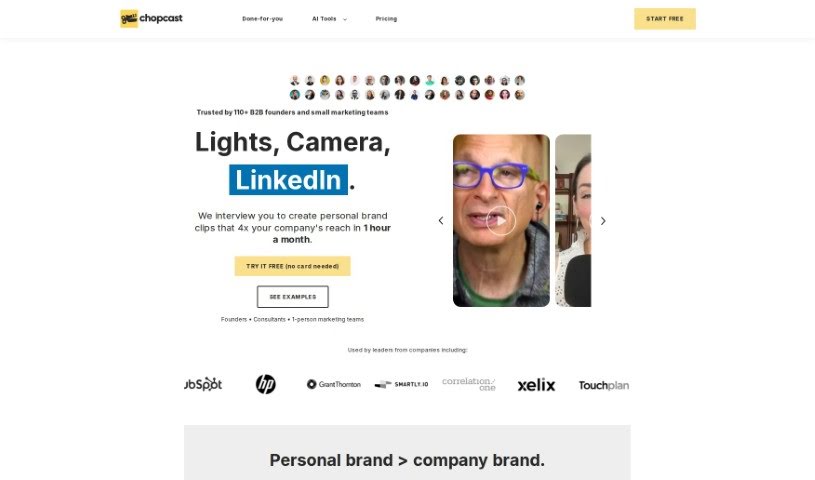
Chopcast is a platform designed to help you repurpose your content. It uses natural language processing (NLP) technology to automatically find, edit, and share the most important moments from your longer recordings. This makes it super easy to use those highlights for your marketing and sales efforts. You can choose from a free plan or paid options, which let you create edited videos, podcasts, articles from transcripts, and even .SRT files for more advanced video editing. If you want to make more clips, you can simply search for keywords or use the topics Chopcast suggests. The platform offers handy features like AI video highlights, a clip maker, video trimming, and automatic subtitles. Basically, it helps you get more out of your content without needing complicated tools or spending hours on manual editing. Chopcast is really aimed at B2B founders and small marketing teams, helping them create personalized clips for their brands. They also offer services like Studio Sessions, podcast repurposing, quick turnaround times, LinkedIn captions, and strategy consulting. You can give Chopcast a try for free with a 7-day trial. After that, you can pick a paid plan based on how long the videos you upload are. The AI technology is there to help automatically spot those impactful moments in your videos, so you can create concise and engaging clips perfect for social media.
Who created Chopcast?
Chopcast was founded by brothers Aamen Mostafa and Kareem Mostafa. Aamen Mostafa is a Co-founder, helping to shape the company’s vision and strategy. Chopcast is really changing the game for B2B creators when it comes to repurposing content. It uses AI tools to efficiently create engaging social media clips from things like webinars and video podcasts.
What is Chopcast used for?
Here’s a breakdown of what you can do with Chopcast:
- Create short-form videos in vertical, square, and horizontal formats, complete with captions.
- Turn any video into a podcast with just one click.
- Export transcripts that are easy to rework into articles.
- Get subtitles directly from your videos.
- Use the AI video highlights feature to automatically generate clips.
- Make custom clips easily.
- Trim your clips precisely.
- Resize videos to fit different platforms.
- Repurpose content from webinars, livestreams, video podcasts, virtual events, online courses, and meetings.
- Effortlessly find and share key moments from your long recordings.
- Create videos: Vertical, square, and horizontal captioned short-form videos.
- Export videos into podcasts with one click.
- Generate articles by exporting transcripts that can be easily reworked.
- Export subtitles (.SRT files) from videos for further editing.
- Automatically generate video clips using the AI video highlights feature.
- Transform webinars and podcasts into engaging clips with the Clip Maker tool.
- Fine-tune video clips with easy trimming using the Trim Clips tool.
- Adapt video clips to different social media platforms by resizing them.
- Access a whole range of tools for content repurposing.
- Effortlessly create shorts, using features like AI video highlights and clip making.
- Automatically generate video clips using AI.
- Transform webinars and podcasts into engaging clips.
- Fine-tune video clips with easy trimming tools.
- Adapt video clips to suit different social media platforms.
- Create edited videos, podcasts, and articles from transcripts.
- Generate .SRT files for further video editing.
- Edit auto-generated clips as needed.
- Create additional clips by searching keywords or using suggested topics.
- Repurpose webinar and video podcast content for social media.
- Produce concise, impactful clips tailored for maximum social media impact.
- Adapt clips to suit different social media platforms.
- Effortlessly resize videos.
- Add instant subtitles with over 95% accuracy.
- Create clips by speaker or topic.
- Maintain full editorial control over your content.
- Elevate your webinar and video podcast content into highly engaging, shareable social media clips.
- Automatically identify impactful moments in videos to transform them into concise clips tailored for maximum social media impact.
- Effortlessly resize videos and add instant subtitles with high accuracy.
- Create clips by speaker or topic while maintaining full editorial control.
- AI Video Highlights: Automatically generate video clips using AI.
- Clip Maker: Transform webinars and podcasts into engaging clips.
- Trim Clips: Fine-tune video clips with easy trimming tools.
- Resize Video: Adapt clips to suit different social media platforms.
- Content repurposing for marketing and sales channels.
- Edit auto-generated content and create additional clips based on keywords or suggested topics.
- Adapt clips to different social media platforms.
- Create edited videos and podcasts from transcripts.
Who is Chopcast for?
Chopcast is ideal for:
- Founders
- Consultants
- One-person marketing teams
How to use Chopcast?
Here’s how to get started with Chopcast:
- Sign Up and Start Your Trial: First, sign up for a free 7-day trial. This gives you access to all the tools and services so you can explore everything Chopcast offers.
- Upload Your Video: Once you’re logged in, simply upload your video content to the platform.
- Auto-generate Clips: Let Chopcast’s AI do the heavy lifting! It automatically finds the key moments in your video and creates engaging clips for you.
- Edit and Customize: You can then edit these auto-generated clips however you like. Plus, you can create even more clips by searching for specific keywords or using the topics the platform suggests.
- Explore Features: Make sure to check out all the great features, like AI Video Highlights, the Clip Maker, Trim Clips, Resize Video, and more, to really boost your content.
- Subscription and Payment: You can choose between free or paid plans. The paid plans often come with monthly minute bundles for uploading content, and they might offer benefits like unlimited video exports.
- Sharing and Collaboration: If you have a team, you can share your Chopcast subscription. This lets your teammates repurpose their content and work together more effectively.
- Support and Assistance: Need help? You can reach out to the support team directly within the app. They offer hands-on support and can guide you through any questions or issues you might have.
- Cancellation and Modifications: You have the flexibility to cancel or modify your plan at any time. You’ll have access to the service until your current subscription cycle ends.
Chopcast is a really versatile tool that helps you repurpose your video content effectively for marketing and sales. With its easy-to-use interface and AI-powered features, you can transform those long recordings into impactful clips that are perfect for social media. This can really boost your content strategy and help you connect better with your audience. Why not try Chopcast for free today and see how it can help you unlock the full potential of your video content?