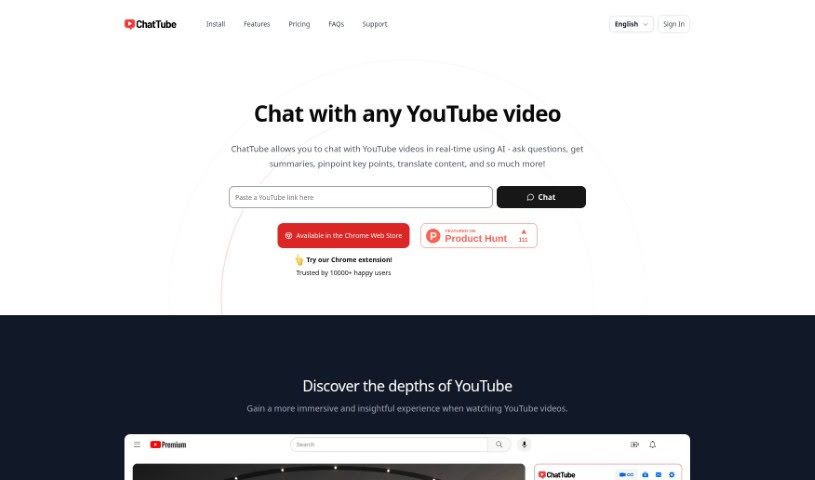
Screenshot of ChatTube

ChatTube

Discover ChatTube in 2025! Learn what this handy Chrome extension is, how to use its AI-powered features for YouTube, and how it stacks up against other YouTube video tools.

Screenshot

What is ChatTube?

ChatTube is a smart Chrome extension that really upgrades your YouTube experience. It lets you have personalized chats with an AI right there as you watch videos. You can ask questions, get quick summaries, find the most important parts, translate things, and so much more, all in real-time. ChatTube offers a few different pricing options, so you can pick one that fits how much you plan to use it, whether that’s just a little or a lot. These plans give you daily access to video chats, messaging, support for videos that don’t have transcripts, and even priority email help. Plus, ChatTube keeps a record of your chats so you can pick up where you left off, and it also has a history of the videos you’ve interacted with. They’re really keen on hearing what users think and are always working on making it even better, with plans to let you even interact with content from the comment section down the road. It works with most browsers based on Chrome and supports chatting in many different languages.

Who created ChatTube?

ChatTube is a Chrome extension built to make watching YouTube more engaging by letting you chat with an AI about the videos. The team behind ChatTube is focused on creating personalized conversations around all sorts of YouTube content. You can choose from different subscription plans depending on how much you’ll use it, with options like Essential or Pro. The AI chatbot inside ChatTube actually uses ChatGPT to understand what’s happening in the video and then sparks up conversations that match the video’s topic and themes. It’s pretty neat because it supports multiple languages, and they’re always looking for user feedback to improve the product.

What is ChatTube used for?

  • Planning trips
  • Learning new things online
  • Getting quick video summaries
  • Checking out product reviews
  • Finding food recommendations

Who is ChatTube for?

  • Anyone learning online
  • People who need instant summaries
  • Those looking at product reviews
  • Travelers planning their next adventure
  • Foodies seeking new recommendations

How to use ChatTube?

Ready to dive into YouTube with ChatTube? It’s a Chrome extension that makes watching videos a more interactive experience. Here’s how you get started:

  1. Install It: First, just add the ChatTube Chrome extension to your browser. It’s a simple step!
  2. Find a Video: Head over to any YouTube video page. As long as you have the extension installed, it’ll be ready to go.
  3. Log In and Chat: Once you’re on the video page, log into your ChatTube account. Then, you can start chatting about the video content right away!

Key Features You’ll Love:

  • Real-Time Chats: You can talk with the videos as you watch them. Ask questions, get summaries, or even translate content on the fly.
  • Great for Many Uses:
    • Online Learning: Make educational videos even better with interactive discussions.
    • Instant Summaries: Quickly get the main points of a video through conversational highlights.
    • Product Reviews: Dive deeper into reviews by asking for more specific insights.
    • Travel Planning: Plan your next trip by chatting with travel videos about destinations.
    • Food Recommendations: Discover new places to eat with interactive suggestions.

Subscription Plans to Fit Your Needs:

  1. Essential Plan: For $4.99 a month, you get to interact with up to 30 videos daily.
  2. Growth Plan: This plan is $9.99 a month and offers more capabilities for expanded use.
  3. Pro Plan: Go unlimited for $14.99 a month, giving you full access.

Got Questions? We’ve Got Answers:

  • Video Limits: If you’re on the Essential plan, you can chat with 30 videos each day. Pro plan users get unlimited access, so no worries there!
  • Support: Don’t worry if a video doesn’t have a transcript; the extension still works! And if you have ideas for improvements, they’re happy to hear them.
  • History: Your chat records are saved, so you can always go back and review them. There’s also a handy video history feature.
  • Always Improving: The extension is actively maintained, and they really value user feedback.
  • Language: It supports many languages, and you can even select your preferred language in the settings.

More About ChatTube:

  • AI Power: It uses ChatGPT to create personalized chats based on what’s in the video.
  • What’s Next: They’re working on cool new features, like letting you interact with content directly from the comment section.

ChatTube really changes how you engage with YouTube, offering a more immersive and interactive experience for anyone who wants to get more out of their video watching.

Related AI Tools

Discover more tools in similar categories that might interest you

Stay Updated with AI Tools

Get weekly updates on the latest AI tools, trends, and insights delivered to your inbox

Join 25,000+ AI enthusiasts. No spam, unsubscribe anytime.