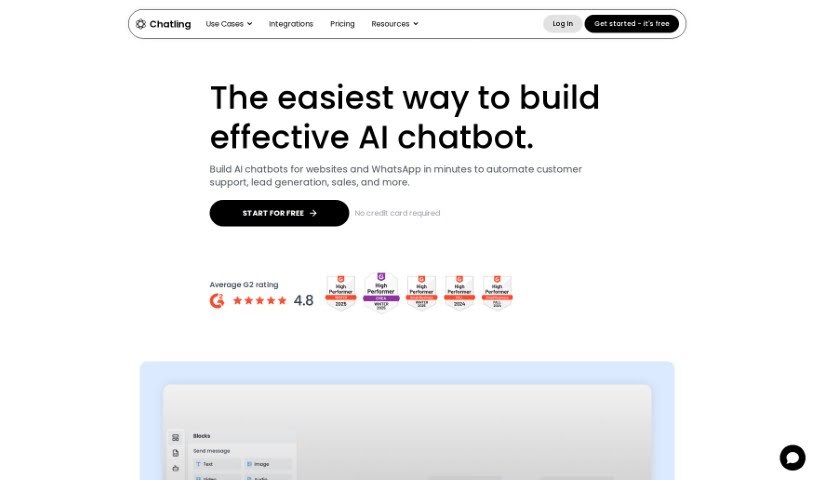
Screenshot of Chatling

Chatling

Discover what Chatling is and how to use it effectively in 2025. We'll explore its features and see how it stacks up against other Software Development Tools.

Screenshot

What is Chatling?

Chatling is a platform designed to help businesses build their own AI chatbots without needing any coding skills. It is a way to easily create custom AI assistants. These chatbots can be super helpful for things like customer support, generating leads, or answering questions from your knowledge base. Ultimately, they’re all about making customers happier and boosting sales. The process is pretty straightforward: you give the chatbot data to learn from, tweak its look to match your brand, pop it onto your website, and then check out the conversations to see what you can learn. Over 2,000 businesses already trust Chatling, and you can even start for free – no credit card needed!

What makes Chatling stand out? Well, you can really make the chatbot your own by customizing its look to fit your brand. You can train it using all sorts of data sources, and embedding it on your website is a breeze. It’ll give customers instant answers to their questions, and you’ll get insights from those conversations to make it even better. Plus, Chatling speaks over 85 languages, so it’s great for a global audience. It’s designed to give accurate answers thanks to its fine-tuning and training features, and it keeps your data private and secure. You even get to pick from different AI models, and the platform can grow with your business, integrating with other tools you might use.

When it comes to AI credits, they’re used up each time your chatbot generates an AI-powered response. The number of credits used depends on which AI model you’ve chosen. If you hit your AI credit limit, you’ll get a heads-up, and the chatbot will pause its AI responses until your credits refresh at the start of the next month, or until you upgrade or buy more credits. The platform also provides details on AI knowledge base characters, its refund policy, how to fine-tune the AI’s responses, how to cancel subscriptions, and how Chatling uses non-essential cookies on its site.

Who created Chatling?

Chatling was created by Jiří Tikal. He’s an Account Manager at UniMark and has really helped Chatling succeed by sharing his valuable insights and expertise. Chatling itself is a platform that lets you build advanced AI chatbots visually, making it easy for businesses of any size, from small startups to large enterprises. Their main goal is to help businesses automate tasks like customer support, lead generation, and sales, all without needing to write a single line of code. With a simple drag-and-drop builder, plenty of customization options, and support for many languages, Chatling offers a complete way to improve how you interact with customers and keep them happy.

What is Chatling used for?

  • Generating leads
  • Providing customer support
  • Making customers more engaged
  • Answering questions from a knowledge base
  • Improving customer satisfaction
  • Driving sales
  • Giving instant answers
  • Learning from conversations to get insights
  • Customizing chatbots to match your brand
  • Putting chatbots on your website

Who is Chatling for?

  • Customer support teams
  • Lead generation specialists

How to use Chatling?

To get the most out of Chatling, here’s a simple step-by-step guide:

  1. Add Data Sources: Start by feeding your chatbot the information it needs to learn. You can add websites, documents, or even just type in text manually.
  2. Customization: Make the chatbot truly yours! Adjust its appearance and how it works to perfectly match your brand and your specific needs.
  3. Embedding: Getting your AI chatbot onto your website is super easy. Just paste a simple widget code, and it’ll integrate smoothly.
  4. Training: Now, train the chatbot using all the data you’ve provided. This helps it get really good at answering customer questions accurately.
  5. Analytical Insights: Keep an eye on the conversations your chatbot has. Analyzing these interactions will give you valuable insights to make its performance even better over time.

By following these steps, you can really use Chatling to connect better with your customers, offer great support, bring in more leads, and boost overall customer satisfaction. Plus, Chatling’s interface is so user-friendly, you don’t need any coding experience, making it perfect for businesses of any size. With over 2,000 businesses already relying on Chatling and a free way to get started, it’s a fantastic tool for improving customer interactions and driving sales without a hassle.

Related AI Tools

Discover more tools in similar categories that might interest you

Stay Updated with AI Tools

Get weekly updates on the latest AI tools, trends, and insights delivered to your inbox

Join 25,000+ AI enthusiasts. No spam, unsubscribe anytime.