What is Chat Data?
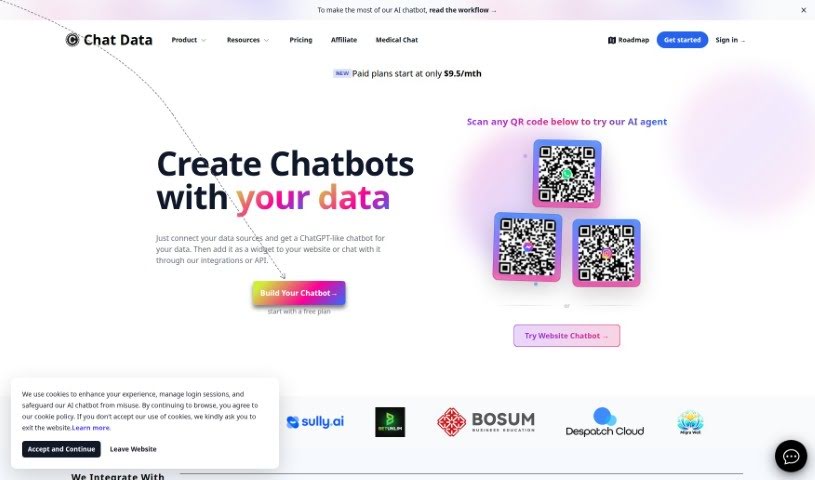
Chat Data is a platform built for creating and integrating AI chatbots. It lets you build custom chatbots that can offer 24/7 customer support, act as specialized medical assistants, speak multiple languages, and keep your data private. You can train these chatbots using all sorts of data formats, and they keep your conversation history safe right in your browser, using strong encryption methods.
The platform also plays well with others, connecting to tools like Slack and Discord. Plus, it meets HIPAA guidelines, which is crucial for medical applications. Chat Data’s analytics tools give you a clear picture of how your chatbots are performing, showing things like user engagement and where your users are located. You can also set rate limits for public chatbots and even train them using video or audio inputs. On top of all that, you can tweak how your chatbots look and act to perfectly match your brand’s personality.
Who created Chat Data?
About Chat Data:
Chat Data is a platform that launched on March 29, 2023, making it easier for anyone to develop and integrate AI chatbots. While the founding entity remains undisclosed, the company’s core mission is to provide highly customizable chatbots. These include options for 24/7 customer support, specialized models for medical use, and extensive linguistic and personality customization. It leverages both GPT-3.5 Turbo and GPT-4 models for advanced AI capabilities. Data privacy is a big focus; conversation histories are stored directly in the user’s browser, and the platform supports multiple languages and various data formats for training. It’s also HIPAA compliant for medical chatbots.
Users can easily integrate third-party tools, personalize their chatbot’s appearance, and gain valuable user insights through built-in analytics.
What is Chat Data used for?
- Multi-language support: Chatbots can converse fluently in various languages.
- 24/7 Customer Support: Provide round-the-clock assistance to your customers.
- Customizable chatbots: Tailor chatbots to your specific needs and brand.
- Supports documents and links: Train chatbots using provided documents and web links.
- Offers medical chatbots: Specialized models for healthcare applications.
- Linguistic and personality customization: Fine-tune how your chatbot communicates.
- GPT-3.5 Turbo and GPT-4 models: Access powerful AI capabilities.
- Prioritizes data privacy: Keeps your information secure.
- Browser-based conversation history: Conversations are stored locally for privacy.
- Chatbot training personalization: Train chatbots with your own data for specific tasks.
- Third-party tools integration: Connect with other services like Slack and Discord.
- Creating customizable chatbots for round-the-clock customer service: Build bots that are always available to help.
- Developing medical chatbots with specific language and personality traits: Craft specialized bots for healthcare needs.
- Training chatbots using various data formats such as text, video, or audio inputs: Broaden your training data beyond just text.
- Ensuring data privacy by storing conversation history within the user’s browser: Your conversations stay private and local.
- Supporting chatbots that can converse in multiple languages: Reach a global audience with ease.
- Gaining insights into chatbot conversations through analytical tools: Understand user interactions better.
- Customizing chatbot appearance and functionality for brand alignment: Make your chatbot a true reflection of your brand.
- Integrating third-party tools with chatbots: Extend your chatbot’s capabilities by connecting it to other platforms.
- Enabling rate limiting for public chatbots: Control usage and prevent abuse.
- Complying with HIPAA guidelines for medical chatbots: Ensure secure and compliant healthcare interactions.
- FAQ links integration: Easily link to frequently asked questions.
- Analytics for user understanding: Get deeper insights into how users interact.
- Geographic user analysis: See where your users are located.
- Lead gathering: Collect valuable leads through chatbot interactions.
- HIPAA compliant medical models: Secure and trustworthy for healthcare use.
Who is Chat Data for?
- Customer service representatives: Enhance support with AI assistance.
- Marketing professionals: Engage customers and gather leads.
- Healthcare providers: Offer specialized, compliant medical chatbots.
- Language and Personality Trainers: Fine-tune chatbot communication styles.
- Customer support teams: Provide 24/7 assistance.
- Healthcare sector: Utilize HIPAA-compliant medical models.
- Lead generation: Capture potential customer information.
- Analytics professionals: Gain insights from chatbot data.
- Customer Support Representatives: Streamline support operations.
- Healthcare professionals: Implement secure patient communication tools.
- Language Specialists: Customize linguistic nuances for chatbots.
- Data Analysts: Leverage analytics for user behavior insights.
- Brand managers: Ensure chatbot personality aligns with brand identity.
- Branding and Marketing Specialists: Create engaging customer experiences.
- Market Researchers: Gather user feedback and trends.
- Sales Representatives: Qualify leads and provide initial information.
- Small Business Owners: Offer professional customer service without a large team.
How to use Chat Data?
To get the most out of the Chat Data tool, here’s a straightforward guide:
-
Subscription and Setup:
- First, subscribe to the reseller plan if you want to customize the chatbot’s branding.
- You’ll use the provided API to manage and create your chatbots.
- Then, embed the chatbot script into your website by adding the JavaScript code Chat Data gives you.
-
Chatbot Creation:
- Start by customizing your chatbot’s look, its language style, and its personality.
- Train your chatbot using documents, links, text, video, or audio files you provide.
- For advanced AI, you can choose between the GPT-3.5 Turbo and GPT-4 models.
-
Features and Integrations:
- Take advantage of features like 24/7 customer support, specialized medical chatbots, multi-language capabilities, and strong data privacy.
- You can also integrate third-party tools to make your chatbot even more powerful.
- Don’t forget to customize the chatbot’s appearance, link to FAQs, and use the analytics tools for deeper user insights.
-
Administration and Management:
- Manage your chatbot’s training characters to ensure it performs at its best.
- Understand how the message credit system works for AI responses and different model choices.
- Make sure the chatbot interface really fits your brand’s personality.
-
Sharing and Collaborating:
- You can easily share the chatbots you create with others.
- Plus, the platform is HIPAA compliant, which is great for medical chatbots.
-
Cost and Plan Options:
- You can try out the tool with a free plan that gives you 20 message credits and access to a chatbot with a 400,000 character limit.
- It’s good to know the costs for different models and responses.
-
Advanced Functionality:
- Explore features like real-time user monitoring, webhooks support, and actions such as setting appointments or creating lead forms.
By following these steps, you’ll be able to effectively create, manage, and fine-tune chatbots with the Chat Data tool for all sorts of uses across different industries.