What is Capsule?
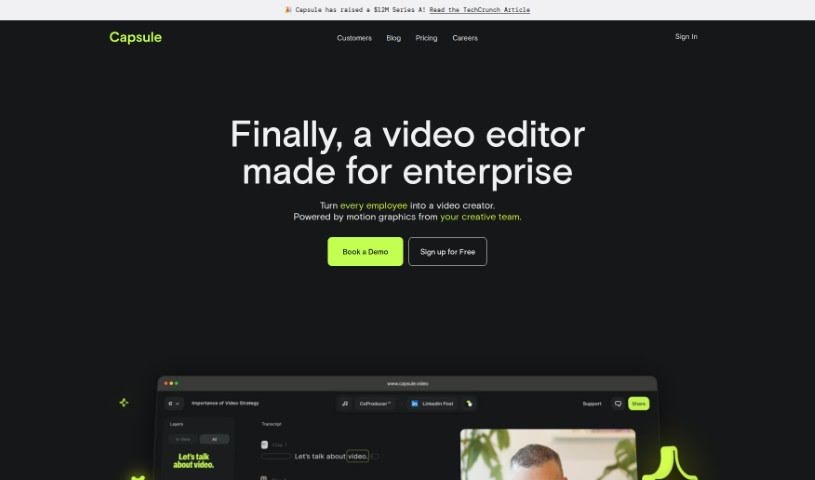
Capsule is an AI-powered video editing platform built specifically for content and marketing teams. Its main goal is to make video editing much simpler and faster – we’re talking up to 10 times easier! It also helps keep your brand looking consistent and makes it super easy for everyone on your team to work together. Capsule comes with cool features like motion design systems, which let you create really eye-catching graphics without needing a designer. Plus, there’s an AI assistant called AI Co-Producer™ that can handle editing tasks for you, like cutting out unnecessary bits or filler words. You can edit videos just like you edit text, uploading, transcribing, fixing, cutting, and formatting everything smoothly in a shared workspace. On top of that, Capsule gives your videos a professional finish with stylish graphics, titles, animations, and even original B-roll footage generated right from your text prompts. The platform also prioritizes security and privacy, and it’s backed by some pretty big names in AI and the future of work, which really adds to its credibility.
Who created Capsule?
Capsule, the AI video editor for content and marketing teams, was actually founded by Roy Raanani. He’s also the Co-Founder of Chorus.ai, so he knows a thing or two about this space. The company officially launched on September 21, 2023, with a clear mission: to speed up video editing by a factor of 10, ensure brand consistency across all videos, and make collaboration a breeze for teams. Capsule offers some neat features, including motion design systems that let you create stunning graphics, and its AI Co-Producer™ is designed to automate common editing tasks. You’ll also find tools that make editing videos feel effortless and help give them that professional polish. What’s really neat is that Capsule lets you generate original B-roll footage straight from text, so you don’t even need to rely on stock footage anymore.
What is Capsule used for?
Capsule can do a lot to help you create amazing video content:
- You can generate original, on-brand B-roll footage just by typing what you need.
- It automatically adjusts your video content so it looks perfect on any platform.
- Create your own reusable motion design systems for any video series you make.
- Gather user-generated content (UGC) easily with Capsule Collect.
- Magically resize your videos to fit any platform perfectly.
- Create custom themes for your projects.
- Generate custom soundtracks or upload your own music.
- Work together with your team in a single, unified video editing workspace.
- Share videos, get feedback, and make edits all in one place.
- Keep your brand and data safe within a secure platform.
- Generate custom soundtracks for your videos.
- Crowdsource user-generated content (UGC).
- Streamline your team’s workflow with collaborative workspaces.
- Get access to a VIP Slack community for networking.
- Receive VIP onboarding and dedicated support.
- Edit terms of service or your MSA.
- Participate in the info/security review process.
- Generate original, on-brand B-roll footage.
- Automatically adjust video content for different channels.
- Record video and audio directly within your Capsule projects.
- Increase your video editing speed by 10 times.
- Maintain brand consistency in all your video creations.
- Automate tedious editing tasks with an AI-powered assistant.
- Edit videos seamlessly using a text-based editor.
- Create visually stunning graphics with motion design systems.
- Generate original B-roll footage directly from text.
- Collaborate efficiently within team workspaces.
- Access stock libraries for creative assets.
- Easily crowdsource user-generated content (UGC).
- Maximize your video content strategy with expert support.
Who is Capsule for?
Capsule is a great tool for a variety of teams and individuals:
- Content teams working at media agencies and newsrooms.
- Marketing teams, whether you’re at a startup or a large corporation.
- Any team that needs to scale up its video content production and wants to remove those frustrating production bottlenecks.
- Content and marketing teams in general.
- Media agencies.
- Newsrooms.
- Startups.
- Large corporations.
- Basically, any team looking to scale their video content and remove production bottlenecks.
- Content teams specifically at media agencies.
How to use Capsule?
To get the most out of Capsule, here are the key steps to follow:
- Sign Up: First, you’ll need to register. Make sure to use your company email so you can access all of Capsule’s features.
- Features Overview: Take some time to understand what Capsule’s AI can do. This includes things like its motion design systems, the AI Co-Producer™ for automating editing tasks, and helpful tools for voice enhancement, removing jump cuts, and creating AI text titles.
- Editing Process: Once you’re set up, upload your videos to the workspace. You can then edit them much like you would text – transcribe, correct mistakes, cut out sections, and format everything effortlessly, all in one place.
- Graphics and Captions: Make your videos really pop by adding professional graphics, studio-quality titles, animations, and engaging captions that will grab your viewers’ attention.
- B-roll and Voiceovers: Need some extra footage? You can generate original, on-brand B-roll directly from text prompts. You can also add AI-generated voiceovers to narrate your videos.
- Collaboration and Sharing: Capsule makes teamwork easy. Use its collaborative features to streamline your workflows, share videos with your team, get feedback, and keep your brand consistent, all within a secure platform.
- Customization and Themes: To keep your brand looking unified, explore the design systems. You can customize motion design elements, resize videos for different platforms, and create reusable motion design systems for future projects.
- Assets and Music: Capsule gives you access to stock libraries for various creative needs. You can also add custom soundtracks, source UGC, and you’ll get VIP onboarding and support to help you get started.
- Finalize and Share: Finally, edit and fine-tune your videos within Capsule until they’re perfect. Make sure they match your brand guidelines and really connect with your audience.
By following these steps, you’ll be able to use Capsule really efficiently to create engaging, professional-grade videos with both ease and speed.