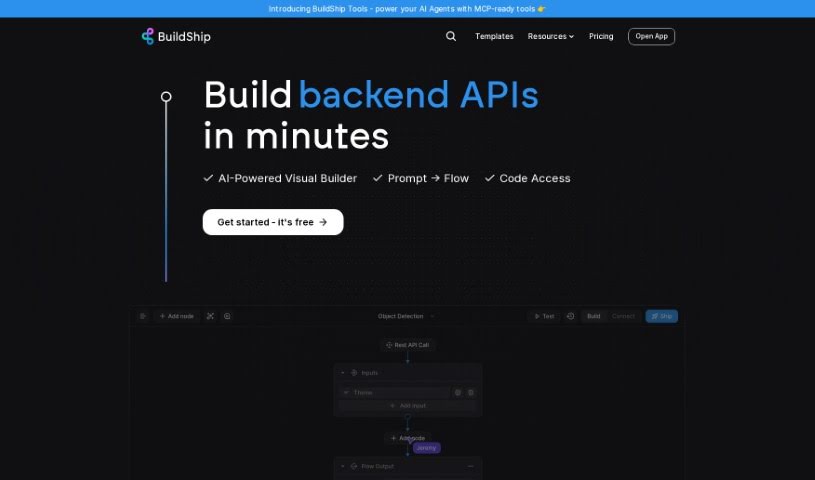
Screenshot of BuildShip

BuildShip

Discover BuildShip in 2025! Learn what this low-code visual tool is, how to use its features for building backend workflows, APIs, and more, and how it stacks up against other programming tools.

Screenshot

What is BuildShip?

BuildShip is a really neat low-code visual tool that lets you build all sorts of backend stuff for your applications – think workflows, APIs, scheduled jobs, and cloud functions. What’s cool is that it’s powered by AI, so you can actually create these backend components without needing to be a coding wizard. BuildShip lets you connect pre-built blocks, or if something isn’t there, you can just describe what you need, and the AI can create a custom node for you. This means you don’t have to wait around for integrations to be built. You can even mix and match different AI models and tools within your workflows, grab templates for tricky use cases, and use handy features like version control and advanced dev tools. Basically, BuildShip makes building backend components a whole lot simpler and faster, all through a visual interface with AI helping out.

Who created BuildShip?

BuildShip was actually created by BuildShip, which is part of Rowy Inc. It first launched on September 26, 2023. As we mentioned, Buildship is a low-code visual tool that makes it super easy for anyone to build backend workflows, APIs, scheduled jobs, and cloud functions for their apps. Since it’s AI-powered, you can whip up backend components without needing to write a ton of code. The tool is designed to let you connect ready-made nodes or even generate custom ones using AI, which really speeds up the whole development process.

What is BuildShip used for?

BuildShip is incredibly versatile, letting you:

  • Build backend workflows: Design the logic and flow for your application’s backend processes.
  • Create APIs: Easily set up Application Programming Interfaces to allow different software components to communicate.
  • Develop scheduled jobs: Automate tasks that need to run at specific times or intervals.
  • Build cloud functions: Write and deploy serverless functions for event-driven tasks.
  • Connect pre-built nodes or create custom nodes using AI: This is a big one! You can either use ready-made components or describe what you need, and the AI will help build it for you, saving tons of time.
  • Combine multiple AI models and tools into workflows: Integrate various AI services to create sophisticated functionalities.
  • Access templates for complex use cases: Get a head start with pre-built solutions for common, intricate scenarios, often involving popular AI tools.
  • Utilize version control and advanced dev tools: Manage your code effectively with features like version history and a robust code editor.
  • Develop using JavaScript/Typescript: If you want to dive deeper, you can use these popular programming languages.
  • Streamline backend development: It offers a visual, low-code approach that simplifies the entire process.
  • Access templates for complex use cases using AI tools: Again, this is a key benefit for tackling advanced tasks.
  • Utilize built-in features like version control and code editor: These tools are integrated to make your development smoother.
  • Use JavaScript/Typescript for development: Flexibility is key, and you have these options.
  • Simplify the development process with a low-code visual approach: This is the core advantage – making backend development accessible.

Who is BuildShip for?

BuildShip is a fantastic tool for a wide range of people involved in building applications:

  • Developers: Anyone who builds software.
  • Software engineers: Professionals focused on the engineering aspects of software.
  • Backend Developers: Specialists in the server-side logic and infrastructure.
  • API Developers: Those who focus on creating and managing APIs.
  • Cloud Function Developers: Individuals who build serverless functions.
  • Makers: People who enjoy creating and building projects, often with a hands-on approach.
  • Creators: Anyone bringing new ideas to life, especially in the digital space.

How to use BuildShip?

Getting started with Buildship is pretty straightforward. Here’s a breakdown of the steps:

  1. Sign Up and Project Creation:
    • First, you’ll need to sign up for Buildship. This usually gets you a free project, which is basically your personal workspace to start building.
    • If you want to access more advanced features, you can upgrade your project to a paid tier.
    • Keep in mind that if you need more than just the initial free project, you’ll need to subscribe to a paid plan.
  2. Workflow Execution:
    • Every plan comes with a certain amount of hours for running your workflows. This are your usage allowance.
    • If you find you need more time to run your workflows, paid plans let you add extra execution hours as needed.
    • When we talk about workflow execution, it just means running a workflow, like when an API call is made or a function is executed.
  3. AI-Generated Nodes:
    • You can explore the node explorer to find pre-generated nodes, or if you need something specific that isn’t listed, you can simply describe the logic you want, and the AI will generate a custom node for you. Pretty neat, right?
    • If you happen to use up your AI node credits on a paid plan, you can purchase extra ones.
  4. Support Channels:
    • During the beta phase, everyone can get support by using an in-app form. It’s a direct way to get help.
    • For those on paid plans, support is also available through these in-app forms. If you’re on the free plan, the community on Discord is a great place to get help and connect with other users.
  5. Backend Development with AI:
    • You can visually build your backend workflows, APIs, scheduled jobs, and cloud functions. The AI-powered capabilities really help streamline this process.
    • Remember, you can connect pre-built nodes or create custom ones using AI to make development much faster.
  6. Additional Features:
    • Don’t forget to check out the templates available for complex use cases, especially those that integrate with popular AI tools.
    • Features like version control, a code editor, and support for JavaScript/Typescript are there to really boost your development experience.
  7. Contact Buildship Team:
    • The best way to get in touch is usually through the Support form directly within the Buildship app. You can also reach out via email at [email protected].

Overall, Buildship offers a really smooth way to develop backend components. Its low-code, visual approach, combined with AI technology, makes building things much simpler. It helps you get your ideas out there faster and supports your project as it grows and needs to scale.

Related AI Tools

Discover more tools in similar categories that might interest you

Stay Updated with AI Tools

Get weekly updates on the latest AI tools, trends, and insights delivered to your inbox

Join 25,000+ AI enthusiasts. No spam, unsubscribe anytime.