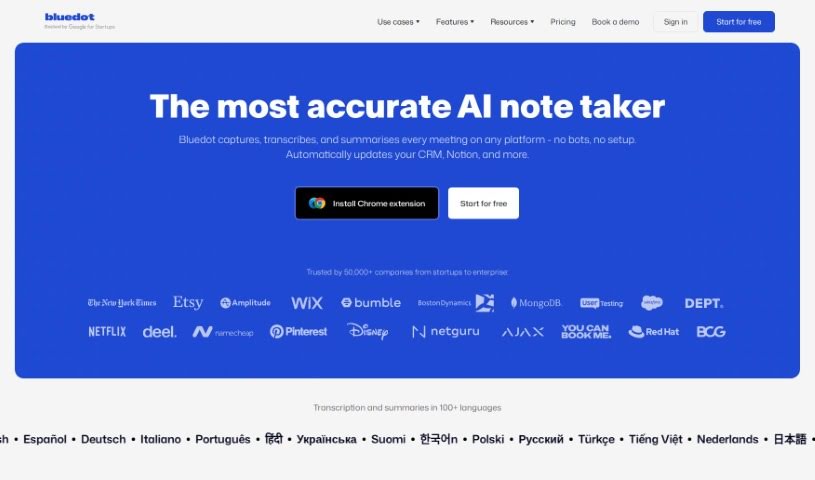
Screenshot of Blu Dot

Blu Dot

Discover what Blu Dot is and how to use it effectively in 2025. Explore its features, compare it to other AI note-takers, and see how it can boost your productivity.

Screenshot

What is Blu Dot?

Blu Dot is a smart Chrome extension that works with Google Meet to make your meetings much easier. It is your AI assistant for Google Meet, automatically handling the tedious stuff like recording, transcribing, and summarizing your conversations. You can easily record any meeting, and Blu Dot will create AI-generated notes that are actually useful for whatever you need – whether it’s a client call or a team sync. Plus, you can share these notes with your colleagues, and rest assured, your data is protected because they’re GDPR-compliant. Blu Dot also offers handy features like screen recording, capturing key meeting highlights, letting you add annotations, and even basic video editing. What really sets it apart, though, is that it’s a bot-free recorder, meaning no intrusive bots in your calls. It also gives you customizable notes and has a strong focus on keeping your data secure from the ground up.

Who created Blu Dot?

Bridget Harris, who also happens to be the CEO and co-founder of YouCanBookMe, created Bluedot. Her company offers this really neat AI-powered Chrome extension specifically for Google Meet. The whole idea is to make meetings better by automating the recording, transcription, and summarization parts. Bluedot really emphasizes privacy, using a bot-free approach and making sure everything is GDPR-compliant. People using it can expect to save time, cut down on costs, and generally be more productive, thanks to features like meeting recording, AI notes, screen recording, and more.

What is Blu Dot used for?

  • Boost productivity: Get more done in less time.
  • Automate admin work: Let the AI handle the boring administrative tasks.
  • Close more deals: Improve your sales process with better insights.
  • Improve deal alignment: Make sure everyone on your team is on the same page.
  • Automate mundane tasks: Free yourself from repetitive, uninspiring work.
  • Know your customers: Gain deeper understanding of who you’re working with.
  • Prevent churn: Identify and address issues before customers leave.
  • Automate scorecards: Streamline performance tracking.
  • Manage expectations: Ensure clear communication and understanding.
  • Coach and onboard faster: Help new team members get up to speed quickly.

Who is Blu Dot for?

  • Sales Representatives
  • Customer service representatives
  • Interviewers
  • HR Professionals
  • Recruiters

How to use Blu Dot?

Bluedot is a handy AI-powered Chrome extension for Google Meet that really simplifies recording, transcribing, and summarizing your meetings. Here’s a simple, step-by-step guide to get you started:

  1. Install the Extension: First, grab the Bluedot Chrome extension. You can usually find it through a direct link provided by the service.
  2. Start Your Meeting: Head over to Google Meet and kick off your meeting as usual.
  3. Hit Record: Once the meeting is underway, just click the Bluedot extension button. It’s that simple to start recording.
  4. Get Your AI Notes: Let the AI work its magic! It’ll generate meeting notes that are specifically tailored to what you need – whether it’s for customer calls, team discussions, or something else entirely.
  5. Use Extra Features: Explore other helpful tools like screen recording, capturing key meeting highlights, adding annotations, leaving comments, editing your videos, and hosting them.
  6. Stay Secure: Remember, Bluedot is GDPR compliant, so your data is kept safe and private.
  7. Share Easily: Share what happened in the meeting with your team without hassle. It integrates with tools like Slack, Notion, or your CRM platform.
  8. Automate More: Want to save even more time? You can set up automatic updates for your CRM, send follow-up emails, analyze sales data, or track customer interactions. This really helps boost productivity and manage your deals better.

By following these steps, you’ll find that Bluedot really improves your meeting experience. You’ll save time, cut down on costs, and generally be more productive, all thanks to its smart features and easy-to-use design.

Related AI Tools

Discover more tools in similar categories that might interest you

Stay Updated with AI Tools

Get weekly updates on the latest AI tools, trends, and insights delivered to your inbox

Join 25,000+ AI enthusiasts. No spam, unsubscribe anytime.