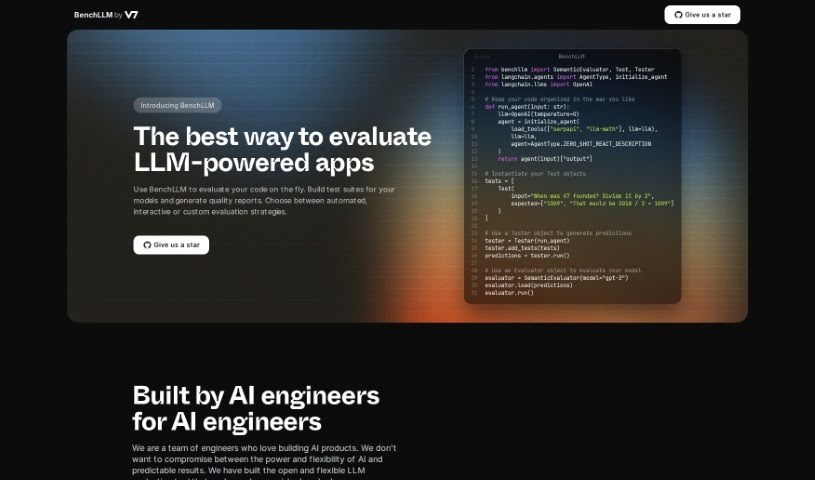
Screenshot of BenchLLM

BenchLLM

Discover what BenchLLM is and how to use it effectively in 2025. Dive into its features, compare it with other Software Development Tools, and learn how it helps evaluate AI-powered applications.

Screenshot

What is BenchLLM?

BenchLLM is a really handy tool built specifically for checking out AI applications that use Large Language Models, or LLMs for short. It is a platform that helps developers really get a handle on their models. You can set up test suites, which are basically collections of tests, and then get back detailed reports on how well your models are performing. What’s great is that you can pick how you want to test – whether it’s fully automated, more interactive, or completely custom, depending on what you need. It also comes with a user-friendly command-line interface (CLI), making it super easy to plug into your CI/CD pipelines. This means you can keep an eye on your model’s performance and catch any regressions, even when it’s out in the real world. BenchLLM plays nicely with popular APIs like OpenAI and Langchain, and defining your tests is a breeze, whether you prefer JSON or YAML formats.

Who created BenchLLM?

BenchLLM was created by a dedicated team of AI engineers. They designed this platform to be a complete solution for anyone evaluating AI applications that rely on Large Language Models (LLMs). The company offers a tool that’s both flexible and open, meaning it can adapt to all sorts of different testing needs. Developers have the freedom to assess their models using strategies that are automated, interactive, or custom-tailored. BenchLLM works smoothly with various APIs, including OpenAI and Langchain, and it makes defining tests simple, using either JSON or YAML formats.

What is BenchLLM used for?

BenchLLM is your go-to for several key tasks:

  • Automated Evaluation: It handles automated testing of AI models whenever you need it.
  • Interactive and Custom Testing: You get options for testing that’s either interactive or fully custom, fitting whatever your development style prefers.
  • Powerful CLI for Monitoring: There’s a user-friendly command-line interface that you can easily connect to your CI/CD pipelines. This is fantastic for keeping a constant watch on how your model is performing over time.
  • Flexible API Support: It works right out of the box with a variety of APIs, such as OpenAI and Langchain, which really opens up possibilities for different kinds of tests.
  • Intuitive Test Definition: You can define and organize your tests in a straightforward way, using either JSON or YAML formats, which really helps streamline the whole evaluation process.

Who is BenchLLM for?

  • AI engineers
  • Developers

How to use BenchLLM?

To get the most out of BenchLLM, here’s a simple step-by-step guide:

  1. Sign up: First things first, create an account on the BenchLLM platform. This gives you access to all the features and tools you’ll need.
  2. Build Test Suites: Start by creating your test suites. You can use JSON or YAML formats to organize and structure your evaluation tests really effectively.
  3. Choose Evaluation Strategy: Decide on the best way to test. You can pick from automated, interactive, or custom evaluation strategies, depending on what your testing requirements and preferences are.
  4. Utilize CLI for Monitoring: Make sure to use BenchLLM’s powerful Command-Line Interface (CLI). It’s designed to integrate smoothly with CI/CD pipelines, allowing you to continuously monitor your model’s performance.
  5. API Integration: Take advantage of BenchLLM’s compatibility with popular APIs like OpenAI and Langchain. This makes it easy to run all sorts of different test scenarios without a hitch.
  6. Evaluate Model: Now, use BenchLLM to get predictions and evaluate how your model is doing. The Evaluator tool is key here.
  7. Generate Reports: Once you have your results, generate detailed quality reports. These reports will give you a clear picture of your model’s performance.
  8. FAQs: If you have any questions or need more clarification on how the tool works, don’t hesitate to check out the frequently asked questions section on BenchLLM’s website.

By following these steps, you’ll be able to effectively use BenchLLM to evaluate your AI applications that use Large Language Models (LLMs). Plus, you’ll get those detailed quality reports you need for your models.

Related AI Tools

Discover more tools in similar categories that might interest you

Stay Updated with AI Tools

Get weekly updates on the latest AI tools, trends, and insights delivered to your inbox

Join 25,000+ AI enthusiasts. No spam, unsubscribe anytime.