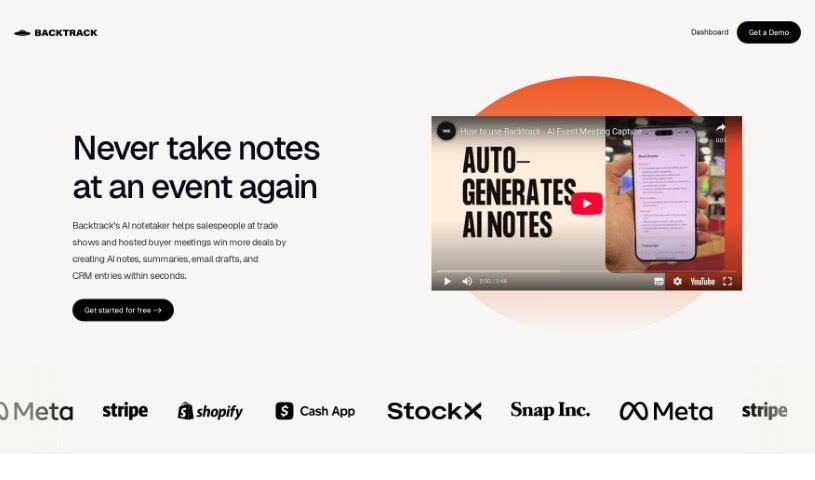
Screenshot of Backtrack

Backtrack

Discover what Backtrack is and how to use it in 2025. We'll explore its features, compare it to other AI note-takers, and show you how to get the most out of it.

Screenshot

What is Backtrack?

Backtrack is a really handy tool for Mac users, sitting right in your menu bar. It is a personal recorder that can recall and save audio, screen recordings, and even conversations you’ve had in the past. It’s super versatile, perfect for capturing everything from Slack Huddles and client calls to brainstorming sessions, user interviews, sales calls, webinars, and even bug reporting. You can locally record up to five hours of past audio, screen activity, or microphone input. Plus, you get to preview and tweak what you’ve saved before you download it. And here’s a neat part: Backtrack also has AI note-taking built-in. You can upload your recordings to the cloud, and the AI will whip up transcripts and summaries for you, saving you from all that manual note-taking. It automatically keeps track of the last hour of internal or external audio and your screen, making it easy to retrieve and store, all while keeping your privacy safe until you decide to share.

Who created Backtrack?

Hunter and Jordan are the folks behind Backtrack, launching it on May 14, 2023. Their company has focused on making it integrate smoothly with popular CRMs like Salesforce, Hubspot, and others, offering different plans – Explorer, Basic, and Pro – to suit various needs. Essentially, Backtrack is a Mac menu bar recorder designed to help with all sorts of recording and note-taking tasks, even providing AI-generated summaries and transcriptions of your conversations.

What is Backtrack used for?

Backtrack is incredibly useful for a variety of situations:

  • Brainstorming sessions
  • Webinars
  • Bug reporting
  • Recording Slack Huddles
  • Client calls
  • User interviews
  • Sales calls
  • Conference booths
  • It’s also a great aid if you struggle with ADHD or have a weaker working memory.
  • It helps solve problems with those synchronous conversations common in remote teams.
  • And it’s perfect for remembering action items from meetings.

Who is Backtrack for?

Backtrack is a fantastic tool for a wide range of professionals and teams:

  • Sales professionals
  • Business professionals
  • Remote team members
  • Salespeople
  • Customer Relationship Managers
  • Marketers
  • Entrepreneurs
  • Consultants
  • Event Organizers

It’s ideal for anyone involved in:

  • Exploration and Sales
  • Customer Service
  • Brainstorming
  • User interviews
  • Sales Calls
  • Webinars
  • Conference Attendance
  • B2B Fact Finding
  • B2B Customer Meetings
  • B2B Sales
  • Client Calls
  • Client Visits
  • Partnership Meetings
  • Project Management
  • Design Collaboration
  • Brainstorming Sessions

And it’s especially helpful for:

  • Remote Teams in General
  • Engineering Teams
  • Marketing and Advertising professionals
  • Salespeople
  • Project managers
  • Business Development professionals
  • Consultancy Firms
  • Customer Success Teams

If you use CRMs like Salesforce, Hubspot, Airtable, Zoho CRM, Close, Pipe Drive, or even Google Sheets, Backtrack can integrate nicely to streamline your workflow.

How to use Backtrack?

Using Backtrack is pretty straightforward. Here’s a simple breakdown:

  1. Installation: First, you’ll want to download and install Backtrack from its official website. Remember, it’s a Mac menu bar recorder.
  2. Recording: Once installed, just run Backtrack in the background. It’ll start recording audio clips from your past conversations automatically. It usually saves the last 5-20 minutes of conversations whenever you need it.
  3. Customization: Before you download anything, you can preview and customize exactly what you want to save, whether it’s from Zoom calls or in-person chats.
  4. AI Transcriptions: Make the most of the AI note-taking feature! Upload your recordings to the cloud, and Backtrack’s AI will generate transcripts and summaries for you.
  5. Integration: Backtrack plays nicely with various CRMs, including popular ones like Salesforce, Hubspot, and others, making follow-ups and data handling much more efficient.
  6. Automation: After a conversation, you can snap a photo of a business card to kickstart an automation process in just seconds. Backtrack can even help you schedule follow-up calls and manage contact information without a hassle.
  7. Privacy: Your privacy is important. Backtrack keeps your audio history stored locally on your device until you’re ready to upload or share it.
  8. Feedback: Many users have shared how Backtrack has been a lifesaver for recalling crucial meeting details, boosting memory, and generally improving their productivity.

By following these steps, you can really get the most out of Backtrack’s features for keeping your information organized and easily accessible.

Related AI Tools

Discover more tools in similar categories that might interest you

Stay Updated with AI Tools

Get weekly updates on the latest AI tools, trends, and insights delivered to your inbox

Join 25,000+ AI enthusiasts. No spam, unsubscribe anytime.