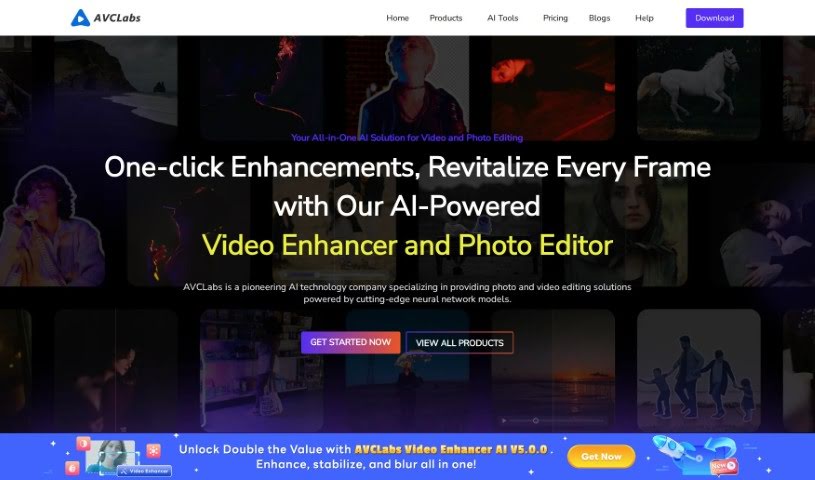
Screenshot of Avclabs

Avclabs

Discover what Avclabs is and how to use its powerful AI tools for video and photo enhancement in 2025. We'll cover its features and compare it to other video editing options.

Screenshot

What is Avclabs?

AVCLabs is all about making your videos and photos look their absolute best using AI. They’ve developed a suite of tools designed to boost quality, including their popular Video Enhancer AI, Photo Editor AI, Photo Enhancer AI, and Video Blur AI.

AVCLabs Video Enhancer AI is your personal video quality booster. It uses smart neural networks to do things like upscale your videos to higher resolutions, get rid of grainy noise, sharpen up faces, add color to black and white footage, and fix interlaced video. It’s built to be really easy to use, helping you improve video resolution, clean up noise, refine faces, stabilize shaky footage, and a whole lot more. Their PhotoPro AI is just as straightforward for photo editing. It comes with handy auto-selection tools and one-click AI fixes, plus options to boost photo quality, increase resolution, add color, and remove anything you don’t want in your pictures.

And if you need to add blur effects, AVCLabs Video Blur AI does that automatically. You can blur moving faces, video backgrounds, specific objects, or even license plates. Essentially, AVCLabs offers creative, user-friendly AI tools that make enhancing your videos and images a breeze.

Who created Avclabs?

AVCLabs, the company behind these AI-powered video and photo enhancement tools, officially launched on September 8, 2021. While the specific individuals who founded the company aren’t detailed in the information provided, AVCLabs has quickly established itself by offering a range of helpful tools. These include Video Enhancer AI, AI Photo Editor, Photo Enhancer AI, and Video Blur AI. Their goal is to simplify and significantly improve video and image editing processes by leveraging advanced neural network models.

What is Avclabs used for?

AVCLabs is incredibly versatile, helping you with a wide range of tasks:

  • Video Upscaling: Take your low-resolution videos and make them sharp and clear in high definition.
  • Quality Boost: Improve overall video quality using advanced multi-frame processing.
  • Face Refinement: Recover and sharpen faces in your videos, making them look their best.
  • Color & Tone Adjustments: Easily tweak brightness, contrast, and saturation in videos to enhance their look.
  • Smart Blurring: Automatically add blur effects to moving faces, backgrounds, specific objects, and license plates in your videos.
  • Background Removal: Take out video backgrounds without needing a green screen.
  • Photo Enhancement: Boost the quality of your photos using AI-powered tools.
  • Photo Resolution: Increase photo resolution to crisp HD and even 4K quality.
  • Photo Colorization: Add vibrant color to black and white photos or calibrate existing colors.
  • Photo Cleanup: Remove unwanted elements or backgrounds from your photos with ease.
  • Noise Reduction & Stabilization: Enhance video quality by removing noise, deinterlacing, sharpening, and stabilizing footage through multi-frame processing.
  • Advanced Face Recovery: Using cutting-edge AI for face detection and recognition, you can recover details from blurry video footage and refine facial features.
  • Automatic Tracking & Blurring: The system can automatically detect, track, and blur moving faces and license plates, saving you a lot of manual work.
  • Simplified Photo Editing: Make photo editing much simpler with quick, automatic selection tools and AI-driven features for upscaling, colorizing, and background removal.

Who is Avclabs for?

AVCLabs is a great resource for anyone working with visuals:

  • Photographers: Enhance your existing photos or bring old ones back to life.
  • Video Editors: Improve the quality of footage, remove unwanted elements, and add effects efficiently.
  • Content Creators: Make your videos and images more engaging and professional for your audience.
  • Graphic Designers: Streamline your workflow and achieve higher quality results in your design projects.

How to use Avclabs?

Using AVCLabs Video Enhancer AI is pretty straightforward. Here’s a simple breakdown of the steps:

  1. Upload Your Video: First, you’ll need to upload the video you want to enhance to the AVCLabs platform. Just drag and drop or select the file.
  2. Pick Your Enhancements: Next, choose the specific improvements you want to make. This could include upscaling the resolution, removing noise, recovering faces, colorizing, or deinterlacing.
  3. Tweak the Settings: You can fine-tune the enhancement settings to get exactly the look you want. This might involve adjusting parameters like brightness, contrast, and saturation.
  4. Let the AI Work: Once you’ve set everything up, the AI technology will process your video, applying the enhancements to boost its quality.
  5. Check and Save: Before you finalize, take a moment to preview the enhanced video. If you’re happy with how it looks, save the improved version to your computer.

For more specialized features, like recovering faces, blurring specific objects, or removing backgrounds, AVCLabs also offers other tools such as AI Face Recover and Refine and Video Background Remover AI. You can explore these to add even more polish to your projects.

All in all, AVCLabs makes it really easy to enhance your videos using AI. They offer a variety of features that help you improve video quality smoothly and effectively.

Related AI Tools

Discover more tools in similar categories that might interest you

Stay Updated with AI Tools

Get weekly updates on the latest AI tools, trends, and insights delivered to your inbox

Join 25,000+ AI enthusiasts. No spam, unsubscribe anytime.