What is Autopod?
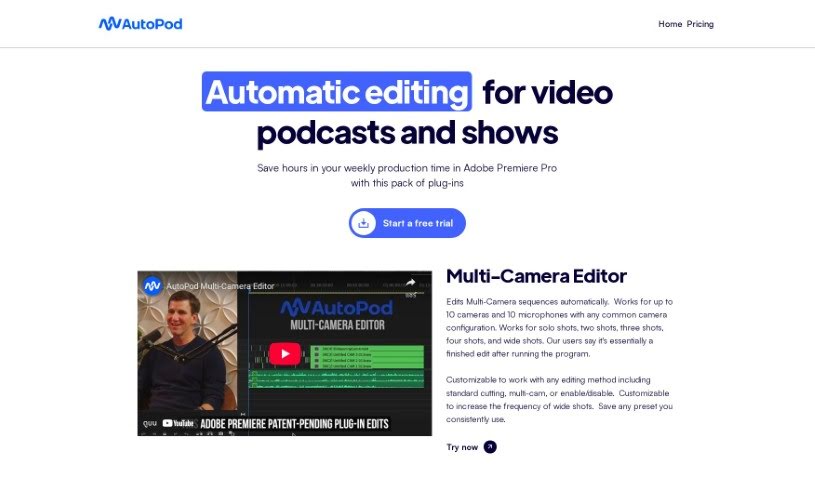
Autopod is a smart editing assistant specifically built for podcasters and show creators who already use Adobe Premiere Pro. It’s essentially a collection of plug-ins designed by people who actually edit videos, meaning they know the pain points! Autopod automates a lot of those tedious, repetitive tasks that eat up your time. For instance, it can automatically create jump cuts by detecting silence in your footage, making your videos more dynamic. It also handles complex multi-camera setups, supporting up to 10 cameras and 10 microphones, which is a huge time-saver. Plus, it helps you create social media clips in all sorts of different aspect ratios, so your content looks great everywhere. You can customize how it edits, whether you’re doing a simple cut or managing multiple camera angles, all to make your editing process much more efficient.
Who created Autopod?
Autopod was created by a company dedicated to making video editing easier for podcasters and show creators. They’ve developed automation tools that work right inside Adobe Premiere Pro. Their main goal is to save you time by automating tasks like cutting out silence, editing multi-camera footage, and quickly generating social media clips in different sizes. While the specific founder isn’t mentioned, the company’s focus is clearly on streamlining the editing workflow through smart automation.
What is Autopod used for?
Autopod is a real workhorse for video editing, especially if you’re dealing with multiple cameras or need content for social media. Here’s a breakdown of what it can do:
- Effortless Multi-Cam Editing: It automatically edits sequences for up to 10 cameras and microphones, handling all sorts of configurations. This means you spend less time syncing and cutting between shots.
- Social Media Ready Clips: Need to create clips for Instagram, TikTok, or YouTube Shorts? Autopod generates and exports these social media clips in various aspect ratios, so your content is always formatted correctly.
- Dynamic Jump Cuts: It intelligently creates engaging jump cuts by detecting silence in your footage, keeping your audience hooked and your videos flowing smoothly.
- Personalized Editing: You get customizable settings to fine-tune your editing methods and control how often shots change, fitting your specific style.
- Time-Saving Automation: At its core, Autopod automates those repetitive editing tasks that usually take up so much production time.
- Versatile Shot Support: It works seamlessly for different types of shots, whether it’s a solo presenter, a two-person interview, a three or four-person setup, or a wider shot.
- Smart Resizing: Autopod automatically adjusts sequence settings and footage sizes to match the aspect ratio you need for social media clips.
- Built-in Social Features: You can also automatically add auto-reframes, watermarks, and end pages to your social clips if you want that extra polish.
- Streamlined Workflow: It’s all about automating processes to make your video editing workflow much smoother and more efficient.
Who is Autopod for?
Autopod is a fantastic tool for anyone involved in video production, particularly:
- Video Editors: If you’re looking to speed up your editing process, especially with multi-cam or social media content, Autopod is a great asset.
- Podcasters: For podcasters who are also creating video versions of their shows, Autopod can significantly cut down on editing time.
- Show Creators: Anyone creating regular video content, like web series or talk shows, will find Autopod invaluable for streamlining their workflow.
How to use Autopod?
Using Autopod effectively is pretty straightforward. Here’s a step-by-step guide:
- Installation: First, make sure your computer meets Autopod’s system requirements. Then, download and install the software. It’s designed to work within Adobe Premiere Pro.
- Accessing the Tools: Once installed, you’ll find several powerful tools:
- Multi-Camera Editor: This is where you can automatically edit sequences for up to 10 cameras and microphones. It handles various configurations, making complex setups much simpler.
- Social Clip Creator: Need clips for social media? This tool lets you generate them in different aspect ratios, like 1920x1080 (standard HD), 1080x1350 (vertical), and 1080x1920 (full vertical).
- Jump Cut Editor: To keep your audience engaged, this feature automatically creates dynamic jump cuts by identifying silence in your footage.
- Customization: Autopod offers flexibility:
- You can customize editing methods and how often shots change to match your personal style and project needs.
- It’s also a good idea to save presets for editing styles you use often, which helps maintain consistency and saves even more time.
- Workflow Integration:
- Lean into the automation features to really streamline your editing tasks and save valuable production time.
- You’ll find that Autopod can deliver a nearly complete edit by reconfiguring sequences for multiple cameras and microphones, giving you a great starting point.
- Subscription Details:
- Autopod is available via a subscription. You can choose a monthly plan, which typically includes a 30-day free trial. There’s also an option for annual billing, which often comes with a month free.
- Need More Info?
- If you have any questions about system requirements, licensing, how it works with different camera setups, or other software integrations, definitely check out their frequently asked questions (FAQ) section. It’s a great resource for clarifying any doubts.
Overall, Autopod is a really powerful tool designed to simplify video editing, especially for podcasters and show creators working with Adobe Premiere Pro. By using its automated features and customizable settings, editors can significantly improve their workflow efficiency and get professional-looking results much faster.