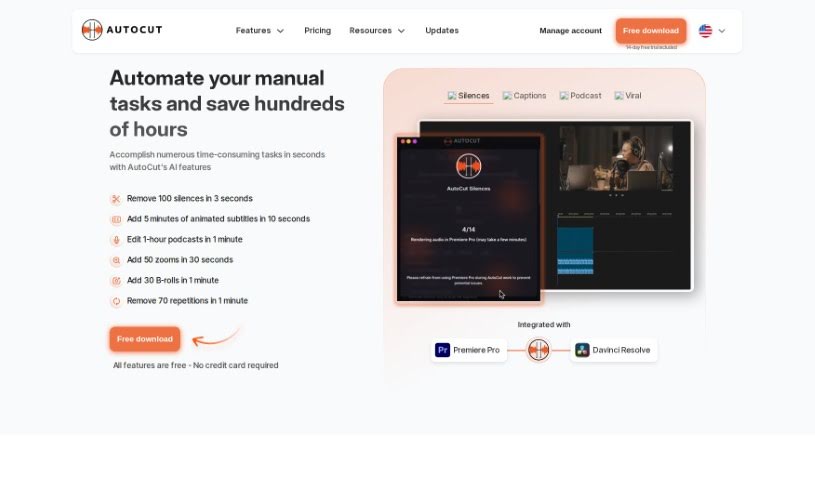
Screenshot of AutoCut

AutoCut

Discover what AutoCut is and how to use it effectively in 2025. We'll explore its features and see how it stacks up against other video editing tools.

Screenshot

What is AutoCut?

AutoCut is a smart, AI-powered tool built to make video editing much simpler. It’s packed with features that really speed things up, like automatically removing silence, editing podcasts, adding dynamic zooms, spotting repeated words, and a whole lot more. What’s great is that AutoCut works smoothly with Adobe Premiere Pro, so whether you’re on Windows or OSX, you can easily integrate it into your workflow. It’s pretty impressive – over 10,000 people already use it, and they’ve used it to make more than 30 million precise cuts in videos! AutoCut has a really user-friendly design and offers several subscription plans. Plus, you can try it out for free for 14 days, no credit card needed. Their goal is to make powerful video editing techniques accessible to everyone, from beginners just starting out to seasoned professional videographers.

Who created AutoCut?

Amélie Bonnet is the creator behind AutoCut. The company she leads is dedicated to developing a Premiere Pro plugin that’s loaded with features, all aimed at simplifying video editing. This tool uses AI technology to bring you innovative capabilities like automatic silence removal, animated captions that pop, smart zoom enhancements, and the ability to detect repeated words. With more than 10,000 paying customers and having processed over 30 million precision cuts, AutoCut has quickly become a go-to solution for anyone looking to streamline their video editing tasks.

What is AutoCut used for?

AutoCut is fantastic for a variety of video editing needs:

  • Automatic Silence Removal: Quickly cuts out dead air.
  • Podcast Editing: Streamlines the process by automatically selecting the best camera angles.
  • Zoom Enhancement: Adds dynamic zooms to keep viewers engaged.
  • Repetition Detection: Helps identify and remove repeated words or phrases.
  • Animated Captions: Adds dynamic, eye-catching captions.
  • AutoCapture: (Likely related to capturing specific moments or segments)
  • AutoSilences: (Likely a specific function for silence removal)
  • AutoPodcast: (Likely a specialized podcast editing workflow)
  • AutoZoom: (Likely a specific function for automated zooming)
  • AutoRepeat: (Likely a specific function for repetition detection)

Who is AutoCut for?

AutoCut is a great tool for:

  • Video editors
  • Podcast Editors
  • Social media managers
  • Videographers

How to use AutoCut?

Getting started with AutoCut is straightforward. Here’s a simple guide:

  1. First, you’ll want to integrate AutoCut directly into your Adobe Premiere Pro. It works smoothly on both Windows and OSX. This plugin is packed with smart, AI-powered tools designed to really boost your editing workflow.
  2. To speed things up, use the automatic silence removal feature. It quickly cuts out any silent parts in your video projects, saving you a ton of time.
  3. If you’re editing a podcast, the podcast editing function is a lifesaver. It automatically analyzes your audio and picks the best camera angles for your content.
  4. Want to keep your viewers hooked? The smart auto-zoom feature automatically focuses on the important parts of your video, making it more engaging.
  5. To make your storytelling even better, the repetition detection tool helps you find and remove any words or phrases you might have repeated unintentionally in your footage.
  6. Curious to try it out? AutoCut offers a 14-day free trial, so you can explore all its features without needing to provide a credit card upfront.
  7. Just a heads-up: you can use your license on two computers, but not at the exact same time. Make sure to unlink your computer from the key in your AutoCut customer area before you switch it to another machine.
  8. Also, note that AutoCut currently works with Adobe Premiere Pro versions 2021, 2022, and 2023. They are planning to add compatibility with other software down the line.

By following these steps, you’ll be able to use AutoCut effectively to make your video editing process smoother and create really engaging content without all the usual hassle.

Related AI Tools

Discover more tools in similar categories that might interest you

Stay Updated with AI Tools

Get weekly updates on the latest AI tools, trends, and insights delivered to your inbox

Join 25,000+ AI enthusiasts. No spam, unsubscribe anytime.