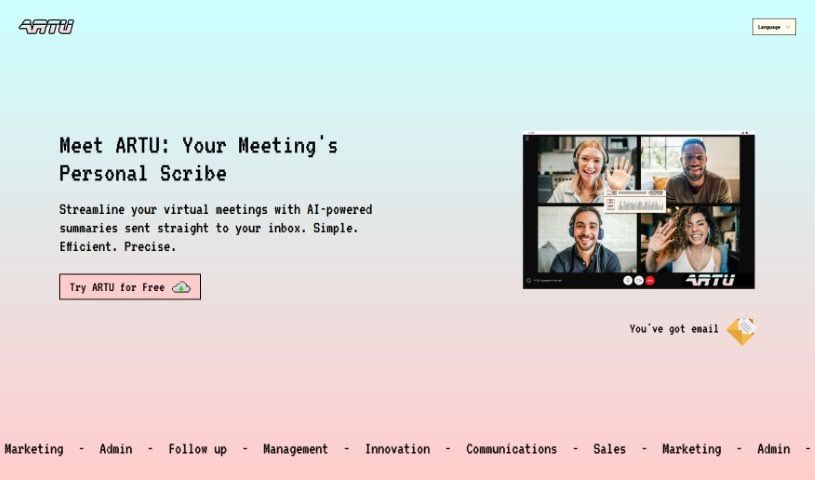
What is Artu?
Artu is an AI assistant designed to make virtual meetings much smoother. It automatically creates meeting minutes, summaries, identifies next steps, highlights key topics, and lists participant details, sending it all to your email right after the meeting wraps up. You can easily use it with a Chrome extension, which makes coordinating and organizing your meetings a breeze. Artu takes data security seriously, processing and organizing your information safely. They offer different subscription plans – Personal, Business, and Corporate – each with features to boost your productivity. You can also store and organize all sorts of content, like ideas, tasks, videos, links, and social media posts. Artu works with many communication tools, including email, WhatsApp, Discord, and Telegram. This means you can assign tasks, share content, and even have Artu join your online meetings through the Artu Meetings Chrome extension to help keep things efficient.
Who created Artu?
Artu was developed by an AI company and first launched on January 25, 2024. While the founder’s name and specific company details aren’t readily available, the AI software itself is built to streamline virtual meetings. It uses AI to provide summaries and automatic meeting minutes, really boosting how efficient and productive your meetings can be.
What is Artu used for?
Artu helps with a lot of things, making your work life easier:
- API Access: Get custom access to Artu’s capabilities.
- Notion Integration: Connect Artu with your Notion workspace.
- Information Processing & Organization: It handles and organizes your data efficiently.
- Tagging and Prioritization: Tag and prioritize your ideas and tasks.
- Meeting Minutes: Automatically generates detailed minutes for your meetings.
- Content Personalization: Tailor content to your specific needs.
- Custom Templates: Use multiple, custom templates for different needs.
- Private Servers: Offers private servers for corporate clients.
- Document Sharing: Easily send and share documents.
- Custom API Access: More tailored API options for specific needs.
- Information Processing & Organization: It processes and organizes your information.
- Online Meeting Coordination: Supports coordinating and organizing online meetings.
- Meeting Minutes Generation: Provides automatic meeting minutes.
- Action Step Identification: Clearly identifies the next action steps from discussions.
- Meeting Participation: Attends online meetings to maximize efficiency.
- Data Safety & Security: Ensures your data is kept safe and secure.
- Subscription Plans: Available in Personal, Business, and Corporate plans.
- Communication Platform Integration: Works with platforms like WhatsApp, Telegram, and Email.
- Task Assignment: Lets you assign tasks to your team members.
- Corporate Integrations: Offers custom integrations for the Corporate plan.
- Meeting Coordination: Helps coordinate your online meetings.
Who is Artu for?
Artu is a great tool for a wide range of professionals and teams:
- Project managers
- Team leaders
- Corporate executives
- Entrepreneurs
- Business analysts
- Meeting coordinators
- Corporate professionals
- Virtual meeting assistants
- Anyone coordinating online meetings
- Those who value data security measures
- Users looking for various subscription plans
- People who appreciate a user-friendly design
- Individuals who need link sharing capabilities
- Professionals attending virtual meetings
- Corporate teams
- Individual users
- Content creators
- Marketers
- Designers
- Virtual assistants
How to use Artu?
Using Artu effectively is pretty straightforward. Just follow these steps:
- First, install ARTU from the Chrome Web Store. It’s a quick process.
- Once installed, click the ARTU icon in your browser’s toolbar to open the tool.
- When you start your virtual meetings, just let ARTU join in using the Chrome extension.
- As the meeting progresses, ARTU will process all the information and discussions happening.
- When the meeting wraps up, ARTU automatically creates your meeting minutes. This includes a summary, the key topics discussed, the next steps, and who was there, all sent straight to your email for easy access.
- To get even more accurate transcriptions and summaries, you can customize your ARTU experience. Give it more context about yourself and your meetings.
- Think about which subscription plan best fits your needs – Personal, Business, or Corporate. Each one offers different features, like how many ideas you can process, task assignment options, integrations, and API access.
- Make sure to explore all the features ARTU offers, such as tagging and prioritizing your ideas, handling different communication methods like emails and WhatsApp, assigning tasks, and organizing your content just the way you like it.
- Finally, rest assured knowing that ARTU has security measures in place to keep your data safe while you use the tool.