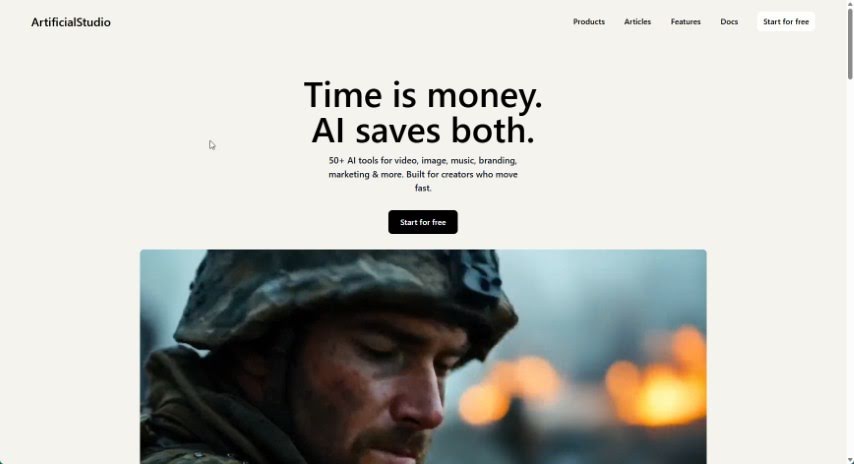
Screenshot of ArtificialStudio

ArtificialStudio

Discover ArtificialStudio in 2025! Learn what this creative project platform is, how to use its AI tools for image and video creation, and how it stacks up against other Text-to-Video tools.

Screenshot

What is ArtificialStudio?

ArtificialStudio is a comprehensive platform designed to automate creative projects. It offers a wide variety of AI tools that can help you automate tasks related to creating images and videos, manipulating audio, modifying room interiors, and enhancing images. It is your all-in-one creative assistant!

Some of the standout features include tools specifically for image creation, video generation, audio transformation, and even room editing. For instance, you can use Dalle 2 to generate unique images, or the colorize tool to bring old black and white photos back to life. It also has tools like texture maps for predicting PBR texture maps. Beyond that, you can create videos just by typing in text, generate custom music and special effects, easily change the look of room interiors, restore old photos, remove backgrounds from images, and so much more, all thanks to the diverse AI tools available within ArtificialStudio.

If anything’s unclear or you’re curious about more details, just let me know!

Who created ArtificialStudio?

An undisclosed founder developed Artificial Studio, launching it on April 27, 2023. The platform itself is packed with a wide range of AI tools aimed at automating various creative tasks. This includes everything from making images and videos to tweaking audio, editing room designs, and improving existing images.

What is ArtificialStudio used for?

ArtificialStudio is incredibly versatile. Here are some of the key things you can do with it:

  • Remove backgrounds from images seamlessly.
  • Create videos simply by providing text descriptions.
  • Generate unique images using Dalle 2.
  • Add color to black and white images.
  • Create depth maps from your existing images.
  • Predict PBR texture maps.
  • Turn audio into video.
  • Generate subtitles directly from audio files.
  • Create different variations of an image.
  • Generate custom music and special effects.

How to use ArtificialStudio?

Getting the most out of Artificial Studio is straightforward. Just follow these steps:

  1. Access the AI Tools: Start by opening Artificial Studio. You’ll find a whole suite of AI tools ready to go. This includes image creation tools like Dalle 2 and Stable Diffusion v2.1, the colorize tool to add color to images, and audio tools like transfer voice and text to audio.
  2. Generate Images: Need an image? Use tools like Dalle 2 to create them from scratch. If you have old black and white photos, the colorize tool is perfect for bringing them to life with color.
  3. Create Videos: You can easily generate videos from text using the text-to-video tool. Plus, if you want to extend the borders of an existing image, the extend image feature is there for you.
  4. Audio Manipulation: Want to change the tone of an audio file? The transfer voice tool can help. You can also generate music using text-to-audio, or even create drum beats with the dedicated drum generator tool.
  5. Room Modifications: If you’re looking to change the interior of a room or need to clean up an image by removing the background, Artificial Studio has tools for that too.
  6. Restoring Images: Give your old photos a new lease on life with the image restoration tool, or improve blurry images by using the tool designed to sharpen them.
  7. Subtitle Generation: Need subtitles for your audio files? The audio to subtitles tool makes this process simple.
  8. Texture Prediction: For those working with 3D assets, the Texture Maps tool can predict PBR texture maps from albedo textures.
  9. Adding Variety: Want to see different versions of an image? Experiment with the image variation tools to generate multiple options.
  10. Exploring More Options: Don’t forget to check out other features like room modification, background removal, and general image enhancement for even more creative possibilities.

Artificial Studio offers a broad range of tools that make content generation efficient and creative across many different areas. Make sure to explore all the capabilities the platform offers to really boost your creative projects.

Related AI Tools

Discover more tools in similar categories that might interest you

Stay Updated with AI Tools

Get weekly updates on the latest AI tools, trends, and insights delivered to your inbox

Join 25,000+ AI enthusiasts. No spam, unsubscribe anytime.