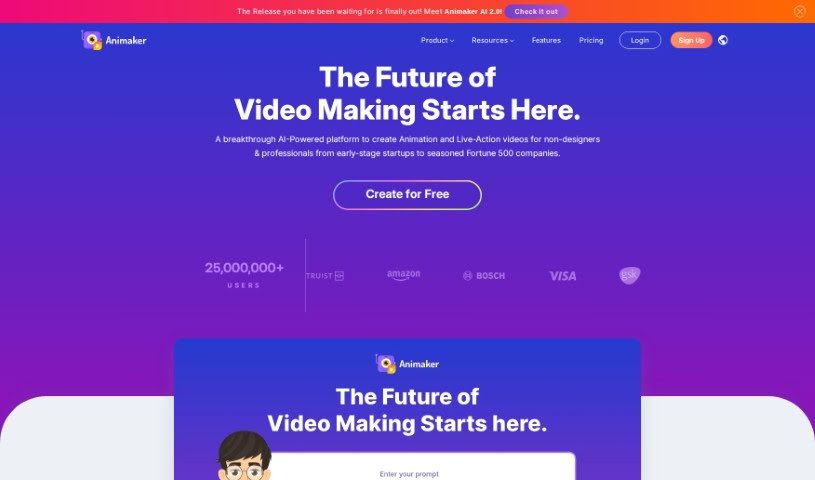
What is Animaker?
Animaker is a really comprehensive online platform that makes video creation a breeze, whether you’re a total beginner or a seasoned pro. It lets you whip up animated and live-action videos super quickly. It is your all-in-one creative studio, packed with AI-powered tools like Animaker itself, Picmaker, Vmaker, and Voice. These are all designed to help you produce high-quality animated, live-action, and even screen-recorded videos in just minutes.
One of the coolest parts? Their “Voice” feature, powered by the No.1 AI’s advanced Neural TTS Engine, turns your text into incredibly realistic, human-sounding voiceovers. Plus, they’ve got a Subtitle Generator that uses AI to add accurate subtitles with a single click, making your videos way more accessible and engaging for everyone. And if you’re into email marketing, Show is there to help you send outbound emails at scale. They even have Steve.ai, which uses AI to instantly create videos from your text. Basically, Animaker is super versatile, supporting all sorts of video types and languages, so your content can really shine, no matter the platform or occasion.
Who created Animaker?
Raghav Vashisht is the guy behind Animaker; he’s also the CEO. The platform itself is a powerhouse of AI-driven tools, including Animaker, Picmaker, Vmaker, and Voice, all working together to make content creation smooth. Animaker really shines when it comes to letting you create animated and live-action videos efficiently. You’ll find features like a Character Builder, a massive asset library, and easy-to-use video editing tools, making it a great fit for beginners, professionals, and anyone in between.
What is Animaker used for?
- Creating awesome animated videos
- Making professional live-action videos
- Producing screen-recorded videos
- Turning text into natural-sounding voiceovers
- Adding subtitles automatically with AI
- Making videos more accessible to a wider audience
- Boosting viewer engagement
- Ditching boring presentations with their Avatar-Powered Presentation Maker
- Helping businesses with their visual communication needs
- Ensuring your content stands out everywhere, for any reason
Who is Animaker for?
- Learning & Development Teams
- HR Teams
- Marketing & Sales Professionals
- Internal Communications Teams
- And honestly, anyone else who needs to create great videos!
How to use Animaker?
Getting started with Animaker is pretty straightforward. Here’s a quick rundown:
- Sign Up: First off, head over to animaker.com and create a free account. It’s the easiest way to jump in.
- Choose a Plan: Animaker offers a few different pricing plans – Free, Basic, Starter, and Pro. You can check out all the details and features for each on their pricing page to pick the one that best suits you.
- Access Tools & Features:
- Effortless Creation: Seriously, the AI-powered tools make creating high-quality animated videos super quick.
- Character Builder: Want unique characters? You can build them right here, tailored to your brand.
- Asset Library: You get access to over 100 million stock media items, 70,000 icons, and 30,000 music tracks and stickers. That’s a lot!
- Templates: Need a starting point? There are thousands of templates to choose from.
- Video Editing: They’ve packed in over 25 video editing tools, so you can trim, crop, add effects, use a green screen, and more.
- Personalize Videos:
- Make it yours! You can customize everything with your brand elements, like logos on custom characters and brand templates.
- Depending on your subscription, you can manage your assets and characters efficiently.
- Explore Additional Features:
- Elite Collection: If you need premium assets, you can get them for a small cost to really make your projects pop.
- Music & Voice: Use premium music tracks, and don’t forget the Animaker Voice feature for those human-like voiceovers.
- Custom Characters: Building your own characters is a great way to make your video content stand out.
- Create Content with No.1 AI:
- Animaker works great alongside other tools like Picmaker, Vmaker, and Voice for all sorts of content needs.
- The Neural TTS Engine gives you realistic voiceovers, and the Subtitle Generator adds accurate subtitles easily.
- Global Support & Diverse Content:
- No.1 AI supports multiple languages and offers a wide range of video types, like Video Greetings and Video Resumes.
- Create Your First Video: Just dive in and start creating engaging videos for marketing, HR, internal comms, or whatever you need!
Get creative and use Animaker’s intuitive platform to craft compelling animated and live-action videos in just minutes!
For more details, you can always visit Animaker’s website or take a look at their pricing page.