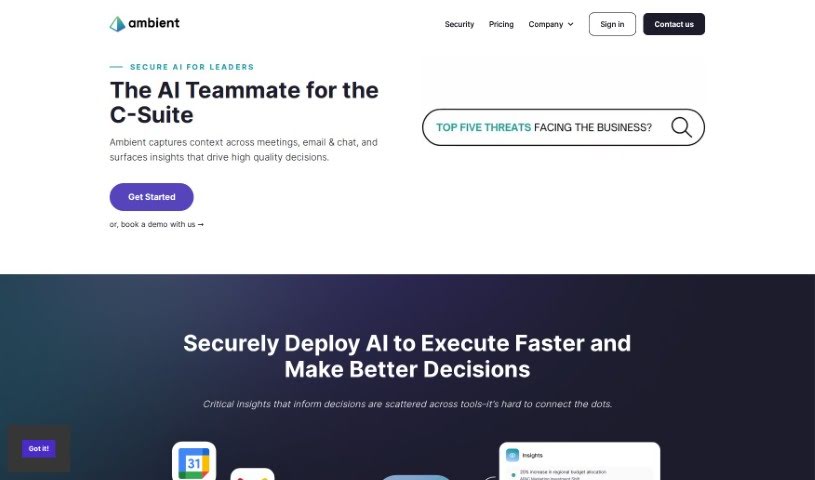
Screenshot of Ambient

Ambient

Discover what Ambient is and how to use it effectively in 2025. We'll explore its features and see how it stacks up against other AI note-takers.

Screenshot

What is Ambient?

Ambient is a smart tool designed to help Chiefs of Staff and Founders get their valuable time back. It completely changes how leaders handle their daily tasks by acting as an intelligent assistant for taking notes and managing tasks. This means you can streamline your work and focus more on big-picture decisions and core business goals, rather than getting bogged down in administrative details. Ambient offers features like AI-powered note-taking, task management, strategic focus, and a general efficiency boost, all wrapped up in an easy-to-use interface to make you more productive.

Who created Ambient?

Lawrence Coburn, the Co-Founder & CEO, created Ambient. He’s a seasoned entrepreneur, having previously founded successful companies like DoubleDutch. Based in San Francisco, his company focuses on using AI to boost team productivity globally. They’re particularly keen on helping Chiefs of Staff and Leaders simplify their administrative work through AI automation.

What is Ambient used for?

  • Task management
  • AI-powered project management
  • Automating administrative tasks like note-taking
  • Prioritizing and routing next steps from live meetings
  • One-click meeting summaries for teams
  • Information dissemination
  • Prioritizing and routing next steps from live meetings
  • One-click meeting summaries
  • AI-powered productivity tools for Chiefs of Staff
  • Extracting and managing Action Items & Next Steps from live meetings
  • AI Email Assistant for summarizing email threads
  • Automatically extracting tasks, next steps, and decisions from email threads
  • Revolutionizing how leaders manage day-to-day tasks
  • Automating administrative tasks like note-taking, information dissemination, and task management for Chiefs of Staff and Leaders
  • Summarizing and sharing Zoom/Teams/Meet recordings
  • Accurately transcribing meetings and organizing notes
  • Task prioritization and tracking
  • Freeing up time for strategic thinking and decision-making
  • Streamlining processes and enhancing productivity
  • Boosting efficiency with a user-friendly interface
  • Automating administrative tasks like note-taking
  • Summarizing and sharing meeting recordings
  • Eisenhower Matrix for task prioritization
  • Meeting series management
  • Slack summarizer
  • AI note taker
  • Automating administrative tasks like note-taking
  • AI-powered productivity tools for Chiefs of Staff and Founders
  • AI Email Assistant for summarizing complex email threads
  • Providing C-Suite level insights across meetings, email, and chat
  • Automated administrative tasks like note-taking
  • Prioritization and routing next steps from live meetings
  • Email summarization and sharing for founders, chiefs of staff, ops, managers, and external-facing roles
  • AI email assistant for summarizing complex email threads into actionable summaries
  • Task extraction from email threads
  • Extracting and managing action items and next steps from live meetings on various platforms
  • AI for the office of the CEO, extracting C-Suite level insights across meetings, email, and chat

Who is Ambient for?

  • Founders
  • Managers
  • Program Managers
  • BizOps
  • Chiefs of Staff

How to use Ambient?

Here’s how to get the most out of Ambient:

  1. Sign Up: First, sign up for Ambient. You can explore different plans that fit your needs, like the Pro plan for startups or the Business plan for larger companies.
  2. Features Overview: Take a moment to get to know Ambient’s main features. These include AI-Powered Project Management, the Eisenhower Matrix for Task Prioritization, Meeting Series Management, a Slack Summarizer, a Zapier Connector, and the AI Note Taker.
  3. Integration: See how Ambient connects with platforms like Zoom, Google Meet, or MS Teams. This helps you easily pull and manage Action Items & Next Steps from your live meetings.
  4. Usage: Use Ambient during your meetings! You’ll benefit from its AI-powered note-taking, efficient task prioritization, help with strategic focus, and overall enhanced efficiency, all through an easy-to-navigate interface.
  5. Subscription: Pick the subscription plan that best suits your needs and budget. The Pro plan is great for startups, nonprofits, SMBs, or managers, while the Business plan offers more for larger companies, including features like scheduled data deletion and domain capture.
  6. Customization: Dive into Ambient’s customization options. You can set up delegate access for better team alignment and use unlimited email summaries and action items to keep communication flowing smoothly.
  7. Data Security: Make sure your data is safe. Understand the security measures Ambient has in place and their data privacy protocols.
  8. Support: Ambient offers self-guided support, so feel free to use that. If you need more help or clarification, don’t hesitate to reach out.

By following these steps, you can really use Ambient to boost your productivity, simplify tasks, and manage your daily work more effectively with the help of AI.

Related AI Tools

Discover more tools in similar categories that might interest you

Stay Updated with AI Tools

Get weekly updates on the latest AI tools, trends, and insights delivered to your inbox

Join 25,000+ AI enthusiasts. No spam, unsubscribe anytime.