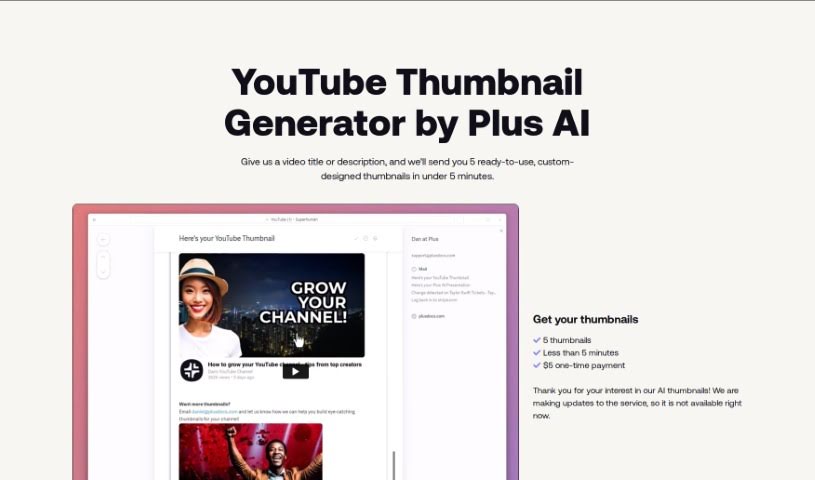
Screenshot of AI Youtube Thumbnails

AI Youtube Thumbnails

Discover AI YouTube Thumbnails and how to use this tool in 2025 to create eye-catching previews. Learn its features and how it stacks up against other YouTube video tools.

Screenshot

What is AI Youtube Thumbnails?

AI YouTube Thumbnails are generated using a special tool, an AI YouTube Thumbnail Generator. It’s built to help content creators and video marketers whip up really attractive thumbnails for their YouTube videos. This tool automatically creates thumbnails by looking at your video content, figuring out the most important parts, suggesting how to put things together visually, and then adding text based on what’s in the video. You can tweak all sorts of things, like where the text goes, what fonts to use, colors, and other graphics to make your thumbnails pop. Plus, it makes sure everything follows YouTube’s rules, gets the image dimensions just right, and generally aims to get more people to click on your videos. Using this tool can really save you time and hassle, helping you make professional-looking thumbnails that draw more viewers in.

Who created AI Youtube Thumbnails?

This AI YouTube Thumbnail Generator was developed to help content creators and video marketers make appealing thumbnails for their YouTube videos, all thanks to advanced AI. It first launched on June 2, 2023, and it lets you create thumbnails automatically, so you don’t need any design experience. We don’t have information on the specific company or founder behind it, but the goal is clear: to make thumbnail creation easier.

What is AI Youtube Thumbnails used for?

  • It automatically creates thumbnails.
  • It finds the key elements in your video.
  • It suggests eye-catching layouts.
  • It can add text directly onto the thumbnail.
  • You can personalize your thumbnails.
  • You can adjust where the text appears.
  • You can pick different font styles.
  • You can choose your own colors.
  • It includes various graphic elements.
  • It helps get more clicks on your videos.

Who is AI Youtube Thumbnails for?

  • Anyone creating content for YouTube
  • People who market videos on YouTube

How to use AI Youtube Thumbnails?

Want to make the most of AI YouTube Thumbnails? Just follow these simple steps:

  1. Upload Your Video or Pick a Template: Start by either uploading a screenshot from your video or choosing one of the ready-made templates available in the AI YouTube Thumbnail Generator. It’s a great way to get going quickly!
  2. Let the AI Analyze: The tool uses smart AI to look over your video. It’ll spot important things like objects, people, and colors, then suggest the best ways to arrange them visually.
  3. Add Text with AI: Based on what the AI finds in your video, it will add text overlays to the thumbnail. This makes it look better and tells viewers more about what they’ll see.
  4. Make It Yours: Now for the fun part! You can customize a lot here. Play around with text placement, choose your favorite fonts and colors, and add graphic elements like arrows or shapes to really make it stand out.
  5. Stay YouTube-Ready: Make sure your thumbnail follows YouTube’s rules. The tool’s templates and options help you get the image dimensions and sizes just right, so it looks good everywhere.
  6. Get More Clicks: By creating thumbnails that really grab attention and show off what your video is about, this AI tool can help increase click-through rates. That means more people will discover your content!
  7. Save Time and Effort: Since the tool automates a lot of the work, you won’t need to spend hours editing. You can use that saved time for other important content creation tasks.
  8. Get Professional Results: Even if you’re not a designer, you can create really professional-looking thumbnails. This makes your videos look more polished and engaging for your audience.

By following these steps, you’ll be able to use the AI YouTube Thumbnail Generator effectively to create attractive and compelling thumbnails that draw viewers to your YouTube videos.

Related AI Tools

Discover more tools in similar categories that might interest you

Stay Updated with AI Tools

Get weekly updates on the latest AI tools, trends, and insights delivered to your inbox

Join 25,000+ AI enthusiasts. No spam, unsubscribe anytime.