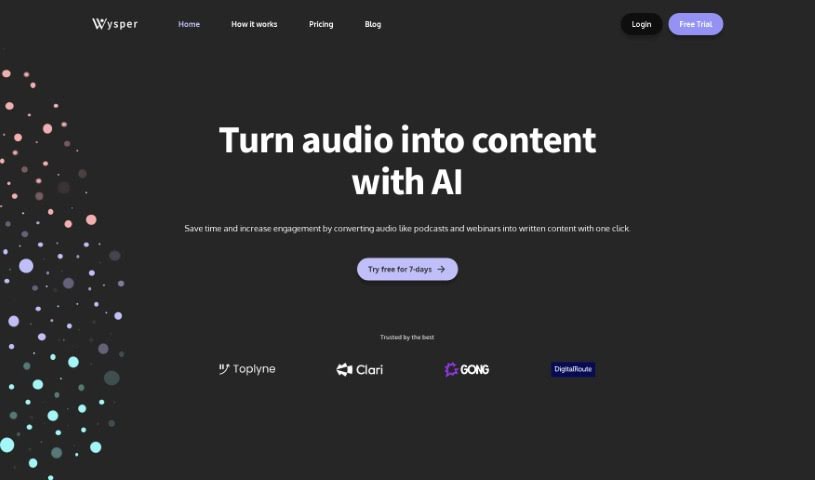
Screenshot of Wysper

Wysper

Discover what Wysper is and how to make the most of it in 2025. We'll dive into its features, compare it to other transcription tools, and show you exactly how to use it.

Screenshot

What is Wysper?

Wysper is essentially a Podcast Content Engine. It is a smart tool that takes your audio, like podcast episodes, and turns it into all sorts of other content. This includes things like detailed show notes, quick summaries, full transcripts, and even time stamps. The main idea is to help businesses and podcasters get way more mileage out of their audio content by automating a lot of the creation process. Wysper can handle a bunch of different audio file types, such as mp3, mpeg, mpga, m4a, wav, MP4, MOV, and AVI. The transcriptions it provides are really accurate – we’re talking 99% accuracy – and it even separates speakers, which is super handy. Plus, it supports multiple languages like English, Spanish, French, German, Italian, Dutch, and Portuguese. On top of that, Wysper has features for automating your post-production workflow, creating content tailored for different platforms, and even translating your content into over 95 languages using AI. You can also edit the content it generates, and they offer different subscription plans depending on how much you plan to use it.

Who created Wysper?

Wysper was brought to life by Greg Mayer and Alex Sokolov. They officially launched it on July 18, 2024. Greg Mayer is the Co-founder and CEO. He’s got a solid background in sales, customer success, and marketing, having worked at AI companies like Gong and Jasper. Alex Sokolov, who’s the Co-founder and CTO, is currently the Director of Software Engineering at a fast-growing CPG startup and has a real passion for AI. Their goal with Wysper is to totally change how content is created. They want to transform podcasts into central hubs for all sorts of content, using the latest AI advancements to make the whole process smoother and boost engagement across different platforms.

What is Wysper used for?

  • Automate post-production workflow: You can automatically generate show notes, summaries, transcripts, time stamps, and SRT files. It really streamlines the follow-up work after recording.
  • Content Creation: Wysper helps you convert audio from your podcasts, webinars, customer interviews, and other sources into content that’s ready for email newsletters, blog posts, LinkedIn updates, tweets, and more. It makes repurposing content a breeze.

Who is Wysper for?

  • Product marketers
  • Content marketers
  • Podcasters
  • Digital marketers
  • Content creators
  • Social media managers

How to use Wysper?

To get the most out of Wysper, here’s a simple breakdown of how to use it:

  1. Upload your content: Start by uploading your content. You can paste a YouTube URL or upload an audio file. Wysper supports common formats like M4A, MP3, MPEG, MPGA, WAV, and WEBM. It’s pretty flexible with what you can feed it.
  2. Edit your content: Once Wysper generates the initial content, you can chat with it to make any customizations you need. It’s like having an AI assistant to help you refine the output.
  3. Publish your content: When you’re happy with how the content looks and reads, you can publish it across your marketing channels. This is where you’ll start seeing the growth benefits.
  4. Common Use Cases: Just to reiterate, Wysper is fantastic for automating post-production tasks. It can whip up show notes, summaries, transcripts, timestamps, and SRT files automatically. It’s also a powerhouse for content creation, turning audio from podcasts, webinars, and customer interviews into formats perfect for email, blogs, LinkedIn, Twitter, and other platforms.
  5. Audio File Types: Wysper handles standard audio formats like mp3, mpeg, mpga, m4a, webm, WAV, MP4, MOV, and AVI. Plus, you can easily upload audio directly from a YouTube URL.
  6. Accuracy and Language Support: You can count on Wysper for highly accurate transcriptions, boasting 99% accuracy, and it even separates speakers, which is a huge plus. It supports several languages right out of the box, including English, Spanish, French, German, Italian, Dutch, and Portuguese. And if you need to reach a global audience, it can translate your content into over 95 languages.
  7. Transcription Time: The time it takes to transcribe depends on how long your audio file is. It can take up to about 15 minutes. There isn’t a strict file length limit, as long as you have enough transcription credits available for your plan.
  8. Pricing: Wysper offers a range of subscription plans tailored to your usage needs. These plans typically include features like AI outputs, unlimited AI chat, custom output options, and the ability to save your generated content permanently.
  9. Benefits: Ultimately, Wysper is designed to automate your content creation workflows, saving you a ton of time. It helps make your content more engaging, supports a variety of content formats, and can significantly increase your audience reach on platforms like YouTube, Spotify, and even in ads on Google and Facebook.

By following these steps and taking advantage of everything Wysper offers, you can really boost how efficiently you convert audio into engaging content for all your marketing needs and platforms.

Related AI Tools

Discover more tools in similar categories that might interest you

Stay Updated with AI Tools

Get weekly updates on the latest AI tools, trends, and insights delivered to your inbox

Join 25,000+ AI enthusiasts. No spam, unsubscribe anytime.