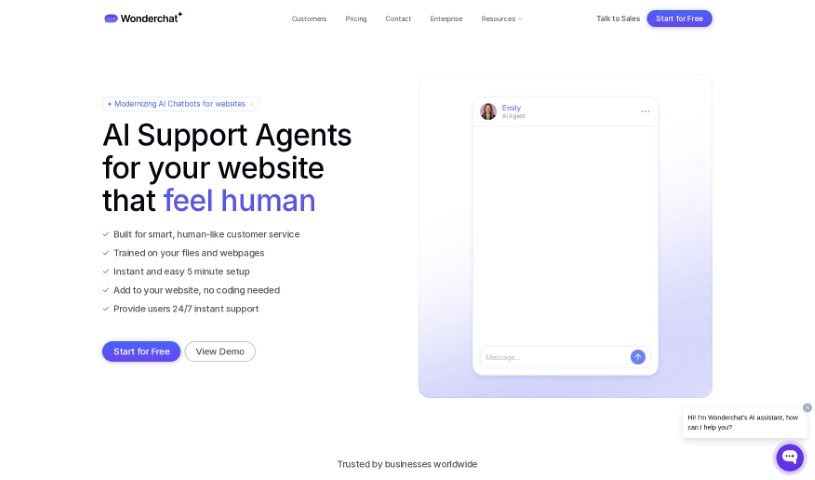
What is Wonderchat?
Wonderchat is a tool that makes it super easy to build your own custom AI chatbots, powered by ChatGPT. It is a way to quickly create AI assistants that can chat with your customers. You train these chatbots using links to your website or PDF files you upload. Essentially, Wonderchat’s chatbot reads through the text on your site and then uses that information to answer questions about your product or service. You get to customize how the chatbot behaves, review past conversations, see what customers think, and even train it to get better over time. Plus, it connects with other popular apps and websites you might already use.
What’s really neat is that it supports many languages, has a simple interface that doesn’t require any coding, and even offers a free trial. This means you can try it out with 10 free messages to see how it helps you connect with customers, all at no cost. You can train the chatbot to give even more accurate responses and look at detailed reports to understand user conversations and get valuable insights. It’s built for businesses that want to improve their online customer experience. It also includes features like a human support option when the AI can’t help, ways to connect with helpdesk systems, and daily notifications about AI conversations.
Who created Wonderchat?
Bryce Conway, the Founder and CEO of 10xTravel, is the person behind Wonderchat. He’s actually mentioned in the materials as a strong supporter of Wonderchat, noting how it significantly cut down on customer support questions. The company itself is focused on building these AI chatbots, which, as we’ve seen, are trained using your website links and PDF files to really boost that digital customer experience.
What is Wonderchat used for?
Wonderchat is incredibly versatile. Here’s a breakdown of what you can do with it:
- Build Chatbots Instantly: Get a chatbot up and running without delay.
- Customize Everything: Tailor the chatbot’s look, feel, and personality.
- Set Up Quickly: The setup process is designed to be fast and straightforward.
- Review Conversations: Look back at chatlogs to see what’s being discussed.
- Track Customer Feedback: Monitor what your users are saying about their experience.
- Train Your Chatbot: Improve its responses by teaching it directly.
- Analyze Performance: Review analytics to understand how the chatbot is doing.
- Human Support Option: Have a way for human agents to step in when needed.
- Easy Integrations: Connect it smoothly with popular apps and websites.
- Website Embedding: Easily add the chatbot to your own website.
- High-Traffic Sites: It’s a great fit for websites that get a lot of visitors.
- Manage Quotas and Data: Control how much data is used and where it comes from.
- Various File Uploads: You can upload files in formats like PDF, CSV, TXT, and PPTX.
- Human Support & Ticket Escalation: Seamlessly hand off complex issues to your human team or helpdesk.
- Access Advanced AI: It offers access to powerful models like Claude 3 and Minstral AI.
- Automatic Correction Detection: The system can often spot and correct its own errors.
- Embeddable on Unlimited Sites: Use the chatbot widget on as many websites as you need.
- Customer Support Automations: Streamline your customer service with AI features.
- AI to Human Email Handover: Automatically transition conversations to email when necessary.
- Escalate Tickets to Helpdesk: Directly send issues to your existing helpdesk system.
Who is Wonderchat for?
Wonderchat is a valuable tool for several key areas:
- Customer Support: Enhance your support capabilities and response times.
- Web Development: Integrate intelligent chat features into websites.
- Businesses: Improve customer engagement and operational efficiency across the board.
How to use Wonderchat?
To get the most out of Wonderchat, here’s a step-by-step guide:
- Set Up Your Chatbot: Getting started is a breeze – it only takes about 5 minutes and requires absolutely no coding. You can train your chatbot using data from various sources, like links to your website, YouTube videos, or files you upload. This builds a solid knowledge base for it.
- Customize Your Chatbot: Make the chatbot truly yours by adjusting its role, tone, and overall style to match your brand. You can even write custom instructions to give it a unique personality that perfectly reflects your brand’s voice.
- Start Chatting: Give it just 5 minutes to get acquainted with your website and files. Once it’s ready, you can start having conversations with it right away.
- Monitor How It’s Doing: Keep an eye on your chatbot’s performance by checking customer feedback and ratings. This helps you see how well it’s working and decide if you need to escalate certain queries to human support.
- Train and Analyze: You can train your chatbot by correcting its responses, which helps it perform better over time. Dive into detailed analytics reports to get valuable insights into how users are interacting with it and the overall quality of the conversations.
- Live Chat and Escalation: Turn on live chat and human support fallback options so you can assist customers when the chatbot reaches its limits. You can also seamlessly escalate tickets directly to your helpdesk.
- Keep Your Data Safe: You can trust Wonderchat with your data. It provides strong protection and reliability when handling your customer interactions and sensitive information.
- Embed and Integrate: Embedding the chatbot into your website is as simple as copying and pasting a single line of code. Wonderchat also integrates smoothly with many popular apps and websites, adding even more functionality.
By following these steps, you’ll be able to use Wonderchat effectively to improve your digital customer experience and make your customer support operations much smoother.