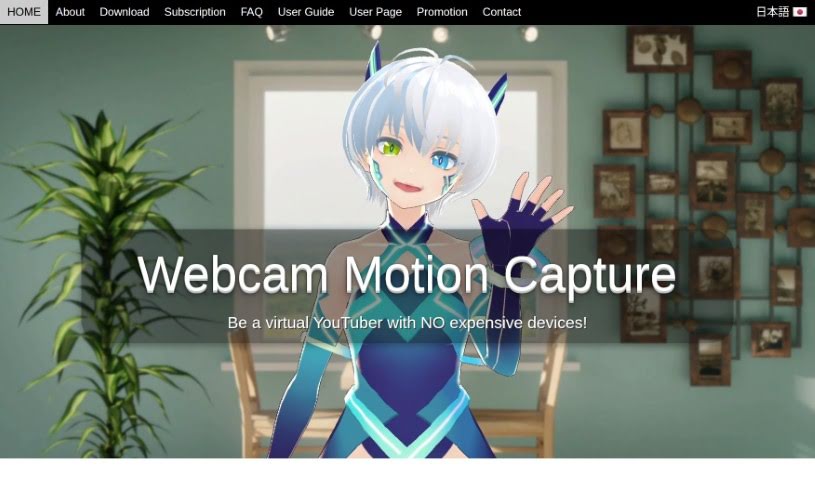
What is Webcam Motion Capture?
Webcam Motion Capture is a really neat piece of software that uses your regular webcam to track your hand movements and bring 3D avatars to life. It’s powered by AI, which is pretty cool because it’s made animating 3D avatars much more accessible, especially for virtual YouTubers who might not have expensive gear like a Leap Motion controller. You get high-quality tracking for your hands and fingers, plus it can also track your head, facial expressions, eye gaze, and even your upper body. On top of that, it works with other face tracking apps, can connect to external programs using the VMC Protocol, and lets you save your motion capture data as FBX files, which you can then use in popular CG software like Blender and Maya.
Here are some of the main things it can do:
- Great Hand Tracking: You get really good hand and finger tracking using just your webcam. No need for special devices like Leap Motion!
- Advanced Tracking: It also tracks your head, facial expressions, eye gaze, blinks, lip sync, and upper body movements.
With Webcam Motion Capture, you can even live stream on YouTube using OBS Studio, which opens up possibilities for making money from your digital content. Plus, you can create your own personalized videos with 3D avatars.
If your computer isn’t super fast, you can still control your 3D avatar smoothly by using a pre-recorded video. The software also offers helpful guides on how to set everything up and what face tracking apps work best with it, giving you more ways to express yourself.
Having trouble setting up multiple tracking systems or making things run faster? No worries! The software offers solutions like using your smartphone as a second webcam or adjusting your camera’s resolution and settings to make the whole experience better.
Who created Webcam Motion Capture?
Webcam Motion Capture was developed by a forward-thinking company that specializes in cutting-edge, AI-driven technology. This software is designed to let people track hand movements and animate 3D avatars using just a webcam. This makes it super accessible for all sorts of creators, including aspiring VTubers, animators, and developers. Since it launched in November 2021, the company has welcomed over 22,600 users from 118 different countries.
What is Webcam Motion Capture used for?
- Virtual Content Creation: It’s perfect for making 3D avatar animations, especially if you’re a virtual YouTuber.
- High-Quality Hand Tracking: Get detailed hand and finger tracking with just your webcam – no need for extra hardware like Leap Motion.
- Comprehensive Tracking: It covers head movements, facial expressions, eye gaze, blinking, lip syncing, and upper body motion.
- App Integration: Works with face tracking apps for richer facial expressions and supports the VMC Protocol to connect with other software.
- CG Software Compatibility: You can save your motion capture data in FBX format, making it easy to use with popular programs like Blender and Maya.
- Live Streaming: Stream directly to YouTube using OBS Studio.
- Personalized Videos: Create custom videos featuring your 3D avatars.
- Performance Optimization: Control your 3D avatars using either your webcam or a pre-recorded video, which is great for slower computers.
- Avatar Creation: Easily create 3D avatars using Vroid Studio, a free and user-friendly tool.
- Smartphone Integration: Use your phone as a webcam with apps like EpocCam (for iPhone/iPad) and DroidCam (for Android).
- VTuber Content: Ideal for virtual content creation for VTubers.
- 3D Avatar Animation: Animate 3D avatars smoothly.
- YouTube Streaming: Live stream your content on YouTube.
- Avatar Videos: Make videos featuring 3D avatars.
- Real-time Tracking: Capture hand and body movements in real-time.
- Facial Expressions: Track and animate facial expressions.
- Eye Tracking: Monitor eye gaze and blinks for realistic interactions.
- External App Integration: Connect with other applications via VMC Protocol.
- FBX Data Saving: Save motion data for CG software like Blender and Maya.
- Commercial Use: Create and monetize digital content, like streams and videos.
- Enhanced Expressions: Improve facial expressions in your animations.
- Hand & Finger Tracking: Detailed tracking for 3D avatar animations.
- Face Tracking App Compatibility: Works with various apps for better expressions.
- Platform Streaming: Live stream on platforms like YouTube.
- Pre-recorded Video Control: Control avatars using recorded footage.
- Smartphone Webcams: Use your phone as a webcam.
- Webcam Hand Tracking: Create 3D avatars using hand and finger tracking via webcam.
- Real-time Avatar Animation: Animate 3D avatars with hand, head, facial, eye, and upper body tracking.
- Facial Expression Enhancement: Improve facial expressions in videos and animations with compatible face tracking apps.
- VMC Protocol Integration: Add more features by connecting with external applications.
- CG Software Compatibility: Save motion capture data in FBX format for Blender and Maya.
- YouTube Live Streaming: Control 3D avatars for live streams on YouTube using OBS Studio.
- Creator Support: Helps VTubers, animators, and developers create virtual content easily.
- Smartphone Webcam Use: Leverage smartphones for extra webcam features with apps like EpocCam and DroidCam.
- Combined Tracking: Use Webcam Motion Capture’s hand tracking alongside VSeeFace’s face tracking for complete avatar control.
- Monetization: Create and sell digital content like streams, videos, animations, and games.
- VTuber & Animator Tools: Virtual content creation for VTubers and animators.
- 3D Avatar Hand Tracking: Detailed hand and finger tracking for animation.
- Facial Expression Animation: Track facial expressions for more emotional animations.
- Realistic Eye Tracking: Detect eye gaze and blinks for lifelike avatar interactions.
- Full Body Motion Capture: Track your upper body for comprehensive movement.
- CG Software Workflow: Save motion capture data in FBX format for Blender and Maya.
- OBS Studio Streaming: Live stream on YouTube using OBS Studio.
- Avatar Video Creation: Make videos with 3D avatars using OBS Studio.
- Performance-Friendly Control: Control 3D avatars with webcam or recorded video, even on less powerful computers.
- Animation Hand Tracking: Use hand tracking for animations.
- Upper Body Tracking: Capture upper body movements.
- VMC Protocol Integration: Connect with external applications.
- Face Tracking Apps: Utilize various face tracking apps for better expressions.
Who is Webcam Motion Capture for?
- VTubers: Perfect for creating engaging virtual content.
- Animators: Great for bringing 3D characters to life.
- Developers: Useful for integrating motion capture into projects.
How to use Webcam Motion Capture?
Getting started with Webcam Motion Capture is pretty straightforward. Here’s a simple breakdown:
- Download the Software: First, grab the Webcam Motion Capture software – it’s free!
- Set Up Your Webcam: Launch the program and get your webcam configured for tracking your hands, facial expressions, eye gaze, and upper body.
- Live Streaming Setup: If you’re planning to stream on YouTube, you’ll want to use OBS Studio for recording and broadcasting.
- Create Your Avatar: You can make your own 3D avatar using VRoid Studio, then import it into Webcam Motion Capture.
- Optimize Your Environment: For the best results, make sure you’re in a well-lit room with a clear view of your face, chest, and elbows. Keep the background uncluttered.
- Adjust Settings: Fine-tune the performance by setting the resolution to 640x360, tweaking the capture speed, and managing GPU usage.
- Dual Tracking: Want to use Webcam Motion Capture’s hand tracking and VSeeFace’s face tracking at the same time? You can set up a virtual camera or use your smartphone as a second webcam.
- Troubleshooting: If you run into common issues, like jerky avatar movements, problems opening the app, or camera detection issues, the software provides solutions to help.
By following these steps, you’ll be well on your way to using Webcam Motion Capture to create some really cool 3D avatar animations!