What is Vidura?
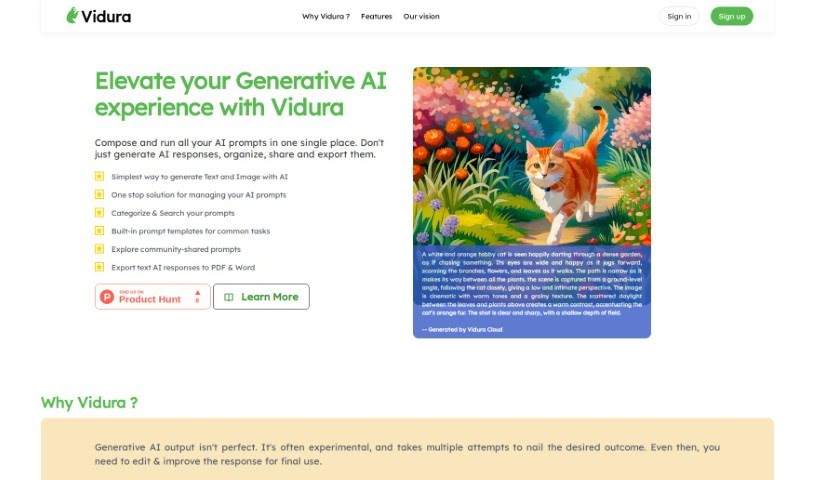
Vidura is a smart system designed to help you manage prompts for various AI tools, including those that generate text and images. It is your central hub for all things prompts, built to boost your productivity when working with Generative AI. Vidura’s goal is to make these powerful AI systems more accessible to everyone, all while keeping user experience and flexibility front and center. Interestingly, the name “Vidura” comes from Sanskrit and means “wise, intelligent, clever, smart, skilled, or learned.”
Who created Vidura?
Vidura was brought to life by a team who really wanted to make Generative AI easier for more people to use, without sacrificing a great user experience or the ability to adapt and grow. Their vision was to bring different AI systems together smoothly and efficiently. Vidura officially launched on April 16, 2023, with the clear aim of being a go-to productivity tool for anyone using Generative AI. The company focuses specifically on prompt management and integrating with a variety of AI systems. Within their platform, you’ll find features for creating prompts, using dynamic prompting techniques, and sharing prompts with a community.
What is Vidura used for?
Vidura offers a wide range of features to help you manage your AI interactions:
- Keep track of changes: It provides version control for your prompts.
- Manage prompts for many AI systems: You can organize prompts for different AI tools all in one place.
- Supports various AI outputs: It handles text-to-speech and text-to-music generation.
- Easy-to-use editor: A user-friendly text editor makes writing prompts a breeze.
- Custom labels: You can add your own metadata labels to prompts for better organization.
- Version control: Again, it helps you track different versions of your prompts.
- Quick account setup: Creating an account is fast and simple.
- Prompt categories: Organize your prompts into custom categories.
- Test your prompts: You can easily test prompts to see how they perform.
- Share with the community: Discover and share prompts with other users.
- User groups: Create groups to share prompts with specific people.
- Vidura Cloud integration: It works seamlessly with Vidura Cloud.
- Effortless category creation: Easily set up new categories for your prompts.
- Quick Templates: Create new prompts quickly using pre-made templates.
- Fast content generation: Generate content in mere seconds.
- Audit history: Keep a record of your prompt history.
- Dynamic prompting: Use dynamic prompting techniques.
- Access the Vidura community: Connect with and learn from other users.
- Secure sharing: Share prompts privately with selected users.
- Manage prompts for multiple systems: Centralize prompt management across different AI tools.
- Promote prompt engineering: Help advance the field of prompt engineering.
- Text-to-speech and text-to-music support: Handles these specific AI outputs.
- Custom metadata labels: Add your own tags for better organization.
- Testing prompts: Test prompts to refine results.
- Productivity tool: It’s designed to boost productivity for Generative AI users.
- Community features: Discover and share prompts with others.
Who is Vidura for?
Vidura is a valuable tool for a wide variety of individuals and professionals working with AI:
- AI researchers
- Content creators
- Marketers
- Product Managers
- Writers
- Developers
- Designers
- Professionals working with text-to-text AI
- Professionals working with text-to-image AI
- Professionals working with text-to-speech AI
- Professionals working with text-to-music AI
- Data scientists
- AI enthusiasts
- Software developers
- Creative Writers
- Anyone who works with generative AI systems
- Generative AI users in general
- Text-to-Image Artists
- Text-to-Speech Artists
- Text-to-Music Artists
How to use Vidura?
Here’s a straightforward guide to using Vidura effectively:
- Creating an Account:
- Start by visiting the Vidura Cloud website. You can create an account in just a few seconds.
- Creating Prompt Categories:
- Organize your prompts by creating specific categories. This helps you sort them based on your needs and projects.
- Adding Custom Labels:
- Attach your own metadata labels to prompts. This makes them even easier to categorize and identify later.
- Testing Prompts:
- After you’ve created a category and a prompt, test it out with the relevant AI systems. You can then refine the responses iteratively until you get exactly what you’re looking for.
- Prompt Engineering:
- Dive into prompt engineering! This is where you learn to write prompts that guide AI systems to produce very specific types of output.
- Utilizing Community Features:
- Check out the community dashboard. It’s a great place to discover new and exciting prompts shared by other users, and to share your own.
- Sharing Prompts Securely:
- If you need to share prompts privately, create user groups. This allows you to share sensitive prompts securely with specific members, with group admins managing access.
- Monitoring Prompt History:
- Keep track of your prompt experiments and the responses they generate using the “Prompt Run History.” This lets you compare different runs and see what worked best.
- Accessing Image Prompts:
- Don’t forget Vidura’s support for image prompts, which is part of its text-to-image feature.
By following these steps, you’ll be able to use Vidura effectively to manage your prompts and really improve your experience with generative AI systems.